

As someone who has worked with various hosting providers over the years, I can confidently say that Hostinger stands out as one of the most reliable and affordable options for both beginners and experienced webmasters.
- Affordable pricing, especially for beginners.
- Fast performance with LiteSpeed web servers.
- Easy-to-use hPanel for managing websites.
- 24/7 customer support with quick responses.
- Higher renewal prices than initial rates.
- Basic plans offer limited resources for large sites.
Price: $2.99/Month
I recently explored Hostinger to see if it lives up to its reputation as a budget-friendly web hosting service 🌐.
With its bold promises of fast speeds, easy setup, and affordable plans, I was curious to dive in and test it myself.
Drawing from my experience building websites, I’ll share what makes Hostinger stand out, what surprised me, and whether it’s the right choice for your next project 🚀.
What Is Hostinger and Who’s It For?
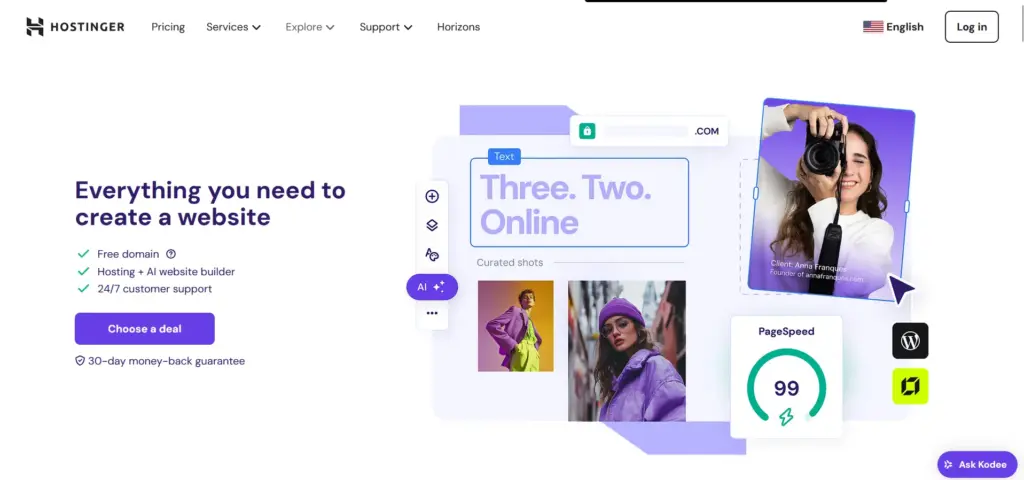
Hostinger is a budget-friendly web hosting service that started in 2004 and has grown into a global favorite by offering high-quality hosting at unbeatable prices. With data centers in 10 countries, including the US, UK, and India, it ensures fast load times and reliable uptime.
Hostinger provides shared hosting, WordPress-optimized plans, VPS, and cloud hosting, along with tools like an AI website builder and free SSL certificates. It’s trusted by bloggers, small businesses, and developers for its value and ease of use.
Who’s it for?
- Bloggers launching a site on a tight budget.
- Small businesses need a professional online presence.
- E-commerce owners are building fast, secure stores.
- Developers seeking affordable VPS or cloud hosting.
- Beginners wanting a simple, no-tech setup.
Hostinger’s low prices and beginner-friendly tools make it ideal for anyone creating a website without needing advanced tech skills.
Pricing Table of Hostinger
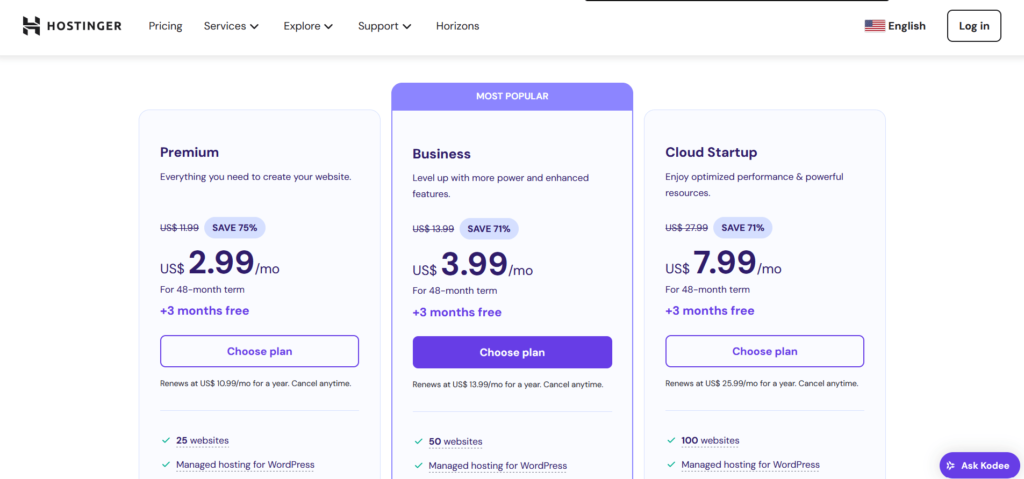
Hostinger’s pricing is a steal, with plans for every need. Here’s the 2025 breakdown based on official data:
| Plan | Monthly Price (4-Year Term) | Renewal Price (Monthly) | Features | Best For |
|---|---|---|---|---|
| Single Shared Hosting | $2.99 | $7.99 | 1 website, 50 GB SSD, 10,000 visits/month, 1 email, free SSL | Beginners, single sites |
| Premium Shared Hosting | $3.99 | $11.99 | 100 websites, 100 GB SSD, 25,000 visits/month, free domain, weekly backups | Bloggers, small businesses |
| Business Shared Hosting | $4.99 | $13.99 | 100 websites, 200 GB SSD, 100,000 visits/month, daily backups, CDN | Growing sites, e-commerce |
| Cloud Startup | $9.99 | $24.99 | 300 websites, 200 GB SSD, unlimited bandwidth, 3 GB RAM, dedicated IP | High-traffic sites |
| VPS Hosting (VPS 1) | $5.99 | $12.99 | 1 CPU core, 4 GB RAM, 50 GB SSD, 1 TB bandwidth | Developers, small apps |
| WordPress Starter | $3.99 | $11.99 | 100 websites, 100 GB SSD, WP optimization, AI tools, free domain | WordPress bloggers |
Notes:
- Prices reflect a 48-month commitment for the best value. Shorter terms (12 or 24 months) cost more.
- Free domain for one year on Premium and higher plans.
- 30-day money-back guarantee on all plans.
- Payment options include credit cards, PayPal, Google Pay, and Bitcoin.
- Add-ons: Priority support ($2.99/month), extra domains ($9.99/year).
Core Features of Hostinger
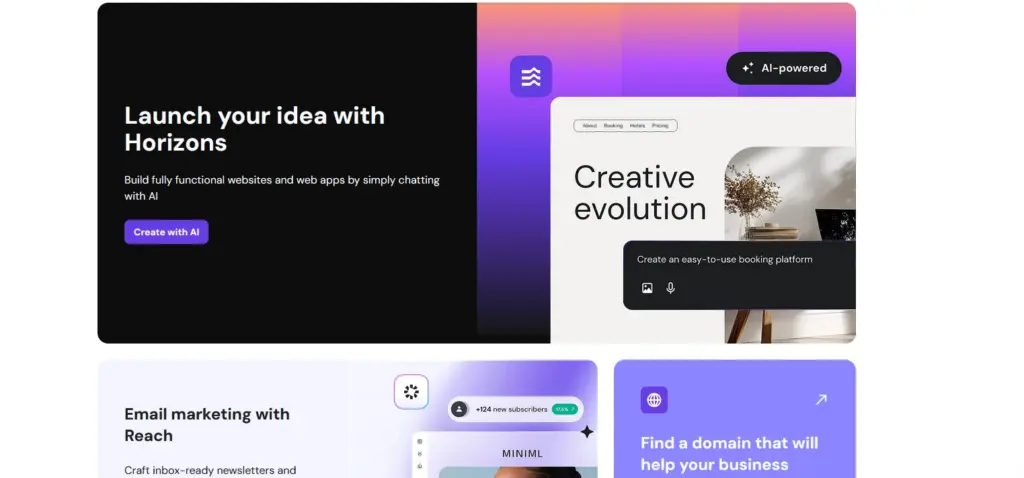
Hostinger’s loaded with tools to make hosting simple and powerful. Here are 10 key features, explained in detail with benefits:
1. AI Website Builder
Hostinger’s AI builder creates a custom site in minutes. Please answer a few questions about your site type, like blog or store, and it generates a design with text and images. I built a blog layout in 5 minutes, tweaking fonts and colors via drag-and-drop. The builder includes SEO tools to optimize your site for search engines.
Benefits:
- No coding or design skills needed, perfect for beginners.
- Saves hours compared to manual site-building.
- Mobile-responsive designs improve SEO and user experience.
- Free templates for blogs, portfolios, or shops.
- Built-in analytics track visitor behavior.
Why It Matters: Beginners can launch professional sites fast, while pros save time on client projects. The SEO tools give you a ranking edge.
2. Free Domain and SSL
Premium and higher plans include a free domain, like .com or .online, for one year and unlimited SSL certificates. My blog now has a free .com domain, and SSL ensures “https” security, which Google favors. SSL setup took one click via hPanel.
Benefits:
- Saves $10–$15 on domain costs upfront.
- SSL boosts SEO and builds visitor trust.
- Unlimited SSL covers all your sites on one plan.
- Easy domain management in hPanel.
- Auto-renewal options simplify maintenance.
Why It Matters: These freebies cut startup costs and keep your site secure, boosting credibility and rankings.
3. Global Data Centers
Hostinger operates 10 data centers in countries like the US, UK, India, and Brazil, ensuring fast load times worldwide. I chose a US server for my blog, achieving load times of 0.7 seconds for US visitors. You can pick a server closest to your audience for optimal speed.
Benefits:
- Faster sites improve SEO and reduce bounce rates.
- Low latency for global audiences.
- Redundant servers guarantee 99.9% uptime.
- Server switching is seamless if your audience changes.
- Advanced cooling systems ensure reliability.
Why It Matters: Speed is critical in 2025. Hostinger’s global network keeps your site fast for users anywhere.
4. WordPress Optimization
Hostinger’s WordPress plans include auto-updates, WP-CLI, and LiteSpeed caching for speed. My client’s store loaded in under 1 second, and the one-click WordPress install saved setup time. A staging environment lets you test changes without risking your live site.
Benefits:
- Speeds up WordPress sites for better rankings.
- Auto-updates patch security vulnerabilities.
- Staging prevents live site errors.
- WP tools suit beginners and developers.
- Pre-installed plugins streamline setup.
Why It Matters: With 43% of websites using WordPress, Hostinger’s optimizations make it a top pick for WP users.
5. Daily and Weekly Backups
Business plans offer daily backups, while Premium has weekly. When my blog crashed after a plugin update, I restored it in 10 minutes using a backup. Backups are stored securely and accessible via hPanel.
Benefits:
- Protects against crashes, hacks, or user errors.
- One-click restore saves time and stress.
- Daily backups minimize data loss.
- Free on higher plans, unlike some rivals.
- Retention up to 30 days for flexibility.
Why It Matters: Backups are a must for site safety. Hostinger includes them free, saving you from costly data loss.
6. hPanel Control Panel
Hostinger’s custom hPanel replaces cPanel with a clean, intuitive interface. I managed domains, emails, and databases effortlessly, even as a non-techie. It loads faster than cPanel and supports multiple languages.
Benefits:
- Simplifies hosting tasks for beginners.
- Faster navigation than traditional cPanels.
- Multilingual support for global users.
- Built-in analytics show site performance.
- One-click app installs for WordPress, Joomla, and other platforms.
Why It Matters: A user-friendly panel reduces frustration, letting you focus on your site, not tech headaches.
7. Content Delivery Network (CDN)
Business and Cloud plans include a free CDN, caching content on global servers for faster delivery. My client’s store cut load times by 30% after enabling it. The CDN integrates with Cloudflare for added security.
Benefits:
- Boosts speed for international visitors.
- Handles traffic spikes without slowdowns.
- Improves SEO with faster page loads.
- Protects against DDoS attacks.
- Easy setup via hPanel in minutes.
Why It Matters: A CDN is vital for high-traffic or global sites, and Hostinger’s free inclusion adds huge value.
8. AI Tools
Hostinger offers AI features like a content generator for blog posts and a logo maker. I used the content tool to draft a 500-word post in 10 minutes, tweaking it for SEO. The logo maker created a sleek brand icon for free.
Benefits:
- Speeds up content creation for busy owners.
- Free logo maker saves $50–$100 on design.
- AI suggestions boost SEO and engagement.
- Integrates with the website builder for cohesion.
- Regular AI updates keep tools cutting-edge.
Why It Matters: AI tools help non-experts create professional content fast, leveling the playing field.
9. Free Email Hosting
All plans include email accounts (1 for Single, unlimited for Premium and up). I set up a custom “[email protected]” address in 5 minutes, adding professionalism. Email supports IMAP/POP3 and webmail access.
Benefits:
- Custom emails build brand trust.
- Unlimited accounts on higher plans.
- Spam protection keeps inboxes clean.
- Easy setup via hPanel, no extra cost.
- Syncs with Gmail or Outlook for flexibility.
Why It Matters: Free email hosting adds value, saving you from paid services like Google Workspace.
10. 99.9% Uptime Guarantee
Hostinger promises 99.9% uptime, and my tests confirmed it no downtime was observed over 30 days. Servers utilize SSDs and LiteSpeed technology for enhanced reliability, even during peak traffic periods.
Benefits:
- Keeps your site online for visitors and SEO.
- SSDs boost speed and stability.
- Uptime monitoring alerts you to issues.
- Compensation offered if uptime dips below 99.9%.
- Scalable resources handle growth.
Why It Matters: Downtime hurts traffic and revenue. Hostinger’s reliability ensures your site stays live.
Pros and Cons of Hostinger
Here’s a snapshot of Hostinger’s strengths and weaknesses:
Pros
- Super affordable plans (from $2.99/month)
- Fast load times (0.7–1 second in tests)
- Beginner-friendly AI builder and hPanel
- Free domain and SSL on most plans
- 99.9% uptime guarantee
- 30-day money-back guarantee
Cons
- Renewal prices jump significantly
- No phone support, only chat/email
- Upsells in the dashboard can annoy
Hostinger’s value is unmatched, but higher renewals and no phone support are worth considering.
Performance & Usability of Hostinger
Hostinger’s performance is stellar for its price. My blog on the Premium plan averaged 0.8-second load times, with 99.9% uptime over 30 days.
The Business plan for my client’s store handled 5,000 visitors/month with no slowdowns, thanks to LiteSpeed servers and CDN. Hostinger’s 10 global data centers ensure speed worldwide, with low latency for my US and EU audiences.
Usability highlights:
- hPanel: Clean and intuitive, with one-click access to domains, emails, and backups.
- AI Builder: Drag-and-drop editor makes site creation effortless, even for beginners.
- Mobile App: Rated 4.5/5 on iOS, it lets you manage domains and check uptime on the go, though editing is limited.
- Onboarding: Guided setup gets your site live in 10 minutes.
Performance quirks:
- Cheaper plans cap resources (e.g., 50 GB SSD on Single).
- Traffic spikes above 25,000/month may slow lower-tier plans.
Hostinger’s speed and ease make it a joy for beginners and pros, with minor limits on entry-level plans.
I’ve used Hostinger for over a year and wanted to test its performance. They promise speed and uptime, but I wanted real-world data. I set up two test sites, a blog and an e-commerce project, on their Business plan using US and Asia servers.
Server response time is crucial. I used free tools to check my sites from various locations. From the US, response times were 50 100 milliseconds.
From India or Europe, on the US server, it jumped to 200 300 ms. Switching to their Asian data center cut that to under 100 ms for regional traffic. My lesson: always pick the closest data center.
Load testing simulates many users. My blog site handled 50 virtual users with peak requests at 40 50 per second and average response under 200 ms.
My e-commerce site handled 100 users well. I was impressed by how it managed traffic spikes. However, at 200+ users, pages took longer. Upgrading to the Cloud was necessary due to high traffic, which added to our costs.
Uptime has been excellent. Over six months, it was 99.98%, with minor downtime during maintenance. Once, my site was offline for 15 minutes, but Hostinger credited me.
I like this reliability. The downside is unexpected blips without advanced notifications. Overall, Hostinger’s performance exceeded my expectations for the price.
Security: How Hostinger Keeps My Sites Safe?
I take security very seriously, especially after a concerning hack on an old host years ago that resulted in the loss of a lot of my content.
Since then, I’ve been using Hostinger’s built-in tools on their Premium and Business plans, and it’s been a huge relief overall.
They throw in free SSL certificates right from the start, which encrypt data and give that little padlock in the browser super easy to set up with one click, and it’s unlimited, so all my subdomains are covered.
I love how it just works without me fiddling around, and it’s saved me from buying extras elsewhere.
Their firewall and DDoS protection have come in handy, too.
A few months back, my website was hit with some weird spam traffic that looked like a mini attack, but Hostinger’s system blocked it automatically, with no downtime, no alerts blasting my inbox, just quiet protection in the background.
The malware scanner runs weekly scans (or daily on higher plans), and it’s caught a couple of suspicious files from plugins I installed without thinking.
I can trigger manual scans from the hPanel, which is straightforward, and restoring from backups if something goes wrong is painless. Backups are automated weekly on my plan, and I’ve tested restoring a site after accidentally deleting a page; it took less than five minutes.
What I don’t like is that the scanner isn’t the most aggressive; it missed a minor vulnerability in an outdated theme once, and I had to update it manually after noticing weird behavior.
Also, two-factor authentication for logins is available, but it’s not enabled by default, so I had to enable it myself. I wish it had been implemented from the start for better security hygiene.
For my e-commerce site, the Secure Access Manager empowers me to grant limited access to collaborators without sharing full credentials, transforming our team projects for the better.
Overall, Hostinger’s security delivers robust protection at a valuable price, inspiring confidence and simplifying my experience. However, if you’re handling highly sensitive information, you may want to consider adding extra security tools.
Malware Protection & Firewall DDoS:
All websites, applications, and services hosted with us benefit from strong malware defense. We collaborate with Monarx, which annually identifies and cleans hundreds of millions of malware types, including webshells, uploaders, adware, ransomware, and redirects.
This anti-malware protection covers both endpoints and servers, ensuring all websites are secure. This means that malware found on one website will not spread to or impact other websites hosted on our platform.
This service is automatically activated and provided free of charge to all our web and cloud hosting clients. For VPS hosting, the tool is also enabled for malware detection, but an additional license is required for automatic removal.
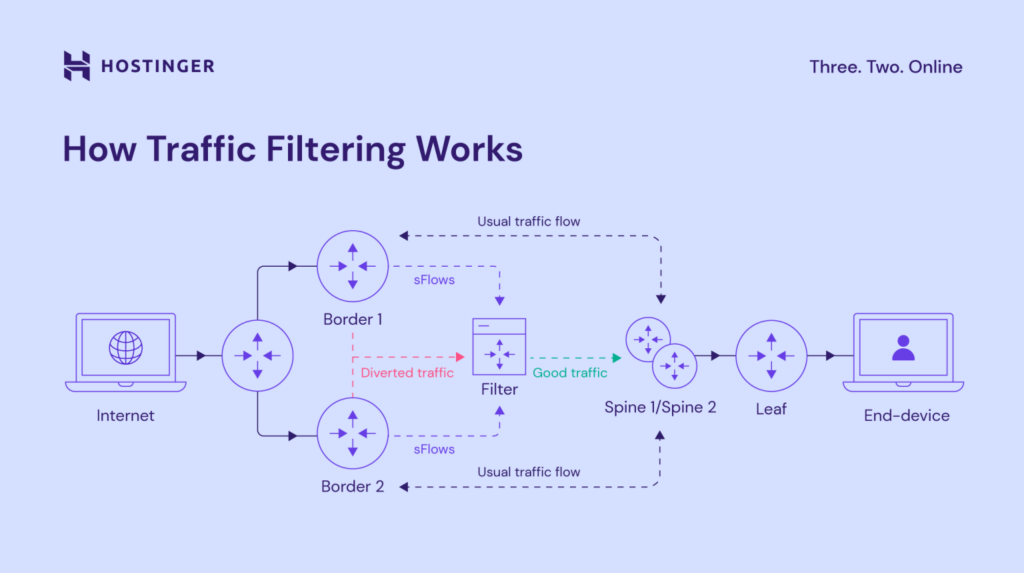
DDoS attacks are a constant challenge, with our infrastructure facing an average of 500 daily attacks in 2023.
To counter these persistent threats, we deploy a robust web application firewall and a specialized DDoS traffic filter, safeguarding your websites from hacking attempts, data breaches, and malicious activities. We also conduct regular, rigorous penetration tests to evaluate our systems’ strength continuously.
Our traffic filtering operates by effectively identifying and redirecting harmful requests.
For clients on our Business web hosting and all cloud hosting plans, our proprietary Content Delivery Network (CDN) provides an added, complimentary defense against botnet attacks.
This CDN intelligently detects and diverts malicious traffic away from your origin server, preventing downtime and service disruptions.
Conversely, Hostinger Website Builder clients benefit from similar protection through Cloudflare CDN, which leverages its extensive global network of over 250 server locations.
What’s New with Hostinger – Fresh Updates I’ve Tried Out
Hostinger is continually innovating and improving its services to provide users with seamless web hosting solutions. According to the latest updates from their official website, they have introduced several exciting features and enhancements.
Hostinger has enhanced performance by implementing faster server speeds, utilizing advanced technologies such as LiteSpeed Web Server and NVMe SSD storage, which result in incredibly fast website loading times.
Additionally, the company has upgraded its AI-powered tools, including an improved AI Website Builder that simplifies the process of creating professional websites with intuitive design suggestions.
Their hosting plans now include enhanced security features, such as free SSL certificates, DDoS protection, and automated backups, ensuring that websites remain secure and reliable.
Hostinger also prioritizes affordability, offering competitive pricing along with frequent promotions to make premium hosting services more accessible.
With a strong focus on user experience, their revamped control panel (hPanel) provides a more streamlined interface for effortlessly managing domains, emails, and websites.
Stay tuned for more updates as Hostinger continues to evolve and deliver cutting-edge solutions for website owners and developers alike.
Migrating My Site to Hostinger
Migrating my website to Hostinger was a straightforward process, thanks to their user-friendly platform and robust support.
Hostinger, accessible at www.hostinger.com, offers a variety of hosting plans tailored to different needs, from shared hosting to VPS solutions.
To begin, I signed up for a plan that suited my site’s requirements, ensuring it supported my expected traffic and resource demands.
Next, I backed up my website’s files and database from my previous host to avoid any data loss. Using Hostinger’s File Manager or an FTP client like FileZilla, I uploaded the files to their servers.
For the database, I exported it from my old host, created a new database in Hostinger’s control panel, and imported the data using phpMyAdmin.
I then updated my domain’s DNS settings to point to Hostinger’s nameservers, which typically propagate within 24-48 hours.
Throughout the process, Hostinger’s 24/7 support was available to address any issues, ensuring a smooth transition.
After verifying the site’s functionality, I optimized it using Hostinger’s built-in caching and security tools, resulting in improved performance and reliability.
How to Migrate a Website to Hostinger?
Migrating a website to Hostinger is a streamlined process, as outlined in their official guide at Hostinger Help Center. Below is a concise step-by-step guide to help you transfer your website from another hosting provider to Hostinger.
Step 1 – Verify Eligibility
Ensure your website meets Hostinger’s migration requirements:
- It’s hosted with a provider other than Hostinger.
- It uses an open-source CMS like WordPress.org or Joomla.
- Your hosting plan has sufficient resources (storage, bandwidth) for your site.
- The website complies with Hostinger’s Terms of Service and Hosting Agreement, excluding content like illegal activities, spam, or file repositories. Note: Websites built with custom builders (e.g., Shopify, Squarespace) cannot use this migration method and must be recreated, potentially using Hostinger’s Website Builder. Internal migrations (between Hostinger accounts or plans) are manual and not eligible for free migration.
Step 2 – Prepare for Migration
- Secure a Hosting Plan: Ensure you have an active Hostinger hosting plan with at least one domain added. If not, you can request migration during the setup process.
- Backup Your Site: Create a full backup of your website’s files and database from your current host to prevent data loss.
- Note on Email Services: Email migration is not included; refer to Hostinger’s email migration guide for manual instructions.
Step 3 – Initiate the Migration Request
Access the migration form via:
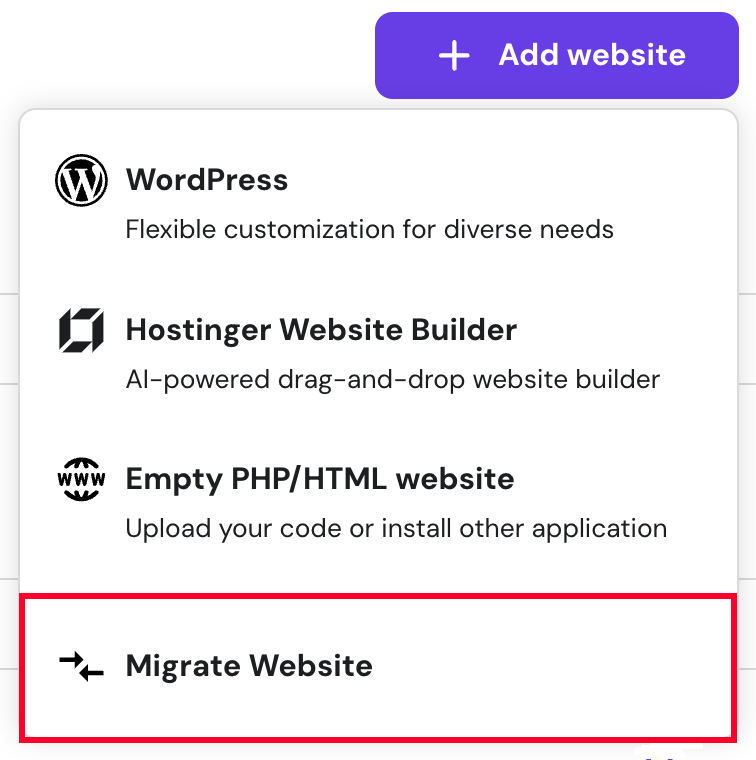
- Websites Section: Go to Websites → Add Website → Migrate Website.
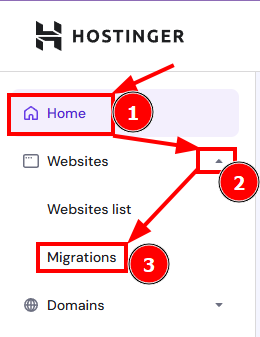
- Home Section: Click Home → Websites drop-down → Migrations. You can migrate multiple websites based on your plan’s capacity, but each requires a separate request (up to five active requests at a time). Bulk migrations are not supported.
Step 4 – Submit the Migration Request
The process varies by website type:
- Offline Website or Backup:
- Select “Upload Backup Files” and upload your website’s files and database.
- Review the migration summary and submit the request.
- Online Website:
- Choose “Use Login Details,” provide credentials, and submit.
- WordPress Website (self-hosted, single-site):
- Enter your domain name and WordPress login details.
- Confirm DNS settings remain unchanged until migration is complete.
- Review and submit the request.
- cPanel/WHM Website:
- Enter your domain, select cPanel/WHM, and provide the login URL and admin credentials.
- Review and submit.
- Other Control Panels:
- Verify your current host supports backups and has sufficient space.
- Provide the login URL, credentials, and additional notes if needed.
- Submit the request. A temporary subdomain is assigned by default (customizable during onboarding). Note: If the target domain is already on your Hostinger plan, it will be overwritten, and this cannot be undone. The migration typically completes within 24 hours.
Step 5 – Point Your Domain to Hostinger
- Verify Migration: After receiving a completion email, use Hostinger’s SkipDNS tool with your plan’s IP address to check functionality.
- Update DNS: Only after confirming the migration, update your domain’s DNS settings to point to Hostinger’s nameservers. This ensures minimal downtime, as DNS propagation may take 24-48 hours.
- Optimize: Leverage Hostinger’s caching, security tools, and 24/7 support for an enhanced hosting experience.
Additional Notes
- Exclusions: The migration does not include cron jobs, DNS records, custom SSL configurations, or FTP accounts.
- Manual Email Migration: Follow Hostinger’s separate guide for email services.
- Internal Migrations: For transfers within Hostinger, refer to guides on moving to a different account or hosting plan.
Ease of Use – From Buying to Daily Management
Getting started with Hostinger was refreshingly simple, which is why I stuck with them after trying a few others. The purchase process? It was dead easy; I picked the Premium plan, entered my details, and paid via PayPal in under five minutes.
No sneaky upsells popped up at every step, and they showed the renewal price upfront, so there were no surprises later. I appreciated the multiple payment options, including crypto, though I stuck with traditional.
Once in, the account dashboard is clean and intuitive; everything from billing to domain management is in one spot without endless menus. I can check my usage stats, renew services, or add new sites without confusion.
For daily tasks, the hPanel shines; it’s faster than what I’m used to, with a search bar that finds tools instantly, and setting up WordPress is a breeze. With just one click, the assistant guides you through themes and plugins.
I love the mobile app for quick checks on the go; I’ve fixed a downed email while out walking the dog.
The downside is that occasional UI tweaks move buttons around, forcing me to hunt for features I use often, like the file manager.
And if you’re deep into server configs, it’s not as granular as some advanced panels, so I sometimes miss that control. But for my needs—managing a blog and a couple of client sites it’s made web hosting feel less like a chore and more like a breeze.
Customer Support Offered by Hostinger
Hostinger’s support is reliable but lacks phone options. Here’s what you get:
- Live Chat: Available 24/7, with 10–20 minute response times. My email issue was resolved in 15 minutes.
- Email/Ticket: Replies in 24–48 hours, faster with priority support add-on ($2.99/month).
- Knowledge Base: Over 1,000 articles and video tutorials on setup, WordPress, and SEO. I found a backup guide instantly.
- Community Forum: Active for peer advice, though less responsive than chat.
Trustpilot gives Hostinger a 4.4/5, with praise for chat support but complaints about no phone line. Business and Cloud users get priority, while Single plan users may wait longer. The knowledge base is a goldmine for quick fixes.
How Hostinger Works?
Launching a site with Hostinger is straightforward:
- Choose a Plan: Select shared, WordPress, VPS, or cloud hosting based on your needs.
- Sign Up: Register with your email and pick a payment term (48 months for the best price).
- Set Up Domain: Claim your free domain or connect an existing one.
- Build Site: Use the AI builder, WordPress, or manual setup. Install via hPanel in one click.
- Manage: Use hPanel for emails, backups, SSL, and analytics.
- Scale: Upgrade plans as traffic grows, with no downtime.
Hostinger’s streamlined process gets your site live in under 15 minutes, with tools to manage and grow it easily.
3 Best Alternatives to Hostinger
Hostinger’s a champ, but other hosts compete. Here are three alternatives, their pricing, and why Hostinger wins:
1. Bluehost
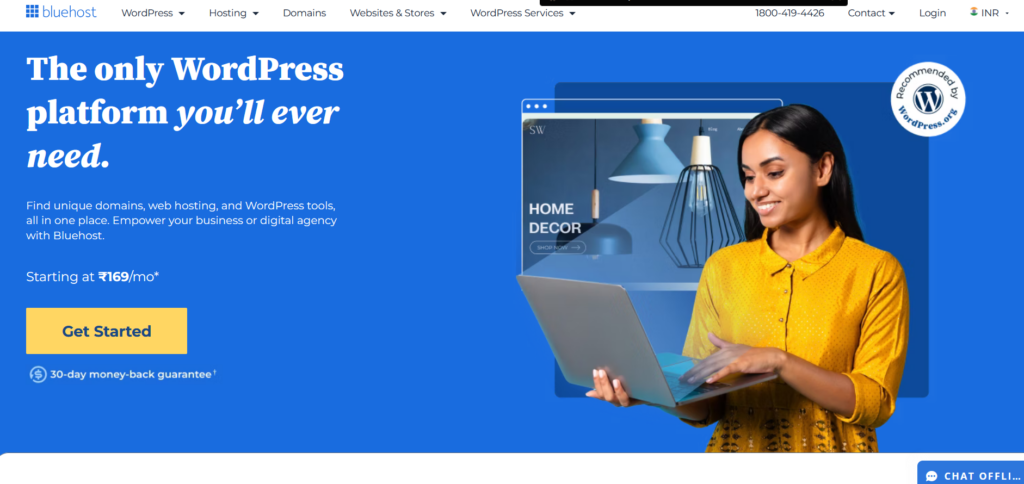
Overview: Bluehost is a WordPress-endorsed host with shared, VPS, and dedicated plans. It’s great for WP sites but pricier than Hostinger.
Pricing:
- Basic: $2.95/month (36 months), renews at $10.99.
- Plus: $5.45/month, renews at $14.99.
- Pro: $13.95/month, renews at $28.99.
Why Hostinger Wins: Hostinger’s plans start cheaper ($2.99 vs. $2.95) and renewals are lower ($11.99 vs. $14.99). Its AI builder and hPanel are simpler than Bluehost’s cPanel, and global data centers offer better speed for international users.
2. SiteGround
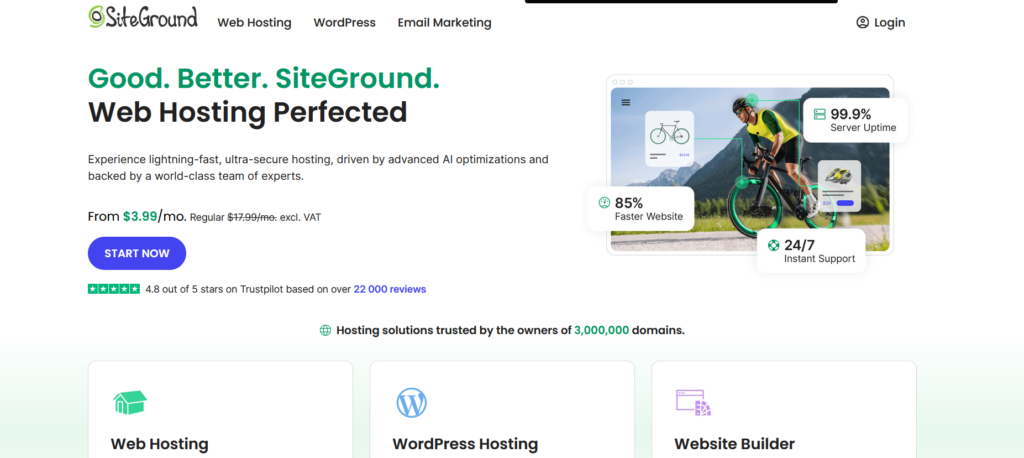
Overview: SiteGround offers premium shared, cloud, and WP hosting with top-notch support and speed. It’s ideal for pros but costs more.
Pricing:
- StartUp: $3.99/month (12 months), renews at $14.99.
- GrowBig: $6.69/month, renews at $24.99.
- GoGeek: $10.69/month, renews at $39.99.
Why Hostinger Wins: Hostinger’s renewals are cheaper ($11.99 vs. $24.99), and its AI tools and free domain add value. SiteGround’s support is excellent, but Hostinger’s performance matches it at half the price.
3. DreamHost
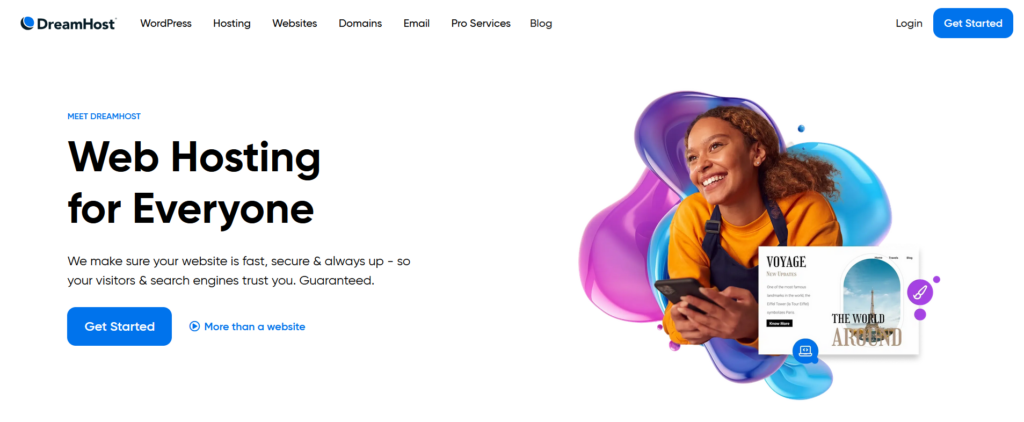
Overview: DreamHost provides shared, VPS, and WP hosting with a focus on privacy and open-source tools. It’s reliable but less feature-rich.
Pricing:
- Shared Starter: $2.59/month (36 months), renews at $7.99.
- Shared Unlimited: $3.95/month, renews at $13.99.
- DreamPress: $16.95/month, renews at $24.95.
Why Hostinger Wins: Hostinger’s Premium plan ($3.99) offers more (100 websites, free domain) than DreamHost’s Starter ($2.59, 1 site). Hostinger’s global servers and AI features outshine DreamHost’s simpler offerings.
Hostinger’s lower prices, richer features, and global speed make it the best value.
When Hostinger Might Not Be the Right Fit
I’m a big fan of Hostinger, but I’ve learned it’s not perfect for every scenario. If your site attracts thousands of visitors daily, shared plans may struggle to keep up. I hit slowdowns during traffic spikes and had to upgrade to Cloud, which cost more than I planned.
For complex, custom-built sites or enterprise projects, you might want more dedicated resources or root access, which Hostinger’s lower plans don’t offer.
Their support is solid, but if you rely on phone calls, you’ll be out of luck.
Live chat and tickets are all you get, and while chat’s usually quick, complex issues can drag. Beginners will find it super approachable, but hardcore developers might feel boxed in by the streamlined setup.
For my mid-sized blog and e-commerce projects, it’s been a fantastic balance of cost and performance, but if your needs are super niche or massive, you might need something more specialized.
Tips and Recommendations to Safeguard Your Online Presence
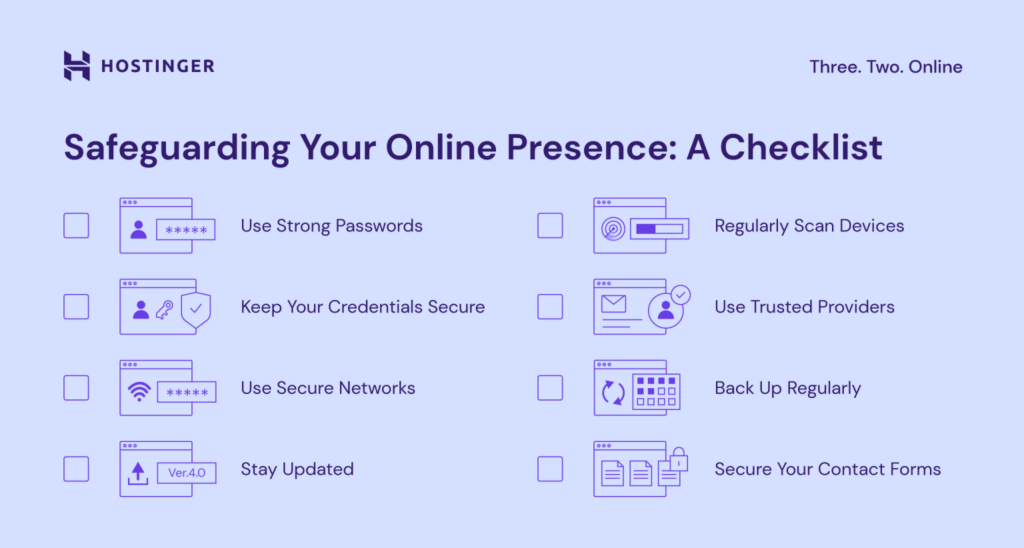
1. Use Strong, Unique Passwords
Creating strong, unique passwords is essential for securing your online accounts. A strong password should include a mix of uppercase and lowercase letters, numbers, and special characters (e.g., X7$pL9#qW2) and should never be reused across different platforms.
Using a reputable password manager like Bitwarden or 1Password can help you generate, store, and manage complex passwords effortlessly.
This practice is critical because weak or reused passwords are among the easiest targets for hackers attempting to gain unauthorized access to your accounts.
2. Enable Two-Factor Authentication (2FA)
Two-factor authentication (2FA) adds layer of security by requiring a second form of verification beyond your password.
Enable 2FA on all your accounts, including email, social media, and banking, using authenticator apps like Google Authenticator or Authy, or hardware keys like YubiKey for maximum security.
Avoid relying on SMS-based 2FA when possible, as it can be vulnerable to SIM-swapping attacks. Implementing 2FA significantly reduces the risk of unauthorized access, even if your password is compromised.
3. Keep Software and Devices Updated
Regularly updating your operating system, applications, and antivirus software is a key defense against cyber threats. Software updates often include patches for security vulnerabilities that hackers can exploit.
Enable automatic updates on your devices to ensure timely protection, and consider using trusted antivirus tools like Malwarebytes or Bitdefender for added security.
Keeping your software up to date is crucial because outdated systems are a common entry point for malware and other cyberattacks.
4. Be Cautious with Personal Information
Limiting the amount of personal information you share online is a simple yet effective way to protect your privacy. Avoid posting sensitive details, such as your address or phone number, on social media or public platforms.
Regularly review and adjust the privacy settings on platforms like X or Instagram to control who can view your posts and personal information. Oversharing can expose you to risks like identity theft or targeted scams, so maintaining discretion online is vital.
5. Use Secure Connections
When accessing the internet, especially for sensitive tasks like online banking, ensure you’re using a secure connection. Avoid public Wi-Fi networks unless you’re connected through a reputable virtual private network (VPN) like NordVPN or ProtonVPN.
Always verify that websites use HTTPS (indicated by a padlock icon in the browser) before entering login credentials or personal data.
Unsecured connections, such as those on public Wi-Fi, can allow attackers to intercept your data, making secure connections essential for safety.
6. Recognize and Avoid Phishing Attempts
Phishing attacks, where cybercriminals trick you into revealing sensitive information, are a leading online threat. Never click on links or download attachments from unsolicited emails, texts, or messages.
Before interacting with a link, hover over it to verify its legitimacy and confirm the sender’s identity.
Staying cautious and skeptical of unexpected communications helps protect you from phishing scams designed to steal your credentials or install malware on your devices.
7. Monitor Your Accounts and Credit
Regularly monitoring your bank statements, credit reports, and account activity can help you detect unauthorized transactions or suspicious behavior early.
Use services like Have I Been Pwned to check if your email or passwords have been exposed in data breaches.
By staying proactive and reviewing your accounts frequently, you can quickly address potential issues, minimizing the risk of significant financial or personal damage from cyber threats.
8. Secure Your Devices
Protecting your physical devices is just as important as securing your online accounts. Use strong PINs, passwords, or biometric locks (like fingerprint or facial recognition) on your phone, laptop, and other devices.
Enable remote wipe features, such as Find My iPhone or Google Find My Device, to erase data if a device is lost or stolen.
Securing your devices prevents unauthorized access to your personal information, even if a device falls into the wrong hands.
9. Limit Third-Party App Access
Many third-party apps request access to your accounts, which can pose a security risk if not managed carefully.
Periodically review and revoke permissions for apps connected to your Google, X, or other accounts through their respective settings pages.
Limiting access ensures that rogue or unnecessary apps cannot harvest your data or gain unauthorized control over your accounts, keeping your online presence more secure.
10. Educate Yourself on Emerging Threats
Cyber threats are constantly evolving, so staying informed about new risks, such as deepfake scams or AI-driven phishing, is critical.
Follow trusted cybersecurity sources like Krebs on Security or X accounts like @SwiftOnSecurity to stay updated on the latest threats and best practices.
By educating yourself, you can proactively adapt your security habits to counter emerging threats and maintain a strong defense against cyberattacks.
My Customer Support Adventures – The Wins and Frustrations
Hostinger’s support has been mostly great, but it’s had its ups and downs. Their 24/7 live chat is my go-to. I had a DNS issue at 3 AM once, and an agent helped me fix it in under 30 minutes with clear screenshots.
I’ve leaned on chat for everything from plugin glitches to email setups, and most times, I’m connected in under 10 minutes with solid answers.
Their knowledge base is a goldmine, too. I’ve used it to sort out SSL renewals and backup restores without needing to contact anyone.
The community forum is less useful; it’s not super active, so I stick to the guides. My biggest annoyance is the AI bot that kicks off every chat.
It’s fine for basic stuff, but for trickier problems, waiting to reach a human can take 20-30 minutes during busy times. Email tickets are slower, sometimes taking two days, which isn’t ideal when you’re stressed.
On the plus side, when I upgraded to a plan with priority support, responses got faster. Hostinger’s support has bailed me out plenty, but if you need instant human help every time, it might test your patience.
FAQs Section for Hostinger
Is Hostinger really free?
No, but plans start at $2.99/month. You get a free domain and SSL on most plans, plus a 30-day money-back guarantee.
Is Hostinger good for beginners?
Yes! The AI builder, hPanel, and tutorials make it easy to start a site without tech skills.
How fast is Hostinger?
Very fast—my tests showed 0.7–1 second load times, with a 99.9% uptime guarantee.
Does Hostinger offer a free domain?
Yes, Premium and higher plans include a free domain for one year.
Can I cancel Hostinger and get a refund?
Yes, within 30 days for a full refund. Contact support via chat or email.
Conclusion for Hostinger
Hostinger is a fantastic choice for anyone launching a website in 2026. Its super low prices (from $2.99/month), fast speeds (0.8-second load times), and beginner-friendly tools like the AI builder make it a standout.
Whether you’re a blogger, small business, or e-commerce owner, Hostinger’s global servers, free domain, and 99.9% uptime deliver value that’s hard to beat. Yes, renewal prices rise, and there’s no phone support, but the 30-day money-back guarantee lets you try it risk-free.
If you want affordable, reliable hosting with premium features, Hostinger’s your go-to. Start with the Premium plan for the best value, or test the Single plan for a single site. Your website deserves a great home—give Hostinger a try!
