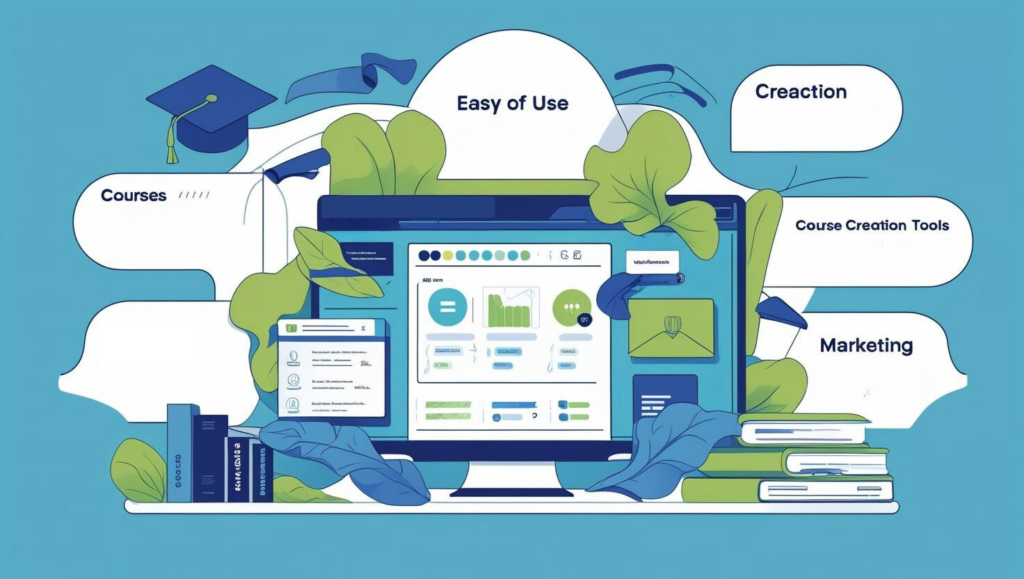
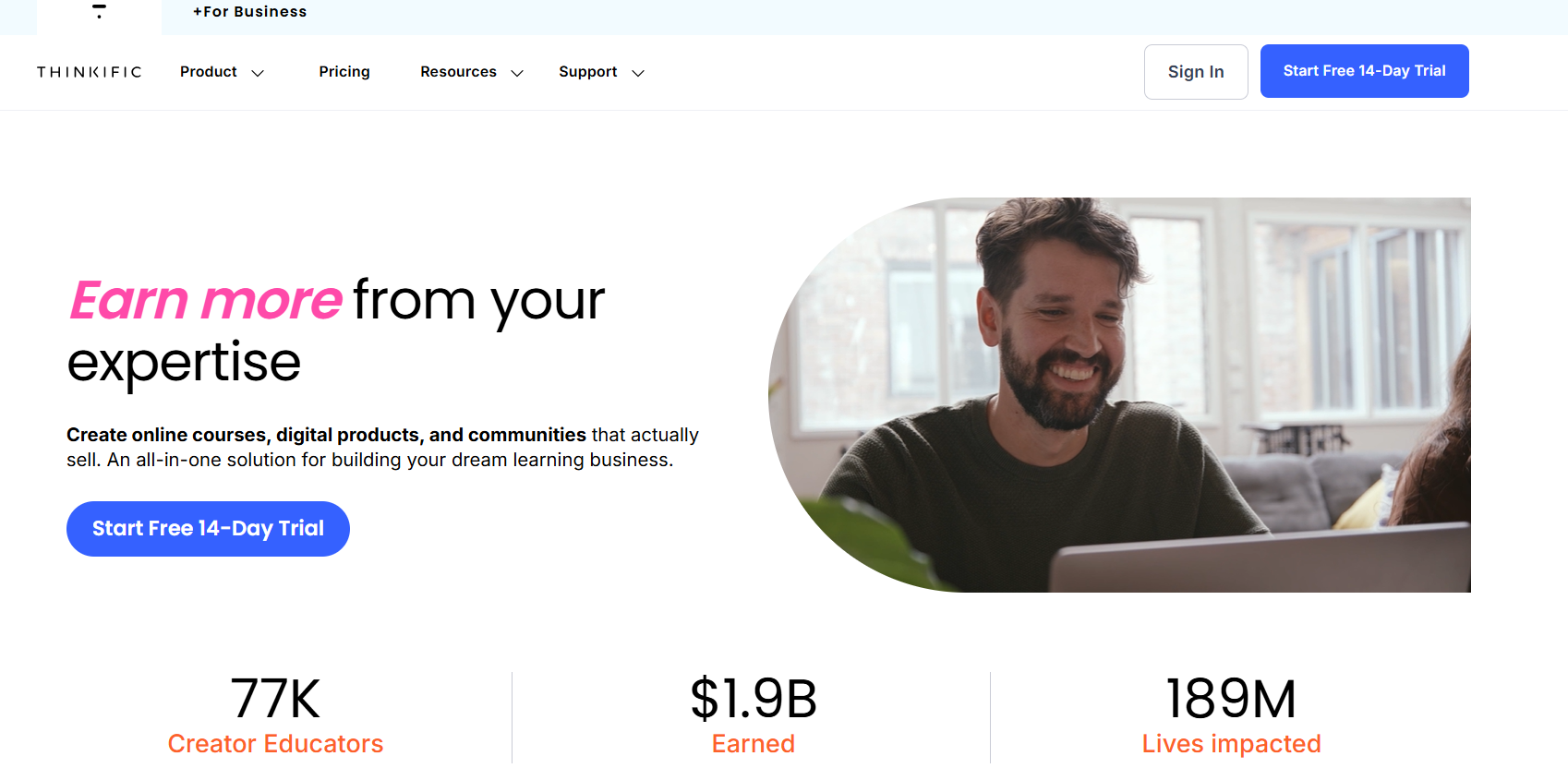
Thinkific is a user-friendly platform that simplifies creating, marketing, and selling online courses, offering a robust free plan and affordable paid options with no transaction fees. I recommend Thinkific for its cost-effective scalability, ease of use, and comprehensive support, empowering anyone to launch a successful online education business.
Ever dreamed of turning your know-how into a side hustle course, but tech nightmares stop you cold? I get it- uploading videos, setting quizzes, chasing payments… it’s overwhelming. Picture this: Late night, laptop glowing, your first lesson half-built, but the builder fights you. That’s the old way. Thinkific changes the game.
In this heartfelt Thinkific review, we’re unpacking it all like coffee shop chat: Fresh 2026 features (hello, AI magic), pricing that scales with dreams, real creator wins/losses. If you’re a teacher, coach, or biz owner eyeing online courses, memberships, or communities, let’s see if Thinkific fits your hustle.
My First Impressions on Thinkific Reviewand Why I Chose It
When I first explored Thinkific, I was seeking a platform that would simplify the process of creating and selling online courses. I had heard about its user-friendly interface and comprehensive features, but I wanted to experience it firsthand.
Upon signing up, I was immediately impressed by the intuitive drag-and-drop course builder. It allowed me to structure my content seamlessly, incorporating videos, quizzes, and downloadable resources without any technical hassle.
The pre-designed templates were a bonus, enabling me to launch my courses quickly and professionally.
The platform’s scalability also stood out. Whether I was planning to offer a single course or a full-fledged learning academy, Thinkific seemed equipped to handle both.
Its robust analytics provided insights into student engagement and sales performance, helping me make informed decisions about my offerings.
One of the deciding factors for me was Thinkific’s commitment to supporting creators. Their extensive knowledge base, responsive customer support, and community forums made it clear that they prioritize user success.
In conclusion, Thinkific aligned perfectly with my needs, offering a blend of ease-of-use, scalability, and dedicated support. It provided the tools I needed to bring my educational content to life and share it with a broader audience.
What is Thinkific?
Thinkific is a website that allows you to create, sell, and manage courses. It’s specially designed for educators, business owners, and creators who aim to teach their expertise to an audience around the world.
With Thinkific, you can design and create a custom course website based on your ideas, upload videos, create quizzes, and set up payment options all without needing any coding experience.
This platform offers powerful customization options, an intuitive interface, and tools to support the growth of your online course business.
Thinkific provides all the resources you need to design an engaging learning environment if you’re teaching corporate training, professional skills, or hobbies.
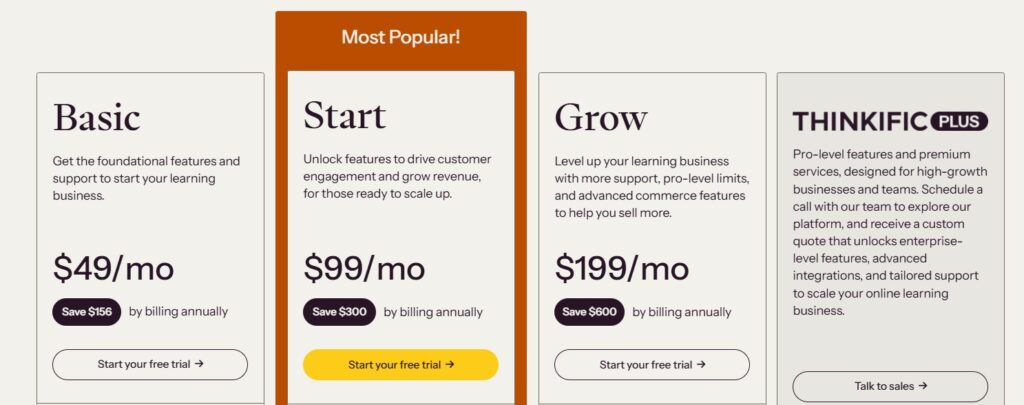
Thinkific offers several pricing plans to accommodate different needs:
Plan
Price
Features
Basic
$49/month
– Unlimited courses – 1 community – 5 digital downloads- 5 coaching/webinar sessions – Sales tools- Abandoned cart recovery
Start
$99/month
– Everything in Basic – Unlimited live lessons – Unlimited memberships – Custom HTML/CSS editing – Sell bundles/add-ons
Grow
$199/month
– Everything in Start – 3 communities – Remove Thinkific branding – Thinkific Analytics – Group orders- Invoicing- API access
Thinkific Plus
Custom Pricing
– Everything in Grow – Unlimited features – CRM integrations (HubSpot, Salesforce) – Single Sign-On (SSO) – SCORM compliance – Custom reports – Dedicated onboarding and support
Refund Policy:
Thinkific’s refund policy offers flexibility and control for course creators, allowing them to manage student refunds directly through the platform’s dashboard.
Refunds can be processed from either the Transactions or Orders Report, where creators can issue full or partial refunds and specify reasons such as “Duplicate,” “Fraudulent,” or “Requested by Customer.”
Additionally, creators have the option to unenroll students from associated products upon refund. Refund transactions are clearly marked in the system, and students receive automatic email notifications with refund receipts if enabled.
It’s important to note that while Thinkific does not charge fees for processing refunds, the original transaction fees are not refunded. Moreover, refunds cannot be reversed once processed.
In cases where payments were processed through external providers like Stripe or PayPal before switching to Thinkific Payments, refunds must be handled directly through those platforms.
Features of Thinkific:
Here’s a detailed list of Thinkific’s features to help you with tools available to help you grow your business.
What You Can Build & Sell?
1. Courses
Thinkific lets you create and sell online courses without needing coding skills. You can upload videos, PDFs, quizzes, and assignments to build an engaging learning experience. The platform supports drip content, so you can release lessons over time, keeping students engaged.
2. Communities
With Thinkific Communities, you can build an interactive learning space where students can discuss, collaborate, and ask questions. It helps increase engagement and keeps students active in your courses. You can set up free or paid communities to generate additional revenue.
3. Digital Downloads
You can sell e-books, PDFs, templates, and other digital products to complement your courses or as standalone offerings. This is a great way to generate leads and extra income with minimal effort.
4. Coaching & Webinars
Thinkific supports 1-on-1 or group coaching sessions via live video. You can interact with students, offer additional value, and charge higher fees by holding webinars, Q&A sessions, and one-on-one coaching conversations.
5. Memberships
With Thinkific’s membership feature, you can create subscription-based learning models where students pay monthly or yearly to access exclusive content, courses, and communities. This results in the long-term keeping of clients and recurring income.
Marketing Tools
6. Landing Pages
Thinkific’s landing page builder, powered by AI, assists you in creating pages that achieve high conversion rates for marketing courses, memberships, or digital goods. You can incorporate testimonials, countdown timers, and lead capture forms to enhance conversions.
7. Email Automation
Thinkific includes built-in email automation tools that allow you to:
Send welcome emails to new students
Automate reminders for cart abandonment to recover lost sales
Notify students about their course progress and new lessons
Promote new offers, discounts, and webinars
8. Analytics & Reporting
You receive in-depth information regarding student involvement, the rates of course completion, and the performance of sales. This enables you to monitor successful strategies and enhance your offerings for increased revenue. Additionally, Thinkific’s analytics can be integrated with Google Analytics, Facebook Pixel, and various other tracking tools.
9. Branded Mobile App
Thinkific lets businesses create a custom mobile app for a more personal learning experience. With this app, your students can access courses and communities anytime, making it easier for them to engage and learn.
Sales & Monetization Tools
10. Selling Tools
Thinkific includes built-in tools to increase conversions and sales:
One-click upsells – Offer extra courses or products at checkout
Coupons & discounts – Create time-limited deals to boost sales
Bundles – Package multiple courses together for higher-value offers
Payment plans – Offer flexible pricing with installment payments
11. Time-Saving Tools
To automate administrative work, Thinkific
Automatic enrollment – Students receive instant access after purchase.
Scheduled lesson release – Distribute lessons over time automatically.
Bulk enrollment – Perfect for corporate training programs.
12. TCommerce (Thinkific Commerce)
TCommerce is Thinkific’s all-in-one sales system, designed to:
Streamline payments – Accept credit cards, PayPal, and more
Increase revenue – Upsell add-ons and premium content
Thinkific Academy:
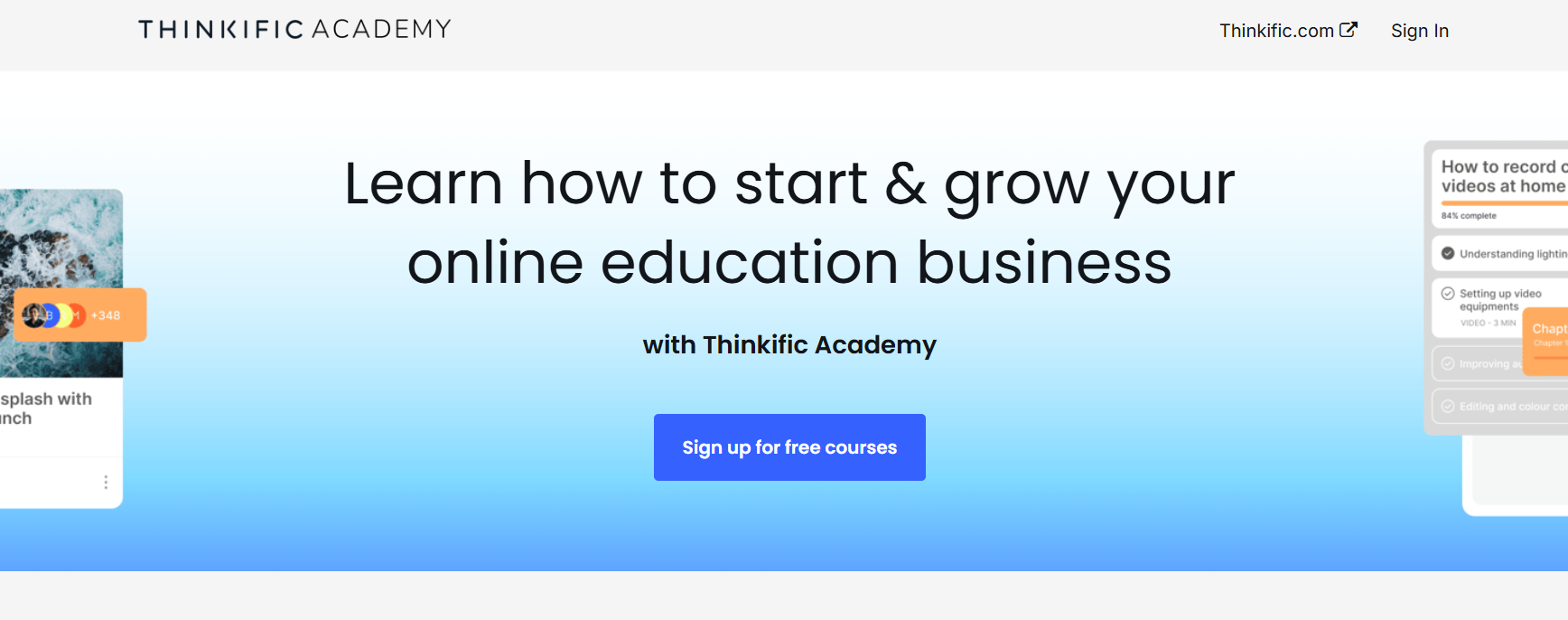
Thinkific Academy is a free educational hub designed to help course creators build, market, and grow their online education businesses.
It offers a variety of expert-led courses, workshops, and resources that guide users through every stage of course creation, from structuring content to increasing sales.
If you’re launching your first course or scaling an existing one, Thinkific Academy provides actionable insights on topics like pricing strategies, webinar sales funnels, social media marketing, and community engagement.
Thinkific Academy equips creators with the skills they need to thrive through courses on developing a successful mobile course, establishing an active learning community, and navigating commercial challenges.
What’s the best? It is totally free, enabling users to implement tried-and-true tactics from professionals in the field while learning at their own pace. If you’re looking to maximize your course’s impact and revenue, Thinkific Academy is an invaluable resource.
Student Engagement and Community Features
Thinkific does a decent job of helping me connect with my students. The built-in discussion boards are a nice touch, letting students ask questions and interact with each other.
I’ve seen some great conversations spark in my courses, which makes me feel like I’m building a little community.
I also like that I can send automated emails to nudge students who haven’t finished a module; it’s like having a virtual assistant keeping everyone on track.
But here’s where I’m less thrilled: the community features feel a bit basic. I was hoping for more robust tools to foster interaction, such as live chat or gamification elements, to make learning more engaging.
Right now, it’s mostly discussion boards, and while they work, they don’t exactly scream “engagement.”
I’ve also had students mention they’d love a dedicated mobile app for a more seamless learning experience, and I can’t help but agree.
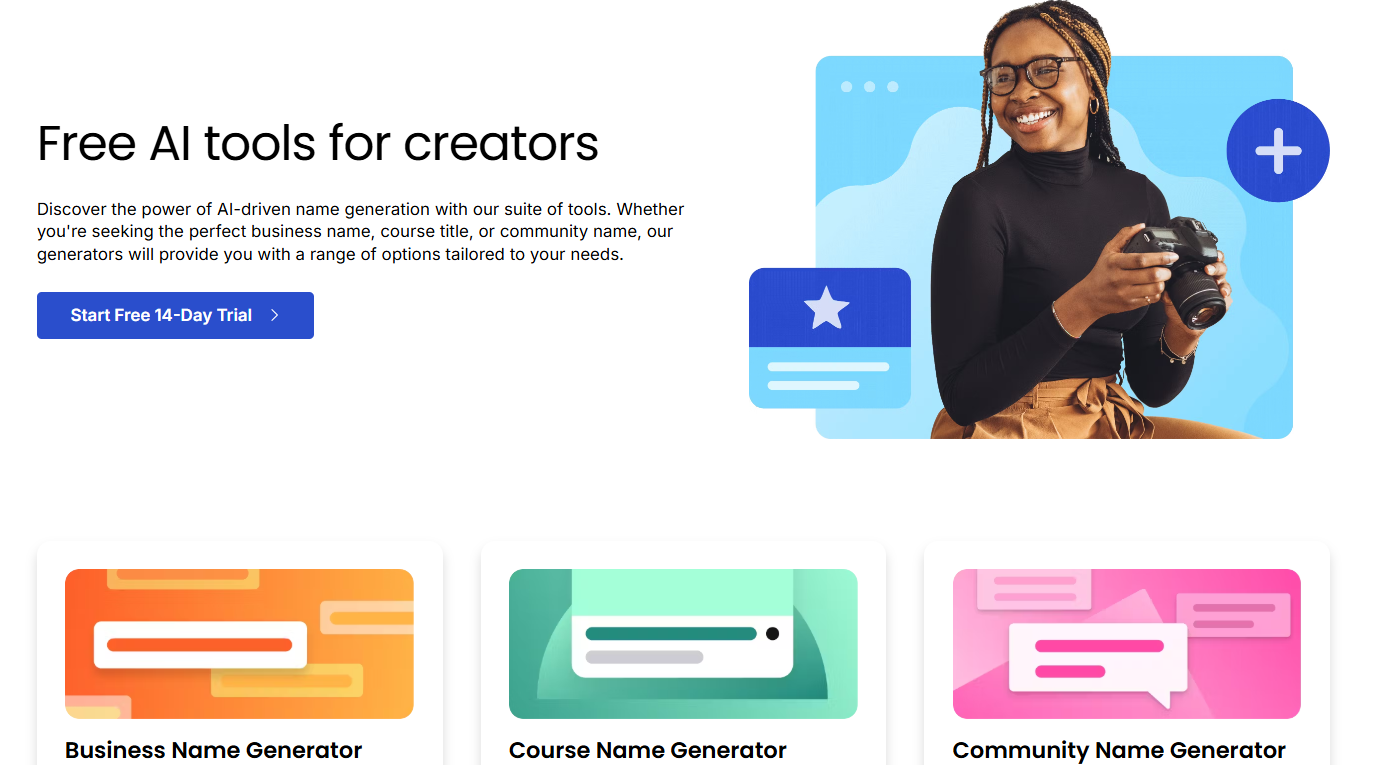
Thinkific helps course creators with a suite of AI-driven tools that streamline the process of building, marketing, and selling online learning products.
The Business Name Generator inspires creativity by helping users brainstorm unique business names, while the Course Name Generator crafts compelling titles based on user descriptions.
The Community Name Generator ensures that online learning spaces have engaging and relevant names.
To boost marketing efforts, Thinkific’s Social Posts Generator provides engaging captions, hashtags, and social media ideas.
The Group Topic Generator sparks insightful discussions in online communities, and the Course Idea Generator uncovers exciting potential topics that align with educators’ expertise.
In the levels of course structure and assessments, the Course Outline Generator simplifies the drafting of course outlines, and the Quiz Generator transforms existing content into effective quizzes to gauge learner understanding.
These invaluable tools, especially the outline and quiz generators, are available in Thinkific’s paid plans.
By utilizing these innovative resources, course creators can save time, boost engagement, and refine their learning content, making Thinkific a powerful ally in the journey of online education.
Thinkific Training Center:
Thinkific Training offers a fantastic resource for anyone looking to master the art of creating and selling online courses. The platform provides free, fast-track training designed to help you launch your first Thinkific course with confidence.
If you’re a beginner or a seasoned creator, the courses guide you through every step—from building engaging content to driving traffic and boosting sales.
For example, the “Thinkific Fast Track” course, led by expert Aaron Morin, teaches you how to set up your course in under an hour and get it live in as little as 30 days. You’ll learn practical skills like crafting a course outline, using webinars to sell, and growing a community of learners.
The training also dives into specific strategies, like Neil Patel’s webinar sales funnel techniques or how to establish yourself as an authority on platforms like Instagram.
It’s hands-on and user-friendly, with short, actionable lessons that let you follow along in real-time. Plus, it’s 100% free—no hidden fees or upsells—just pure value to kickstart your online education journey.
If you’re ready to turn your expertise into a thriving online business, Thinkific Training is the perfect place to start!
Pros & Cons: Thinkific Review
Pros
Unlike many competitors, Thinkific does not take a cut from course sales.
Drag-and-drop course builder with no coding required.
Sell courses, memberships, digital downloads, and coaching programs.
Built-in email automation, landing pages, and analytics to drive sales.
Helps with course naming, content outlines, quizzes, and marketing materials.
Supports quizzes, certificates, drip content, and interactive communities.
Works for solo creators, businesses, and enterprises.
Cons
The free plan allows only one course and has limited features.
You need third-party integrations for live video sessions.
My Expectations vs Reality
When I first considered Thinkific, my primary expectation was to have a seamless platform that would allow me to launch and manage online courses without delving into complex technicalities. I anticipated an intuitive setup, comprehensive features, and reliable support to ensure a smooth experience.
Reality: Thinkific largely met these expectations. The course creation process is straightforward, with drag-and-drop functionality and various customization options.
The platform’s scalability is evident, accommodating both small-scale creators and larger enterprises. However, there were nuances I hadn’t fully anticipated.
While the platform is user-friendly, certain advanced features require a learning curve. For instance, integrating third-party tools or customizing the checkout process took more time than I initially expected.
Additionally, while Thinkific offers a range of marketing tools, some advanced functionalities are available only on higher-tier plans, which might be a consideration for those on a budget.
In conclusion, Thinkific delivers on its promise of simplifying online course creation and sales. However, like any platform, some intricacies require time and exploration to leverage its capabilities fully.
I chose Thinkific because I wanted a platform that was easy to use without breaking the bank. The free plan let me test it out, and I loved how quickly I could build a course without tech headaches. It’s great for someone like me a solo creator who wants to focus on teaching, not coding. The integrations with tools like Mailchimp were a big draw, too, since I already use them for marketing.
Is Thinkific easy to use for beginners?
Absolutely. I’m not a tech wizard, but I managed to get my first course up in just a few hours. The drag-and-drop builder is intuitive, and the dashboard is clean. That said, some features, like customizing designs, might feel tricky if you’re completely new to course platforms. The knowledge base helped me a lot when I got stuck.
What’s the course creation process like?
It’s smooth and fun. I uploaded videos, added quizzes, and organized lessons easily. The templates make it look professional without much effort. My only gripe is that tweaking the design beyond basics requires some coding, which I wasn’t ready for.
How good is the student experience?
My students find it easy to navigate clear lessons, and progress tracking is straightforward. The discussion boards spark some engagement, but I wish there were more interactive features like gamification to keep students hooked.
Is the mobile app useful?
It’s handy for quick checks, like replying to students or tracking sales. Students can access courses on their phones, too, which is great. But the app lacks some creator features, and video loading can be slow sometimes.
Who should use Thinkific?
It’s awesome for solo entrepreneurs, coaches, or small businesses like mine who want to create polished courses without tech overload. If you require advanced features such as detailed analytics or complex integrations, you may find the current plan limitations unless you upgrade to a higher plan.
Can I create multiple courses on Thinkific?
Yes, Thinkific allows you to create unlimited courses depending on your pricing plan. The Basic Plan allows for one course, but the Pro and Premier Plans allow you to create an unlimited number of courses.
Can I offer courses for free on Thinkific?
Yes, you can create and offer free courses on Thinkific. The platform allows you to set up courses as free or paid, depending on your business model.
1. Is Thinkific good for beginners? 🤔
Yes, Thinkific is an excellent choice for beginners. It’s easy to use, offers a free plan, and provides all the tools you need to create and sell online courses without a steep learning curve.
2. Can I create multiple courses on Thinkific? 📚
Yes, Thinkific allows you to create unlimited courses depending on your pricing plan. The Basic Plan allows for one course, but the Pro and Premier Plans allow you to create an unlimited number of courses.
3. How does Thinkific compare to other course platforms like Teachable and Kajabi? 🔍
Thinkific offers similar features to other platforms like Teachable and Kajabi, but it tends to be more affordable. Kajabi offers more advanced marketing features, while Thinkific is ideal for creators focused on course quality and pricing flexibility.
4.Can I offer courses for free on Thinkific? 💸
Yes, you can create and offer free courses on Thinkific. The platform allows you to set up courses as free or paid, depending on your business model.
Final Verdict on Thinkific Review: Is Thinkific Worth Using in 2026?
One thing is clear from this Thinkific review that this platform makes creating and selling online courses simple and effective.
The drag-and-drop builder lets anyone design courses without technical skills. Educators and businesses can add quizzes, certificates, and memberships to improve the learning experience.
Users get full control over their courses, branding, and content delivery.
Flexible pricing plans, including a free option, help them get started easily. Anyone looking for a reliable and user-friendly course platform will find this a great choice.
Affiliate disclosure: In full transparency – some of the links on our website are affiliate links, if you use them to make a purchase we will earn a commission at no additional cost for you - none whatsoever.
Jitendra Vaswani
I’m Jitendra Vaswani, a passionate expert in SEO and AI-driven digital marketing with over 10 years of experience helping businesses thrive online. I founded Digiexe, a dynamic digital marketing agency, and Affiliatebooster, a game-changing WordPress plugin crafted for affiliate marketers, to empower others in their digital journeys. I love sharing my insights as a speaker at international events, connecting with audiences eager to master modern marketing. My bestselling book, Inside A Hustler’s Brain: In Pursuit of Financial Freedom, has sold over 20,000 copies worldwide, reflecting my dedication to inspiring and uplifting fellow hustlers and entrepreneurs. I’m driven by innovation and committed to shaping the future of digital success- one strategy at a time. Follow Jitendra Vaswani on Instagram, Facebook, and LinkedIn.