★ Mobile apps

Mobile App Development Services for Apps People Keep Using

DigiExe mobile app development services take your idea from first sketch to the App Store and Google Play. We design simple, fast apps for iOS and Android, build them with native or cross-platform tools, test them on real devices and support them after launch.

DigiExe at a glance
1,400+
Clients served
28
Countries
20,000+
Copies sold of Inside A Hustler's Brain, by our founder
Led by founder Jitendra Vaswani, New Delhi
★ The problem

Why most apps get deleted

Most apps are opened a few times and then forgotten. The usual reasons are simple: the app tries to do too much, the main task takes too many taps, it crashes or drains the battery, or it simply does not solve a problem people care about.

Many app projects also run over budget. Features are added without a plan, design changes arrive late and testing is squeezed into the last week. The result is an app that launches late, costs more than expected and still needs fixing.

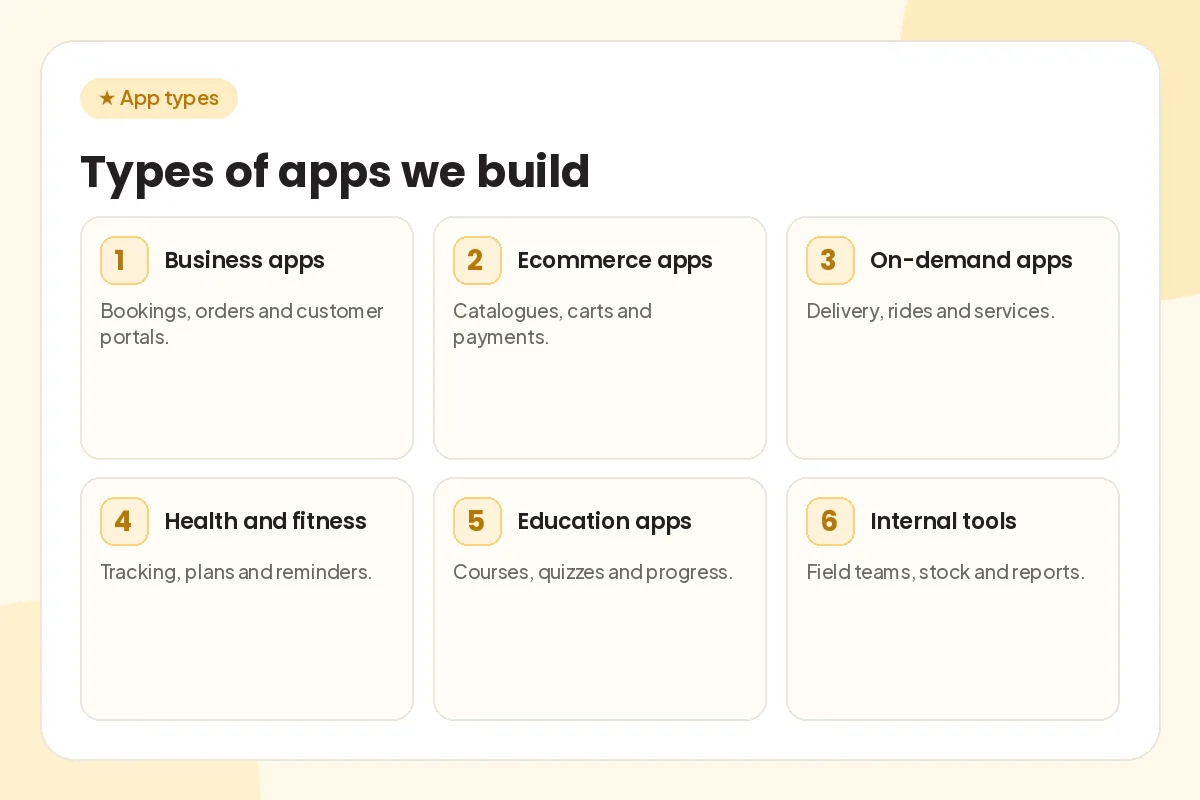
Types of mobile apps DigiExe builds, from business apps to internal tools
★ Our solution

Mobile app development services built around users

We start with the people who will use the app and the one job it must do well. Every screen and feature is planned around that job, so the first version is focused, simple and useful.

Then we design the flows, build in short sprints with a demo at the end of each one and test on real devices throughout. You see progress every week and can change priorities as you learn.

After launch we keep improving the app based on real usage, crash reports and reviews, so people keep using it.

★ What we do

Our mobile app development services

One team for strategy, design, development, testing and support.

iOS app development

Native Swift apps for iPhone and iPad, built to Apple guidelines.

Android app development

Native Kotlin apps for the wide range of Android phones and tablets.

Cross-platform apps

Flutter and React Native apps that run on iOS and Android from one codebase.

App UI and UX design

Simple flows and clean screens that users understand at once.

Back end and APIs

Secure servers, databases, admin panels and APIs that power the app.

Support and updates

Bug fixes, OS updates, new features and performance monitoring.
★ App types

Types of apps we build

App typeTypical features
Business and service appsBookings, orders, customer accounts and support chat
Ecommerce appsCatalogues, search, cart, payments and order tracking
On-demand appsLive location, scheduling, payments and ratings
Health and fitness appsTracking, plans, reminders and wearable data
Education appsCourses, video, quizzes and progress tracking
Internal and field appsForms, stock, photos, offline mode and reports

Have a different idea? Most apps combine a few of these building blocks. Tell us what your users need to do and we will plan the right features.

★ Native or cross-platform

Native or cross-platform: which is right for you?

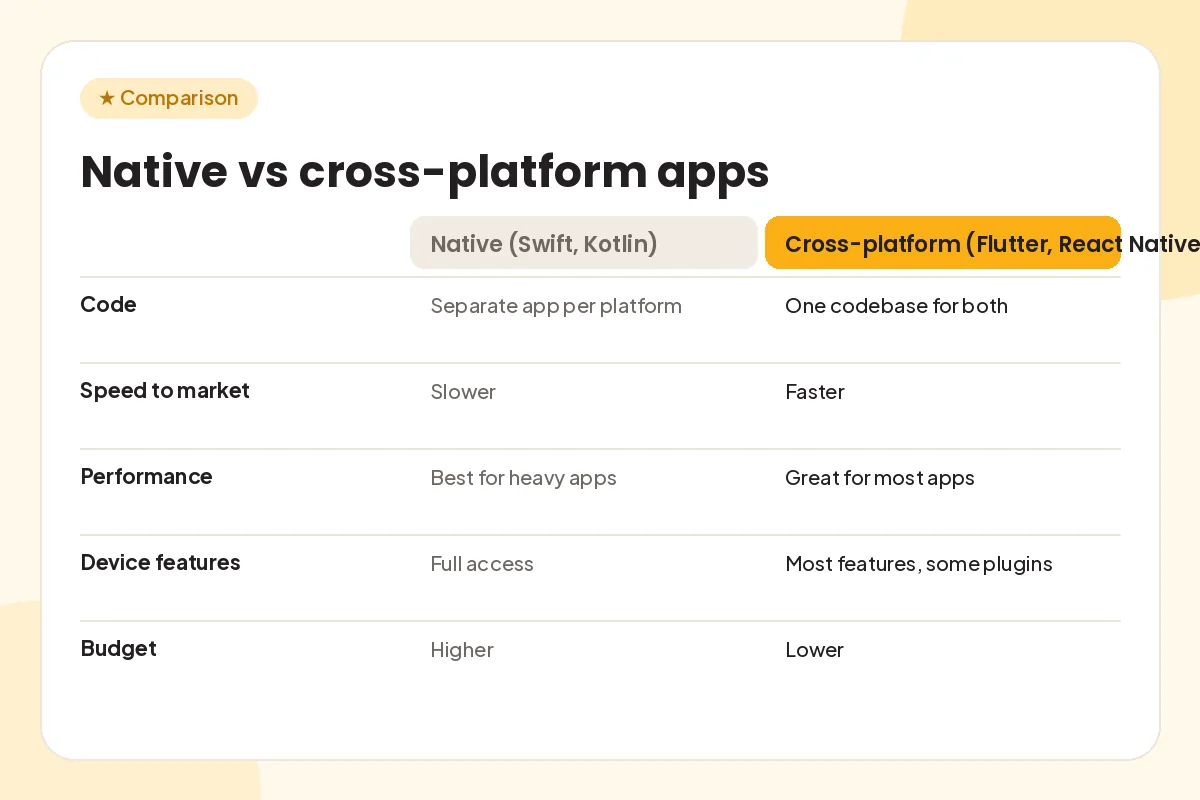
Native apps are built separately for iOS in Swift and for Android in Kotlin. They give the best performance and full access to device features, which matters for games, heavy media apps and apps that use the camera, sensors or Bluetooth a lot.

Cross-platform apps are built once in Flutter or React Native and run on both platforms. For most business, ecommerce and service apps they feel just as smooth, launch faster and cost less to build and maintain, because there is one codebase instead of two.

We recommend an approach after discovery, based on your features, budget and plans for the app, not on a favourite tool.

Comparison of native and cross-platform mobile app development
★ How we work

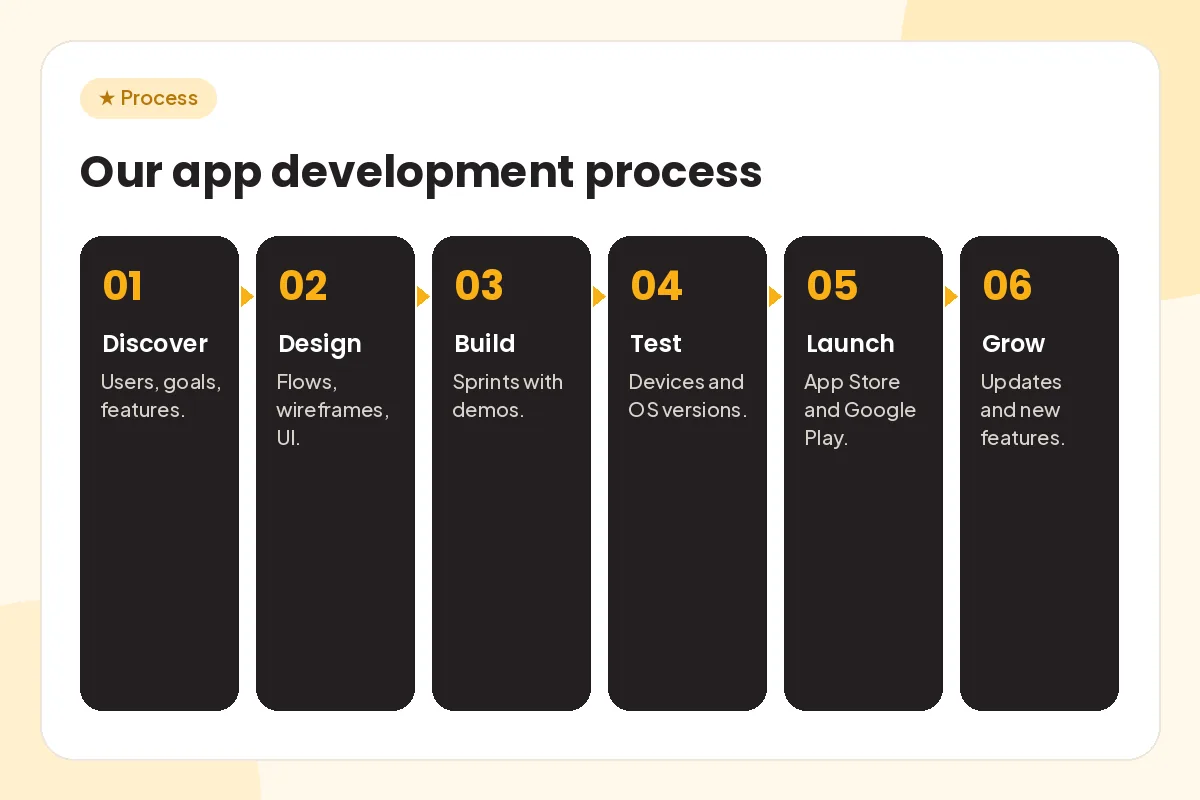
Our 6-step app development process

01

Discover

We define the users, the core problem, the must-have features and how success will be measured.
02

Design

User flows, wireframes and visual design for every key screen, tested with you before build.
03

Build

Development in short sprints with a working demo at the end of each one.
04

Test

Testing on real devices, OS versions and network conditions, plus security checks.
05

Launch

App Store and Google Play submission, store listings and launch checks.
06

Grow

Monitoring, updates, new features and improvements based on real usage.
Six step mobile app development process from discovery to growth
★ Process detail

What happens at each stage

Discovery turns an idea into a plan. We write down who the users are, the main things they need to do and the features for the first version. You get a clear scope and a timeline before design starts.

Design starts with user flows and simple wireframes, so we agree on how the app works before how it looks. Then we design the screens to match your brand.

Build happens in short sprints. At the end of each one you get a test build on your own phone, so you can try new features and give feedback early.

Testing and launch cover real devices, store guidelines and listings. We handle submission to the App Store and Google Play and fix anything the reviewers flag.

★ MVP

Start with an MVP, then grow

A minimum viable product, or MVP, is the smallest version of your app that solves the core problem well. It lets you launch sooner, spend less and learn from real users before you invest in more features.

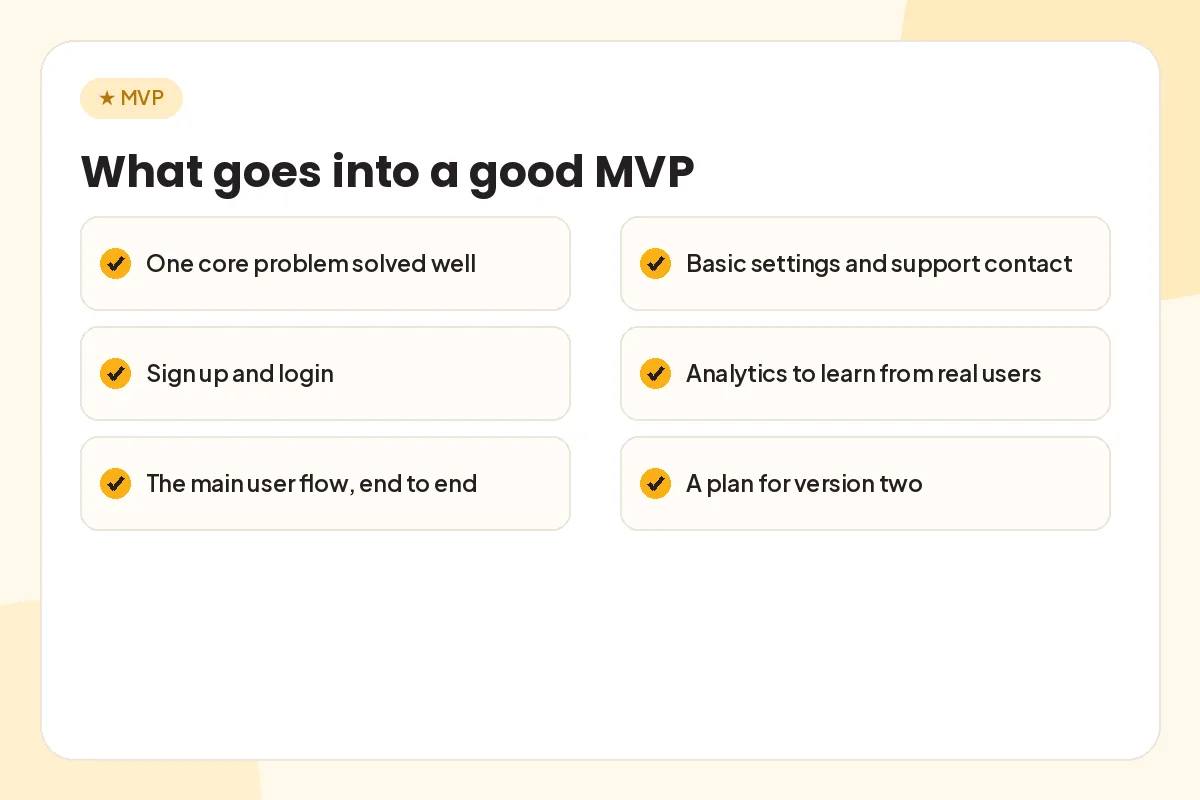
A good MVP is not a half-finished app. It does one thing properly, looks professional and is stable. It also includes analytics, so you can see what people actually use. Version two is then based on data, not guesses.

Startups often use an MVP to test demand or show traction to investors. Established businesses use one to test a new service with a small group of customers first.

Checklist of what goes into a minimum viable product app
★ Design

App design that feels simple

Good app design is mostly about removing things. Every extra tap, field or choice makes people more likely to give up. We design the main task so it can be done in as few steps as possible, with clear labels and familiar patterns from iOS and Android.

We also design for real conditions: one hand on a crowded train, bright sunlight, slow mobile data and users who are not technical. Buttons are large, text is readable and the app tells people what is happening when something loads or fails.

Accessibility is part of the design too. We support larger system text sizes, screen readers such as VoiceOver and TalkBack, strong colour contrast and touch targets that are easy to hit. These choices help every user, not only people with a disability, and they are far cheaper to include at the design stage than to add after launch.

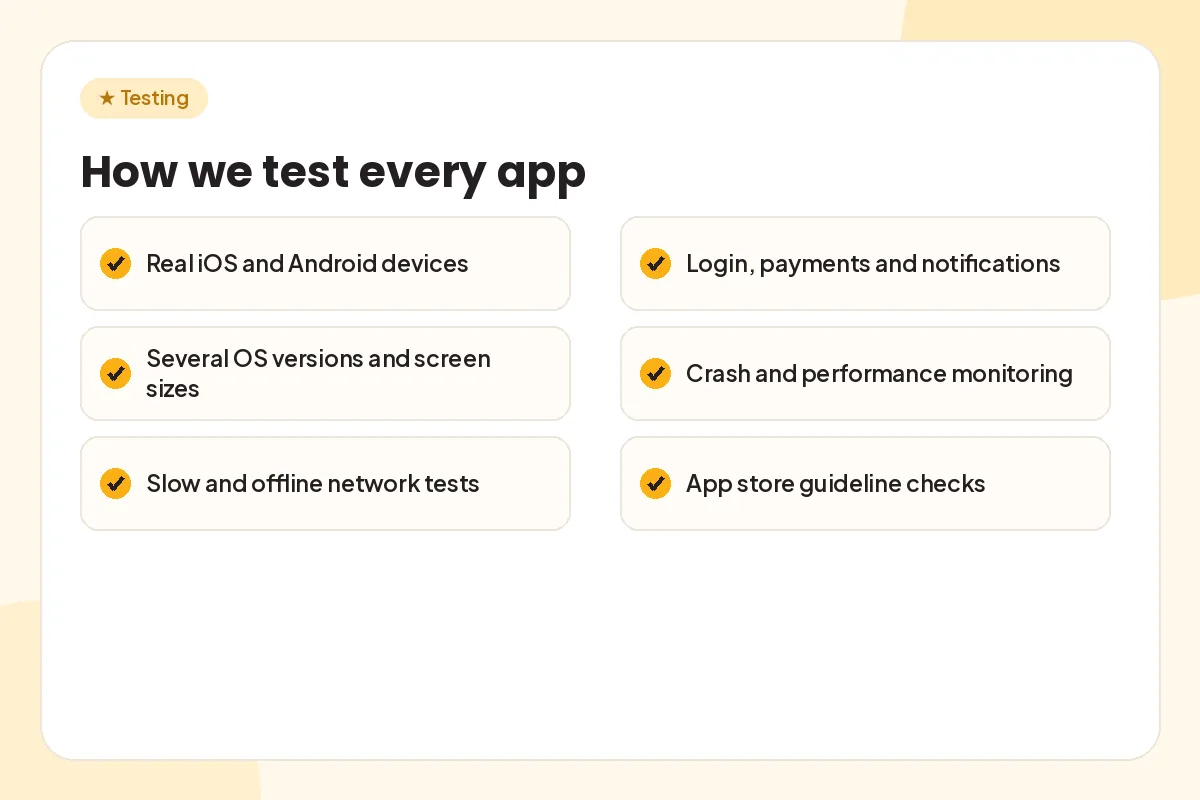
Mobile app testing checklist covering devices, networks, payments and store guidelines
★ Testing

How we test every app

Apps run on thousands of different phones, screen sizes and OS versions. Testing only on the developer’s phone misses most problems.

  • We test on real iOS and Android devices, across several OS versions and screen sizes.
  • We test slow, unstable and offline network conditions.
  • We test sign up, login, payments, notifications and every main flow end to end.
  • We add crash reporting and performance monitoring before launch.
  • We check App Store and Google Play guidelines to avoid rejected submissions.
★ Security

Security and privacy built in

Apps often handle personal data, payments and logins, so security has to be part of the plan from day one. We use secure authentication, encrypt data in transit, store sensitive data safely on the device and keep server access locked down.

We also follow the privacy rules of the App Store and Google Play, ask only for the permissions the app really needs and explain why it needs them. We sign an NDA before you share your idea, and the code and designs we create belong to you.

★ Cost

What affects the cost of an app

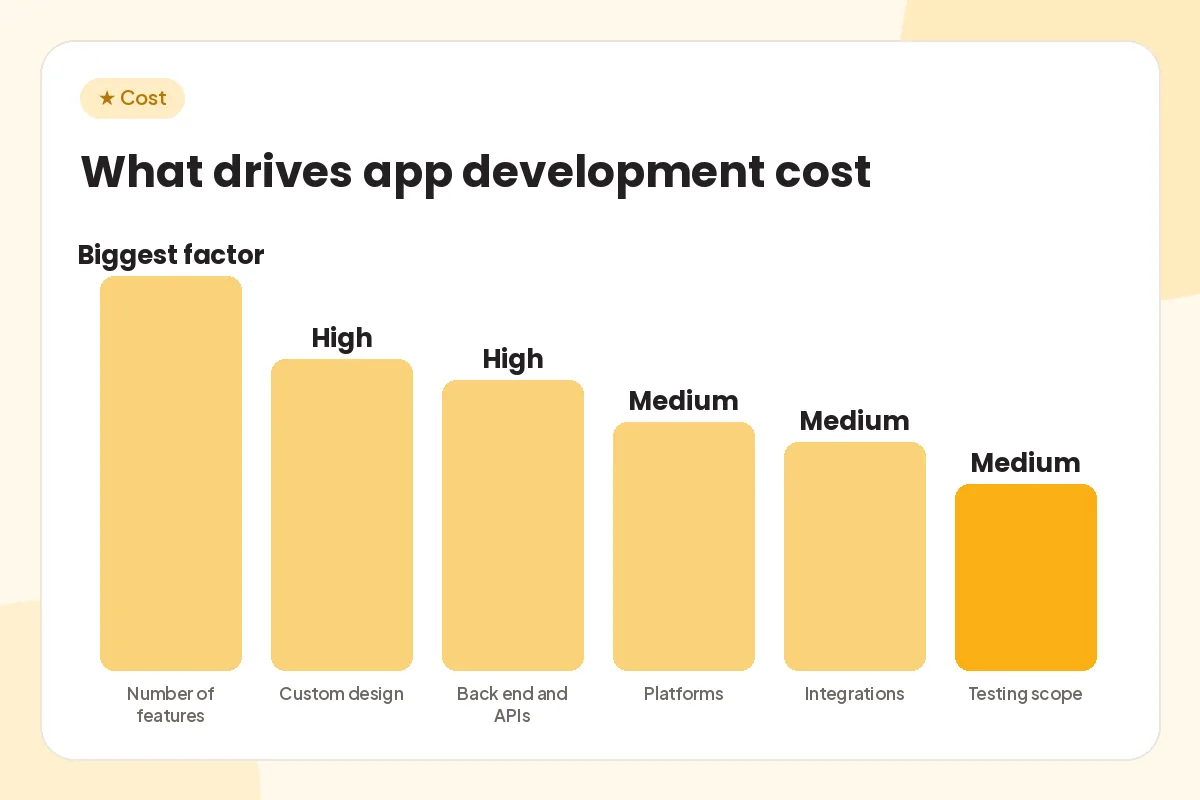
App costs vary widely, so it helps to know what drives them before you ask for quotes.

  • Features. The number and complexity of features is the biggest factor by far.
  • Platforms. One cross-platform app usually costs less than two native apps.
  • Design. Custom screens and animations take longer than standard components.
  • Back end. User accounts, admin panels, real-time data and APIs add server work.
  • Integrations. Payments, maps, CRMs and third-party services each need building and testing.
  • Support. Plan a budget for updates after launch, because iOS and Android change every year.

We send a clear quote with the scope written down after a discovery call.

Chart of the factors that drive mobile app development cost, led by number of features
★ Existing apps

Updating or rescuing an existing app

Not every project starts from scratch. If you have an app that crashes, gets poor reviews, needs an update for a new OS version or simply needs new features, we can take it over.

We start with a code and performance review, fix the most urgent problems first, then plan improvements. If the code is in poor shape, we tell you honestly whether a rebuild would cost less in the long run.

★ Launch

App Store launch and app store optimisation

A great app still needs to be found. We prepare your store listings with a clear name, subtitle, description, keywords, screenshots and preview video, following the rules of each store.

After launch we watch ratings, reviews and crash reports, reply to common issues with fixes and improve the listing based on what converts. Our marketing team can also support the launch with a landing page, SEO and paid campaigns through our pay per click services.

★ Choosing a partner

Questions to ask an app development company

  1. Who owns the code? It should be you.
  2. How often will I see progress? Look for working builds every sprint, not only at the end.
  3. Which devices do you test on? Real devices, not only simulators.
  4. What happens after launch? Ask about bug fixes, OS updates and support.
  5. Native or cross-platform, and why? The answer should be about your app, not their favourite tool.
  6. What is in the quote? Features, screens, platforms and revisions should all be written down.
★ Features

Features most apps need

Every app is different, but most share a set of building blocks. Planning them early keeps the scope clear and the budget honest.

FeatureWhy it matters
Sign up and loginEmail, phone, Google or Apple sign-in, kept simple
Push notificationsBring users back with useful, well-timed messages
PaymentsIn-app purchases, subscriptions or card payments
Offline modeKeeps key features working with a weak signal
Admin panelLets your team manage users, content and orders
AnalyticsShows what users do, so you can improve the app
★ Tech stack

The technology we use

We choose proven, well-supported tools, so your app is easy to maintain and easy to hand to another team if you ever need to.

  • iOS: Swift and SwiftUI.
  • Android: Kotlin and Jetpack Compose.
  • Cross-platform: Flutter and React Native.
  • Back end: Node.js, Laravel and cloud databases.
  • Services: push notifications, analytics, crash reporting and payment gateways.
  • Design: Figma for flows, wireframes and screens.
★ Integrations

Connecting your app to the tools you use

An app rarely works alone. Most need to talk to a website, a CRM, a payment system or an internal database. We build and test these connections so data flows the right way.

Common integrations include Stripe, PayPal and Razorpay for payments, Google Maps for location, CRMs such as HubSpot and Zoho, email and SMS tools, calendars and booking systems, and your own APIs for stock, pricing or customer data. Each one is tested end to end before launch.

★ Measuring success

How to measure whether your app is working

Downloads alone say little. The numbers that show whether an app is healthy are about use and value.

  • Activation: how many new users complete the main task for the first time.
  • Retention: how many come back after one day, one week and one month.
  • Crash-free sessions: how stable the app is on real devices.
  • Ratings and reviews: what users like and what annoys them.
  • Revenue or leads: what the app brings back to the business.

We set up analytics and crash reporting before launch, so these numbers are there from day one.

★ Mistakes

Common app development mistakes to avoid

  1. Building too much at once. A huge first version takes longer, costs more and is harder to fix. Start focused.
  2. Skipping discovery. Unclear goals lead to features nobody uses and changes late in the project.
  3. Testing at the end. Bugs are cheaper to fix when they are found early, sprint by sprint.
  4. Ignoring the back end. A pretty app on a weak server will be slow and unreliable.
  5. No plan after launch. Apps need updates every year as iOS and Android change.
  6. No marketing plan. Even great apps need a launch plan to find their first users.
★ Working together

How we work with you during the project

You always know where your app stands. A project manager is your main contact, and you get a short update every week on what was done, what is next and any decisions we need from you.

At the end of each sprint you get a test build to install on your own phone. We use shared task boards, so you can see every feature and bug and comment on them. Calls are planned around your time zone, whether you are in India, the USA, the UK or Australia.

★ Upkeep

What app maintenance covers

An app is never truly finished. Apple and Google release new OS versions every year, devices change and third-party services update their APIs. Without maintenance, an app that works today can break within months.

Ongoing support covers compatibility updates for new OS versions, bug fixes, security patches, server monitoring, performance tuning and small improvements based on user feedback. Bigger features are planned and quoted separately, so your budget stays predictable.

★ Validate first

How to validate your app idea before you build

The most expensive app is one nobody needs. A few cheap checks before development can save months of work.

  1. Talk to ten potential users. Ask how they solve the problem today and what annoys them about it.
  2. Study the competition. Read their store reviews. Complaints show you what to do better.
  3. Build a clickable prototype. A Figma prototype lets people try the main flow before any code is written.
  4. Test demand. A simple landing page with a waitlist shows whether people care enough to sign up.

Our discovery stage can include a clickable prototype, so you can test the idea with real people before committing to the full build.

★ iOS or Android first

Should you launch on iOS or Android first?

If your budget only allows one native app at first, choose the platform your users prefer. In India and many other markets, Android has far more users. In the USA, the UK and Australia, iPhone users are a larger share, and they often spend more in apps.

Your audience matters more than national averages. Business tools, premium products and subscription apps often start on iOS. Apps for mass consumer markets, field teams and price-sensitive users often start on Android. A cross-platform build avoids the choice, because one codebase covers both stores.

★ App or web app

Do you need a mobile app or a web app?

Not every idea needs to be in the app stores. A progressive web app, or PWA, runs in the browser, can be added to the home screen and works on any device without a download. It is often faster and cheaper to build.

A native or cross-platform app makes more sense when you need push notifications on iPhone, deep access to the camera, location or Bluetooth, offline use, smooth animations or a presence in the App Store and Google Play. If you are unsure, we can compare both options for your idea during discovery, and our web development team can build the web version.

★ Launch

Getting your app approved and launched

Both app stores review apps before they go live. Apple’s review is stricter, and common reasons for rejection include crashes, missing privacy details, broken links, unclear login steps for reviewers and payments that do not follow store rules.

We prepare the store listings, screenshots, privacy labels and test accounts, and we check the app against current store guidelines before we submit it. If a reviewer asks for changes, we handle them. After launch, we watch crash reports and reviews closely in the first weeks and release quick fixes when needed.

★ Why DigiExe

Why choose DigiExe for mobile app development

Short claims you can check.

1,400+ clients in 28 countries

Startups, local businesses, SaaS brands and stores across 28 countries.

Founder-led

Jitendra Vaswani has built and launched products including AffiliateBooster and SchemaNinja.

NDA and code ownership

We sign an NDA before you share your idea, and the code is yours.

Build and market

Design, development, SEO and paid ads under one roof for your launch.
★ Results

Marketing results that support your launch

An app needs users. Our marketing team grows traffic for our own sites and for clients, and the same team can support your app launch. These numbers come from Google Search Console.

122K
Clicks for Gizmobase in 12 months
111K
Clicks for Affiliatebay in 16 months
90K
Clicks for Idblogging in 8 months
1,400+
Clients in 28 countries
★ Related services

Services that pair with app development

Most apps need a website, a launch plan and ongoing marketing.

Jitendra Vaswani, founder of DigiExe
Written and reviewed by
Jitendra Vaswani, Founder of DigiExe

Jitendra has built and launched digital products, including the WordPress tools AffiliateBooster and SchemaNinja. He reviews how our team scopes products and plans launches.

Jitendra started BloggersIdeas in 2013, runs AffiliateBooster and SchemaNinja, and wrote the international bestseller Inside A Hustler's Brain (20,000+ copies). He has spoken at Affiliate Summit, Affiliate World, DMSS and TES, and works from New Delhi.

Last updated:

★ FAQs

Mobile app development services: FAQs

Our mobile app development services cover discovery and planning, UI and UX design, iOS, Android and cross-platform development, back end and APIs, testing on real devices, App Store and Google Play submission and support after launch. You can hire us for the full project or for one part, such as design or testing.

You get design, development, testing and marketing in one team, with progress you can see every sprint. We sign an NDA before you share your idea, the code belongs to you and we have worked with more than 1,400 clients in 28 countries. Founder Jitendra Vaswani reviews how projects are scoped and launched.

We build for iOS and Android. For native apps we use Swift for iPhone and iPad and Kotlin for Android. For cross-platform apps we use Flutter or React Native, which run on both from one codebase. We recommend an approach after discovery, based on your features and budget.

Yes. Many startups come to us with an idea and a deadline. We usually suggest an MVP that solves the core problem well, so you can launch sooner, spend less and learn from real users. The app is built so it can grow into a full product as you gain traction.

The cost depends mainly on the number and complexity of features, the platforms, custom design, the back end and any integrations. A focused MVP costs much less than a large app with many user types. After a discovery call we send a fixed quote with the scope written down.

It depends on the scope. A focused MVP takes far less time than a full product with many features and integrations. We give you a timeline with clear milestones in the quote, and you get a working test build at the end of every sprint so you can track progress.

Yes. We are happy to sign a non-disclosure agreement before you share the details of your idea. All code, designs and other work we create for your project belong to you, and we hand over the source code, store accounts and documentation at the end of the project.

We test on real iOS and Android devices across several OS versions and screen sizes, under slow and offline network conditions. Every main flow, including sign up, login, payments and notifications, is tested end to end. We also add crash reporting and check store guidelines before submission.

Yes. We review the code and performance, fix the most urgent problems first and then plan updates and new features. If the code is in poor shape, we tell you honestly whether a rebuild would cost less over time. We can also update apps for new iOS and Android versions.

Yes. After launch we monitor crashes and performance, fix bugs, release updates for new iOS and Android versions and add features based on real usage and reviews. Apps need regular care, because both app stores change their rules and operating systems every year.

Yes. We prepare the store listings, screenshots and descriptions, handle the submission to the App Store and Google Play and fix anything the reviewers flag. The apps are published under your own developer accounts, so you own the listings, reviews and users.

Send us a short note about your idea, the users it is for and the main things they need to do. Rough sketches or examples of apps you like help a lot. We will set up a discovery call, suggest an approach and send a clear quote with the scope written down.

Ready to build an app people keep using?

Tell us about your idea. We will help you shape the first version and send a clear quote.

★ Trusted by brands

Brands We Have Worked With

A few of the businesses that have trusted DigiExe and our founder with their marketing.

★ Testimonials

What our clients say about DigiExe