I run SEO and content across an entire network of sites, so I don’t have room for tools that look good in a demo but fall apart under real, daily use. Semrush is the one platform I keep coming back to, year after year, and 2026 has genuinely been its most eventful year yet.
In Semrush review, I’m going deep, not just listing features, but explaining exactly how each one fits into a real content workflow, what changed this year, and where I think the platform still has rough edges.
The Big Picture: What Changed at Semrush in 2026
Before I get into the tools themselves, you need the context, because it explains a lot of what’s shifted inside the platform this year.
On April 28, 2026, Adobe completed its acquisition of Semrush Holdings in an all-cash deal worth $1.9 billion, paying $12 a share, a roughly 77% premium over Semrush’s prior closing price. The deal was first announced back in November 2025 and closed a few months later after board and shareholder approval.
Semrush is now officially “an Adobe company,” folded into Adobe’s broader Digital Experience and CX Enterprise ecosystem. Adobe’s own reasoning, straight from their announcement, centers on what they call the “discoverability gap”: as AI agents and chat interfaces become a bigger part of how people find brands, Adobe wanted a platform that could plug directly into that discovery layer.
They cited AI-driven traffic to US retail sites surging 269% year over year as part of the justification.
What does this actually mean for someone like me who just wants to run keyword research and audit a site? So far, not much has changed day to day. Semrush says it will keep operating independently and continue serving its full range of customers, including smaller accounts like mine. But I’d be lying if I said I wasn’t watching closely.
Big acquisitions like this sometimes mean better long-term integration and investment, and sometimes they mean slow but steady price creep or shifting priorities toward enterprise clients. I’ll update this review as things develop, but for now, the tools themselves are working exactly as they did before the deal closed.
On top of the acquisition, Semrush also went through a full brand transformation starting in March 2026. The company now describes itself as a “unified intelligence engine” for brand visibility, rather than just an SEO toolset.
I’ll admit, that phrase sounds like something out of a corporate deck, but the underlying point is real: Semrush’s product roadmap has shifted hard toward tracking visibility across AI platforms, not just Google rankings. If you’ve used Semrush for years like I have, you’ll notice the messaging everywhere now leans into terms like “Agentic Search Optimization” and “AI Visibility” rather than just “SEO.”
The Data Behind Everything: Why Semrush’s Numbers Matter
Here’s something worth understanding before you even open the dashboard. Semrush isn’t primarily a piece of software, it’s a massive, independently-crawled database that the software sits on top of.
The platform crawls the web on its own schedule, separate from Google, and currently holds data on over 27.5 billion keywords and more than 43 trillion backlinks. Every report you pull, every competitor gap analysis, every keyword suggestion, comes from querying that underlying index.
This matters practically because it’s the reason Semrush’s estimates for traffic, keyword difficulty, and backlink profiles tend to be more reliable than smaller, newer tools that rely on thinner datasets. It’s also why Semrush costs what it costs. You’re not just paying for a nice interface, you’re paying to access one of the largest independent web crawls in the industry.
The Redesigned Dashboard: A Small Change That Actually Helps
I want to start with something small but genuinely useful: Semrush rebuilt its dashboard this year. The old layout had grown cluttered over the years, with tools scattered across nested submenus that took real effort to navigate if you weren’t using them daily.
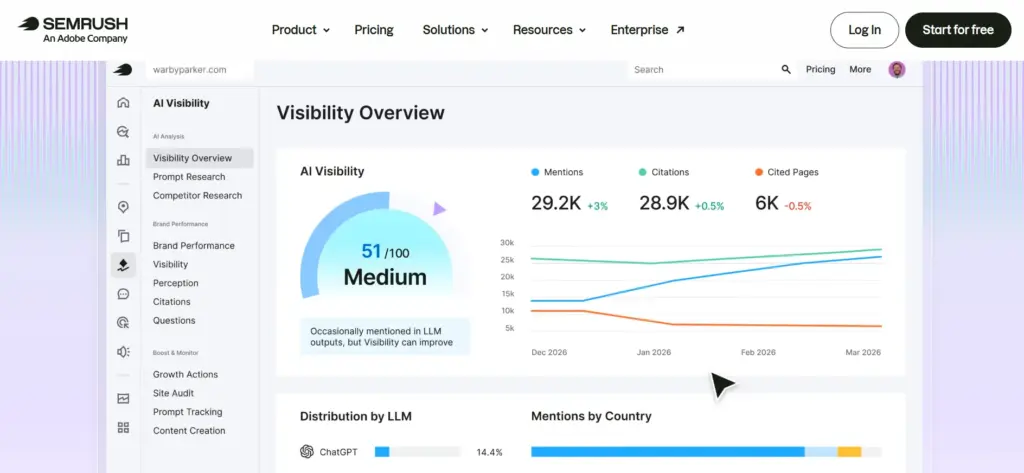
The new design strips that down. Core tools sit front and center, and I’ve noticed I spend noticeably less time hunting for a specific report than I used to. It’s a small thing, but when you’re logging in multiple times a day across several sites like I am, small friction adds up fast, and removing it actually matters.
Semrush Copilot: My New Daily Starting Point
If there’s one feature that’s changed my actual workflow this year, it’s Semrush Copilot. This is Semrush’s built-in AI assistant, and unlike a lot of “AI features” that companies bolt onto existing software as a marketing checkbox, this one does real work.
Here’s how I actually use it. Instead of opening five separate reports every morning, Site Audit, Position Tracking, Organic Research, Keyword Gap, and Backlink Analytics, I let Copilot read across all of them and surface what actually needs my attention that day.
It might flag that a competitor just jumped past me on a keyword I care about, or that a technical issue popped up in my last crawl that’s likely hurting a specific page’s rankings, or that there’s a link-building opportunity worth chasing based on a gap in my backlink profile compared to competitors.
Copilot also includes what Semrush calls “backlink detective” functionality, which actively looks for risky or spammy links pointing to my sites. Before this existed, catching a toxic backlink meant manually scanning through my full backlink list on a regular basis, which realistically meant I often didn’t catch problems until they’d already done some damage. Now it gets flagged proactively.
I’ll be honest about the limits here too. Copilot sometimes flags something as more urgent than it really is, and I’ve learned not to treat every suggestion as gospel. It’s a strong starting point for prioritizing my day, not a replacement for actually understanding my own sites and using judgment.
But as a time-saver, it’s real. I’d estimate it saves me a genuine hour or more most weeks that I used to spend manually cross-referencing reports.
The AI Visibility Toolkit: Semrush’s Biggest 2026 Bet
This is the feature getting the most attention in the SEO world right now, and I want to explain it properly because a lot of surface-level reviews gloss over how it actually works.
Search behavior has genuinely changed. People increasingly ask ChatGPT, Gemini, or Google’s AI Mode a question directly instead of typing a query into a traditional search box and scanning ten blue links. That shift creates a real problem for anyone doing SEO: how do you even know if your brand shows up in those AI-generated answers?
Traditional rank trackers were never built for this. Semrush’s AI Visibility Toolkit exists specifically to close that gap, and it’s built on a database of more than 130 million prompts, updated monthly.
The toolkit breaks down into three distinct modules, and I’ve used all three enough now to explain what each one is actually good for:
Brand Monitor tracks share-of-voice, meaning how often my brand gets mentioned inside AI answers compared to my direct competitors, broken down by specific topics and prompt categories. This is the closest thing to a competitive benchmark for the AI-search era that I’ve found anywhere.
AI SERP Tracker works a lot like a traditional keyword rank tracker, but for AI platforms instead of Google’s results page. It shows me the exact prompts that are triggering AI-generated answers in my niche, and which brands or specific URLs get cited for each one. When I ran this against my own core topics, I could see precisely which prompts were surfacing competitor mentions instead of mine, which is data I genuinely couldn’t get anywhere else before this existed.
Content Analyzer looks at my own pages and flags technical issues that might be stopping AI crawlers and bots from properly reading or citing my content. Think of it as a technical SEO audit, but specifically oriented toward what makes a page legible and citable to an AI system, rather than just what makes it rank well in a traditional crawl.
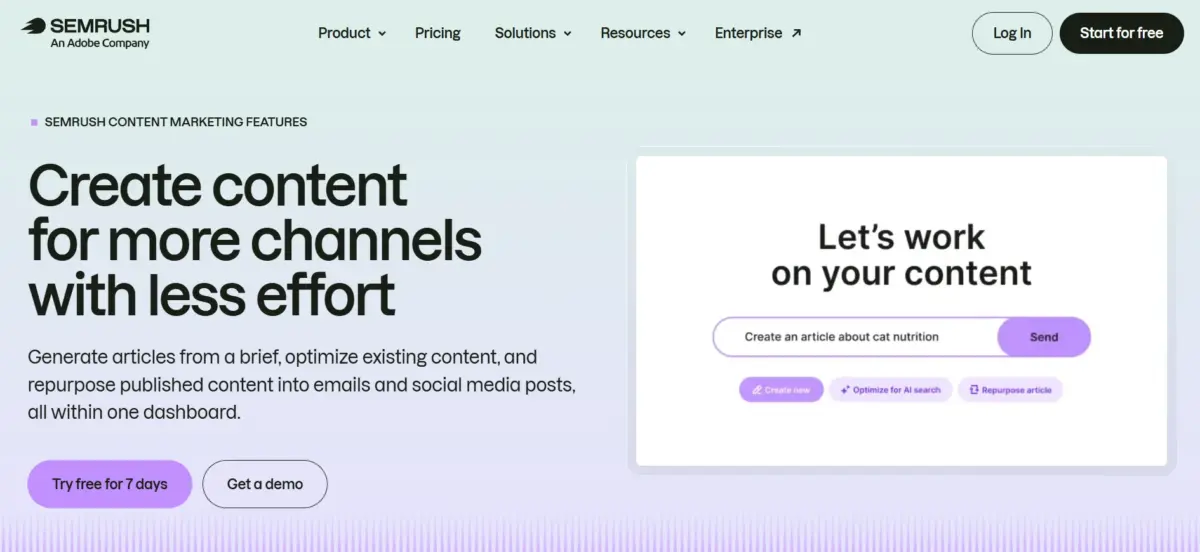
To actually use this, you go to the Visibility Overview dashboard, enter your domain, and Semrush generates a visibility score from 0 to 100 that benchmarks you against your competitors inside LLM results. Scroll down to the “Topics & Sources” section and select “Cited Pages” to see which specific pages on your site are getting referenced in AI-generated answers.
You can click into any individual URL to see the exact prompt that triggered the citation. One detail I found genuinely useful: if a report shows “Missed” under the “Your Brand” column, that means your page got cited as a source, but the AI answer didn’t actually mention your brand name alongside it, a distinction that matters a lot for brand-building even when the citation itself is technically working.
I do want to give an honest caveat here. This toolkit is still maturing. Some promised features, deeper AI-specific competitor research and topic analysis tools in particular, haven’t fully rolled out yet as of when I’m writing this.
If you’re expecting a fully mature, complete AI tracking suite comparable to how developed Semrush’s classic SEO tools are, temper that expectation. It’s a strong first step into a genuinely new category, not a finished product.
Semrush One: One Subscription for Both Worlds
Recognizing that most people don’t want to juggle two separate subscriptions, Semrush launched Semrush One in October 2025. It bundles the classic SEO toolkit with the AI Visibility Toolkit into a single plan, structured across three tiers: Starter at $199 a month, Pro+ at $299 a month, and Advanced at $549 a month, with custom enterprise pricing above that for larger organizations.
My honest take: if AI visibility genuinely matters to your business this year (and for anyone running content-driven sites, I think it increasingly does), Semrush One is worth serious consideration. If you’re only doing traditional keyword and backlink work and haven’t yet built AI visibility into your strategy, you can reasonably hold off and stick with a classic plan for now.
Keyword Magic Tool: Still My Starting Point for Every Project
No matter how many new AI features Semrush ships, I still start almost every content project the exact same way I have for years: inside the Keyword Magic Tool. You type in one seed keyword, and it returns thousands of related terms, automatically grouped into logical subtopics, each one showing search volume, keyword difficulty score, and search intent right alongside it.
What makes this genuinely useful in practice, rather than just a big list of words, is the grouping. Instead of scrolling through an undifferentiated pile of keyword variations, I can see clusters that represent distinct content angles, which directly shapes how I structure an article or decide whether a topic deserves its own dedicated page versus a subsection within a larger piece.
Competitor Research and the Keyword Gap Tool
I use competitor research constantly, probably more than almost any other feature. I can plug in a rival’s domain and immediately see which keywords they’re ranking for that I’m not, along with their estimated traffic and which specific pages are pulling the most visitors. This tells me exactly where a competitor’s traffic is actually coming from instead of me guessing based on surface impressions of their content.
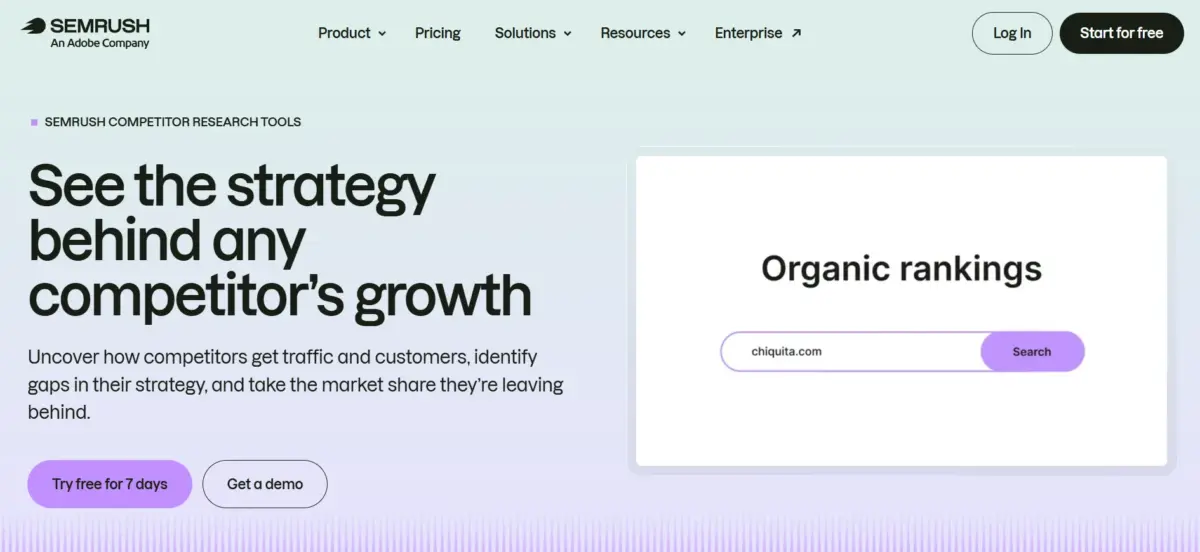
Paired with the Keyword Gap tool, which lines up my own keyword rankings against up to four competitors side by side in one view, I get a genuinely clear map of where real opportunities sit before I ever write a single word. This combination has probably influenced more of my actual content calendar decisions over the years than any other single feature in the platform.
Site Audit: Comprehensive and Still Reliable
Site Audit remains one of the tools I lean on most, and it hasn’t lost any of its depth this year. It crawls up to 100,000 pages on the standard subscription tiers and checks for more than 140 distinct technical issues, everything from broken links and missing title tags to more subtle crawlability and indexing problems.
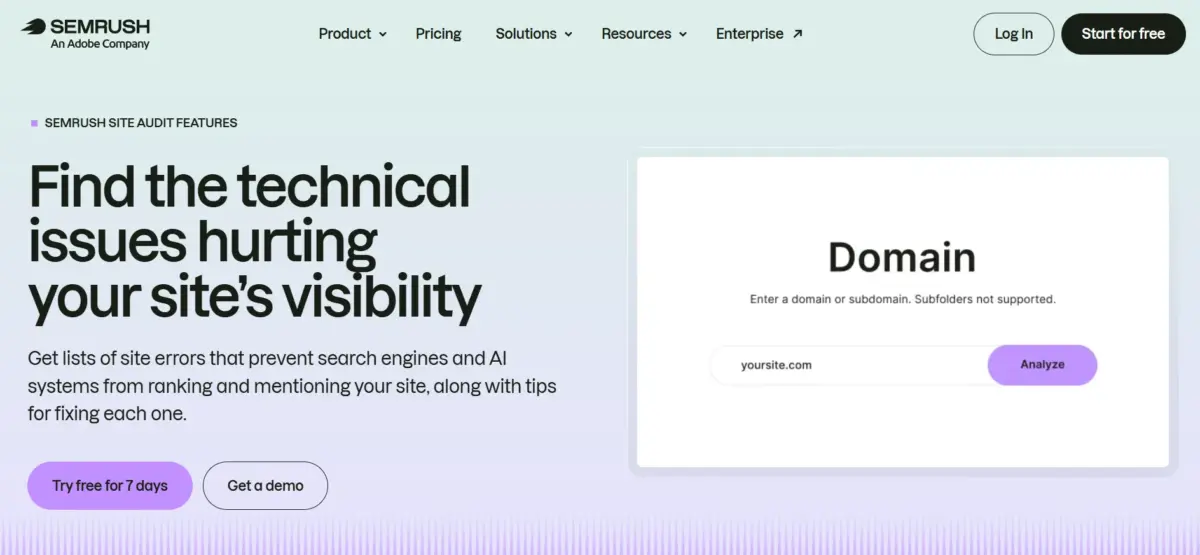
Results get sorted automatically into errors, warnings, and notices, which makes prioritizing genuinely straightforward. My own workflow is simple: fix every error first since those tend to be the most damaging (broken links, missing titles, duplicate content issues), then work through warnings once the critical stuff is handled.
I schedule audits to run automatically every week across my main properties, which means I catch new issues shortly after they appear instead of discovering them months later during an occasional manual check, by which point real ranking damage may have already happened.
Content Marketing Toolkit: From Idea to Optimized Draft
This toolkit covers three tools that, together, form a genuinely complete content workflow, and I use all three regularly:
Topic Research helps generate content ideas based on what’s actually gaining real traction in a given niche right now, rather than relying purely on static keyword volume from months or years ago.
SEO Writing Assistant gives real-time optimization scoring as you write, flagging readability issues, keyword usage patterns, and even tone consistency as you draft.
ContentShake AI is Semrush’s AI-assisted drafting tool. I use it to get a rough first draft moving quickly when I’m short on time, but I want to be completely transparent here: I always rewrite AI-generated drafts heavily before anything gets published. I never publish ContentShake output as-is, and I’d recommend anyone else treat it the same way, as a fast starting point, not a finished product.
Backlink Analytics and Position Tracking
Neither of these tools changed dramatically this year, but both remain dependable parts of my routine. Backlink Analytics lets me audit my own link profile and, just as usefully, study exactly where competitors are getting their links from, which I use constantly when building outreach lists for new link-building campaigns.
Position Tracking monitors keyword rankings daily across both desktop and mobile, and you can segment results by specific location, which matters a lot if you’re targeting particular cities, states, or countries rather than just tracking national rankings in aggregate.
Pricing Breakdown for 2026
Here’s the full current pricing structure for the classic SEO plans, since this is usually the deciding factor for most people:
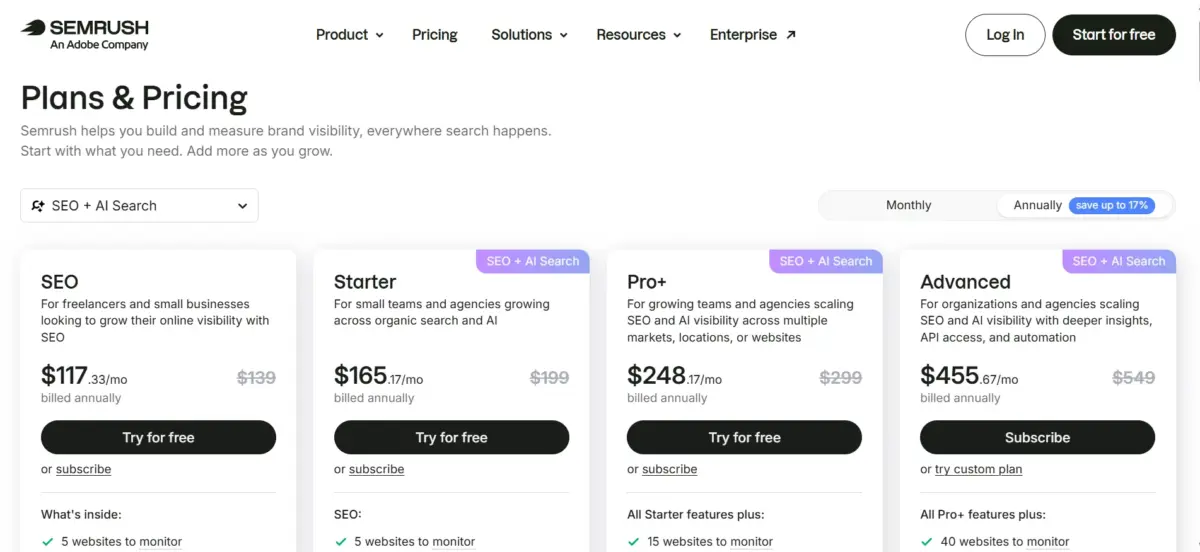
| Plan | Monthly Price | Annual Price (per month) | Best For |
| Pro | $139.95 | $117.33 | Solo users, freelancers, small teams |
| Guru | $249.95 | $208.33 | Agencies, content-heavy sites, multi-project teams |
| Business | $499.95 | $416.66 | Large agencies, enterprise-level reporting needs |
Pro includes 5 projects and tracking for up to 500 keywords, enough for someone managing a handful of sites. Guru unlocks the Content Marketing Toolkit, historical data access, and multi-location tracking, expanding to 15 projects and 1,500 tracked keywords, which is roughly where I’d recommend most serious content operations land.
Business adds full API access, Share of Voice tracking, and the highest limits across every metric, built for agencies managing many client accounts at once.
Semrush offers a 7-day free trial on paid plans, enough time to genuinely test the core tools, though not really enough to evaluate long-term reporting features like historical data trends. One thing worth budgeting for honestly: add-on costs stack up fast.
Extra user seats run $45 to $100 a month each, and the standalone Trends toolkit adds another $289 a month if you need deeper market-level traffic estimates beyond what’s included in your base plan.
What I Genuinely Like
Semrush’s underlying data depth remains unmatched in my direct experience across every SEO tool I’ve tried. Copilot has become a real, measurable time-saver in my weekly routine, not just a gimmick. Site Audit consistently catches technical problems I’d otherwise miss until they’d already cost me rankings.
And being an early, serious mover into AI visibility tracking, even with some features still maturing, puts Semrush ahead of most competitors who haven’t built anything comparable yet.
Honest Negatives
Pricing sits at the premium end of the market, and it gets steep fast once you start stacking add-ons on top of a Guru or Business plan. A three-person team on Guru can easily cross $400 a month once extra seats are factored in, before you’ve even added the Trends toolkit or AI Visibility add-on.
The AI Visibility Toolkit itself, while genuinely promising, still has incomplete pieces, so I wouldn’t treat it as a full replacement for a dedicated AI-search-only tool just yet if that’s your primary need.
And with Adobe now owning the company outright, I’ll be watching closely over the coming year to see whether pricing, support quality, or product priorities shift as deeper integration with Adobe’s broader ecosystem takes shape.
FAQs: Semrush Review
Semrush is now owned by Adobe, which completed its acquisition of Semrush Holdings on April 28, 2026, in an all-cash deal worth $1.9 billion. Semrush continues operating under its own brand and name, serving its existing customer base including smaller accounts, while integrating more closely with Adobe's broader Experience Cloud ecosystem over time.
The classic plans, Pro, Guru, and Business, focus entirely on traditional SEO: keyword research, technical site audits, backlink analysis, and rank tracking. Semrush One bundles those same core tools together with the newer AI Visibility Toolkit, which specifically tracks how your brand appears inside AI-generated answers from platforms like ChatGPT and Gemini. If AI visibility is part of your strategy, Semrush One is the more complete option to start with.
In my own testing, the AI SERP Tracker and Brand Monitor tools gave genuinely useful, prompt-level insight into exactly which brands get cited across AI-generated answers in my niche. That said, some deeper planned features, like AI-specific competitor research and dedicated topic analysis, are still being rolled out. I'd treat the toolkit as a strong, genuinely useful first step into this category rather than a fully mature, finished system just yet.
The Pro plan at $139.95 a month covers real essentials, keyword research, site audits, and rank tracking, well enough for a solo operator or small team. It's a genuine investment though, so if your budget is tight, it's worth comparing against lower-cost alternatives like SE Ranking or Mangools before committing, and definitely make full use of the 7-day free trial to test the core workflow first before paying anything.
The core product name and most of the tools themselves stayed the same. What changed was primarily positioning: Semrush now describes itself as a "unified intelligence engine" for brand visibility rather than purely an SEO toolset, reflecting its genuine expansion beyond classic search into AI visibility and what the industry is starting to call agentic search optimization. You'll see this new language across their marketing and site copy, but the underlying Semrush product you'd actually log into remains fundamentally the same platform I've used for years.
Quick Links:
My Verdict: Semrush Review
Semrush remains, in my direct experience running an entire network of sites on it, the most complete platform available for SEO, content planning, and now AI visibility tracking, all under one roof.
If your budget stretches to Guru or above, I think it’s genuinely worth the investment, especially with AI visibility increasingly factored into how search actually works in 2026.
If you’re just starting out or working with a genuinely tight budget, Pro covers the real essentials well enough, and you can upgrade later once you outgrow its limits, which for most active content operations, happens sooner than you’d expect.