
AI-powered SEO, GEO & growth marketing since 2014

★ Google Tag Manager Services

Google Tag Manager Consultant for Clean, Reliable Tracking

Work with a Google Tag Manager consultant who sets up your tracking properly. DigiExe builds and manages GTM containers so GA4, Google Ads, Meta and other tags fire correctly, respect consent and do not slow your site, and so your marketing team can make changes without waiting on developers.

DigiExe at a glance
1,400+
Clients served
28
Countries
20,000+
Copies sold of Inside A Hustler's Brain, by our founder
Led by founder Jitendra Vaswani, New Delhi
★ The problem

Messy tags mean data you cannot trust

Most Tag Manager containers grow without a plan. Agencies and freelancers add tags over the years, nobody removes the old ones and names stop making sense. The result is duplicate conversions, missing events, tags firing before consent and ad platforms learning from bad data.

When the numbers in GA4, Google Ads and your CRM do not match, budget decisions turn into guesswork.

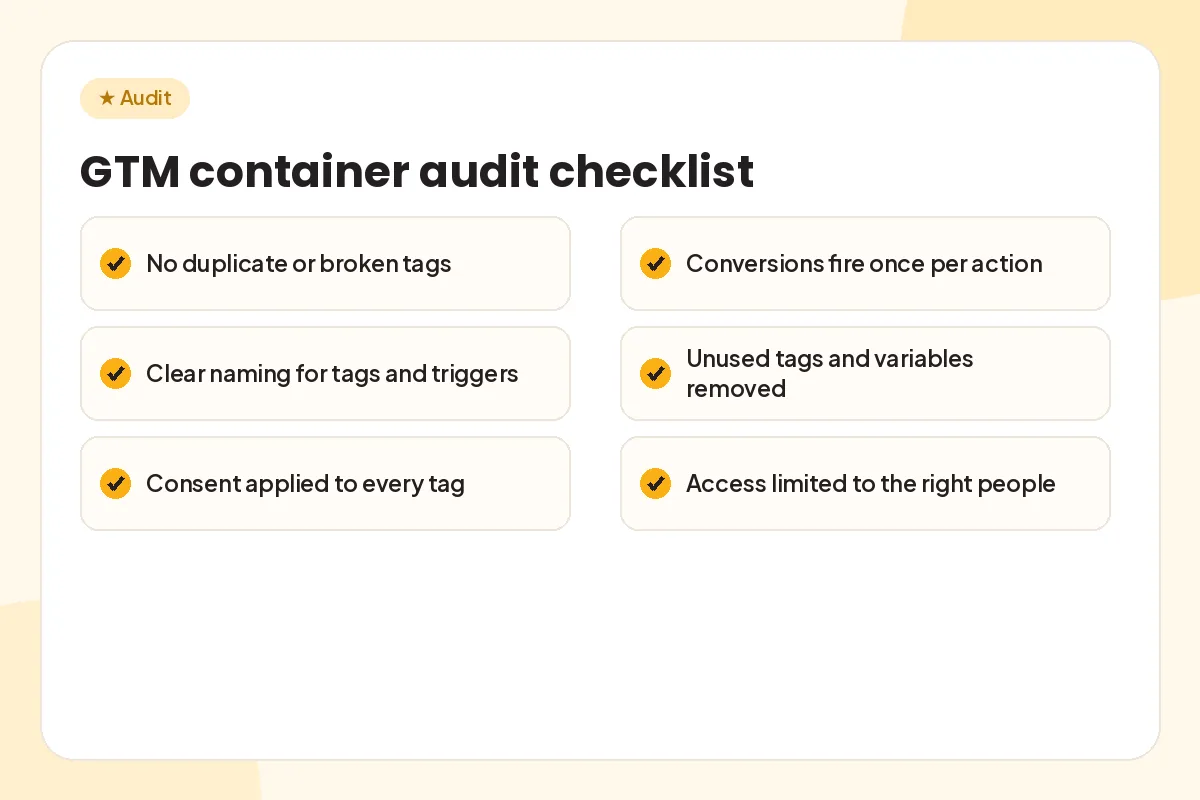
Checklist for auditing a Google Tag Manager container
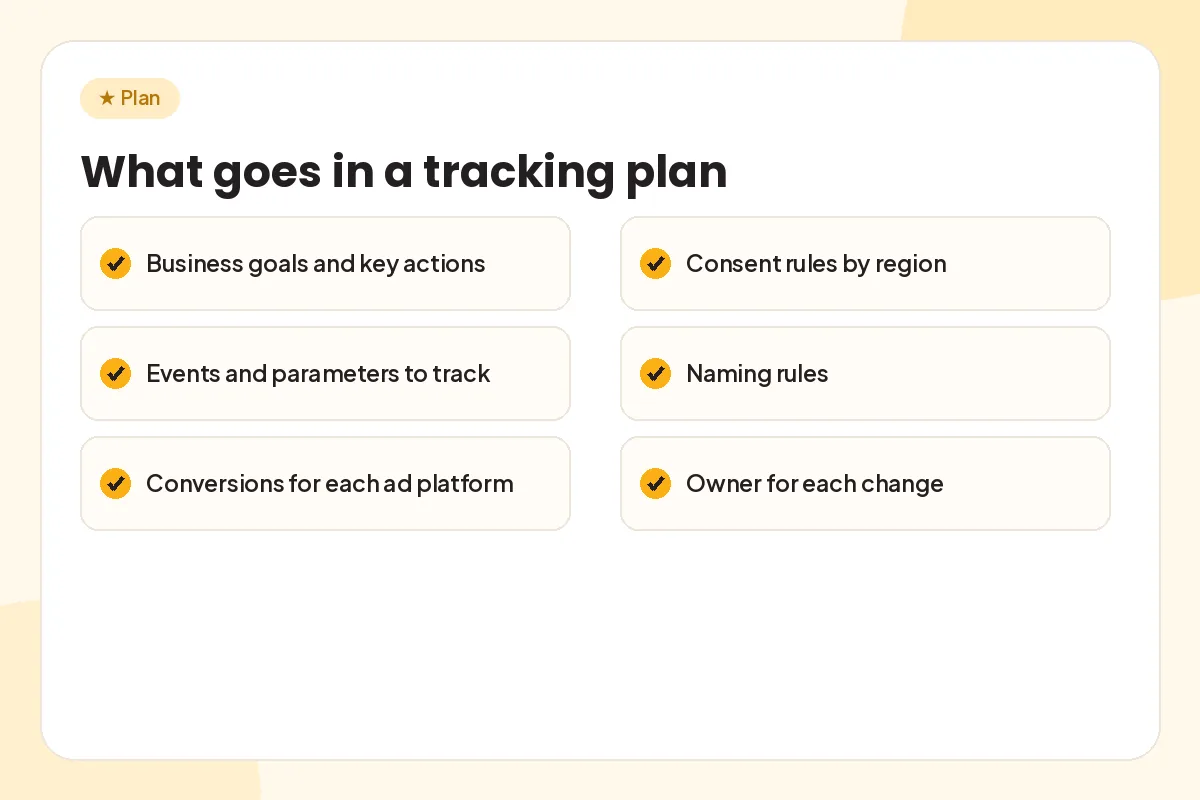
Checklist of what goes into a GTM tracking plan
★ Our solution

A Google Tag Manager setup built on a plan

We start with a short tracking plan: your business goals, the actions that matter, the events and conversions each platform needs and your consent rules. Then we build or rebuild your container to match it, with clear names, shared triggers and variables, and nothing that is not needed.

Every change is tested in preview mode and published as a named version, so you can always see what changed and roll back if needed.

★ What we do

Our Google Tag Manager services

From first setup to advanced tracking.

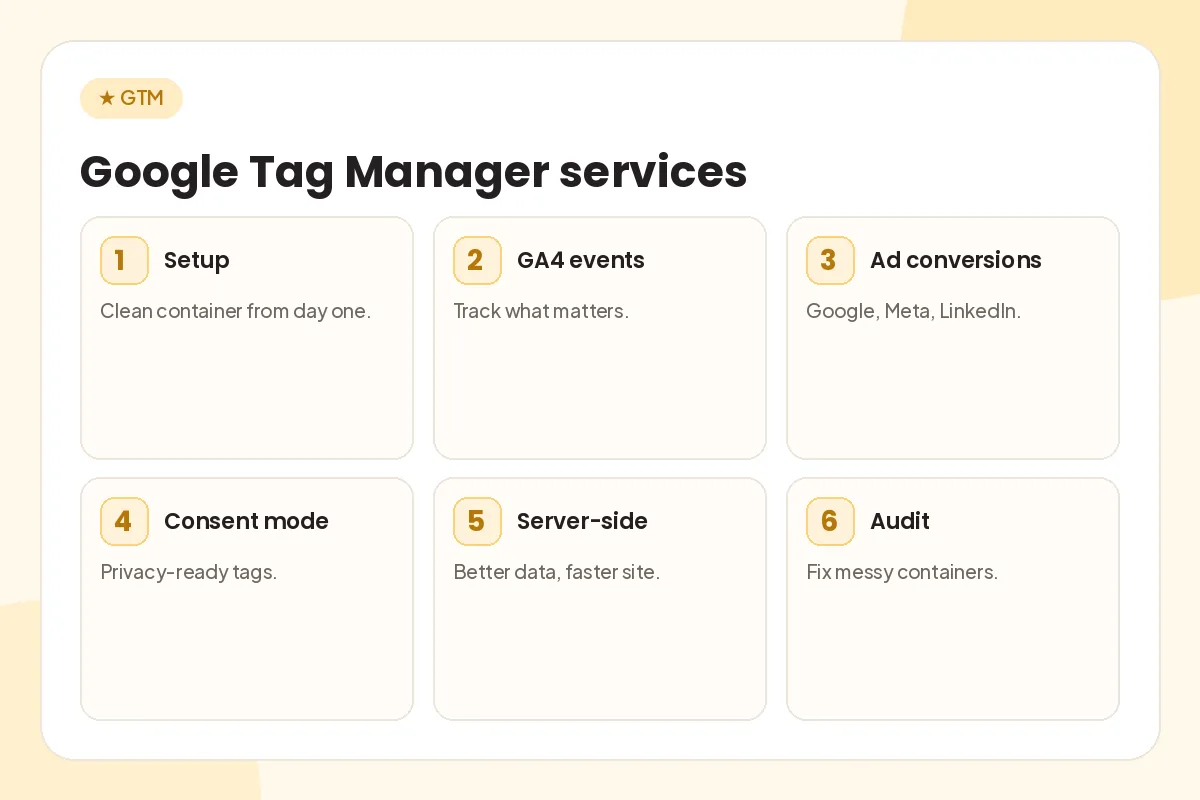
GTM setup

A new container installed correctly on every page and template.

GA4 event tracking

Forms, clicks, scrolls, video and ecommerce events.

Ad conversion tracking

Google Ads, Meta, LinkedIn and other pixels with enhanced conversions.

Consent mode

Consent mode v2 and cookie banner integration.

Server-side tagging

A server container for better data quality and fewer browser scripts.

Container audits

Clean-up of old, broken and duplicate tags.
★ Server-side

Is server-side tagging worth it?

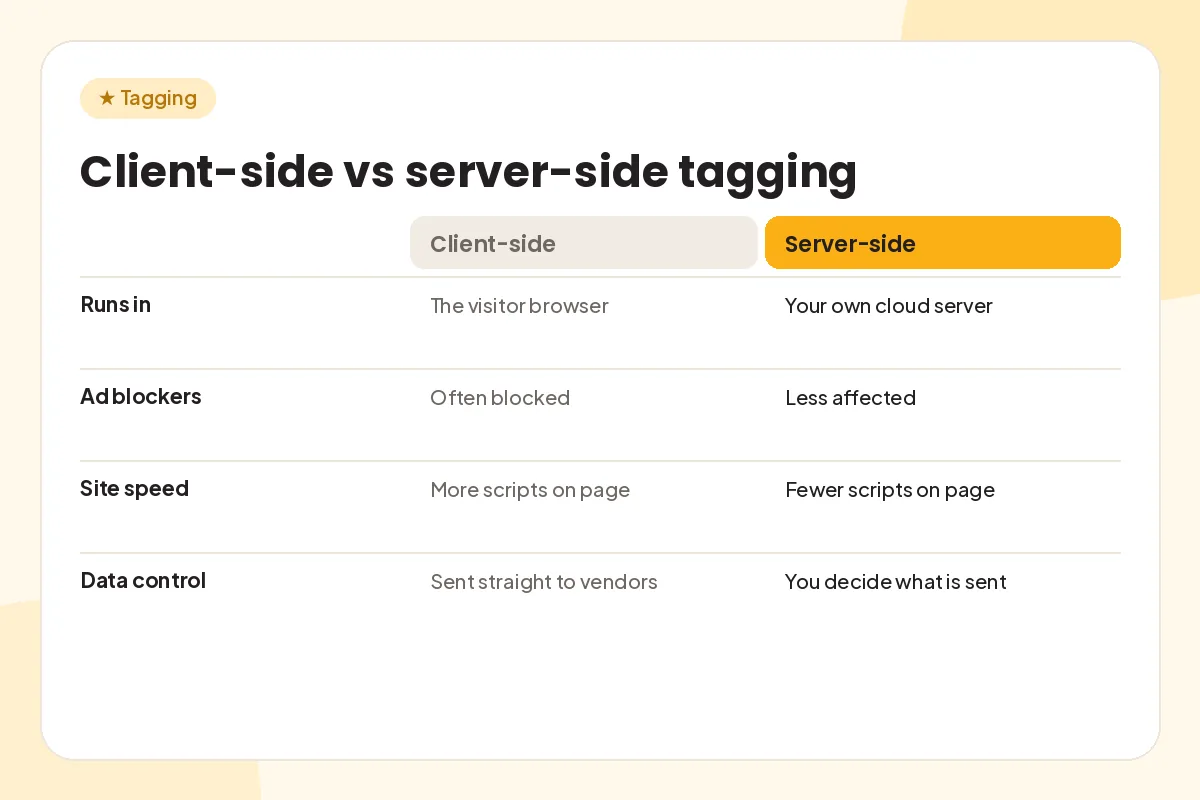
With normal tagging, every tool loads its own script in the visitor’s browser. Server-side tagging sends data to a container on your own cloud server first, which then passes it on to each tool.

That means fewer scripts on your pages, better control over what data each vendor receives and data that is less affected by ad blockers and browser limits. It adds a small hosting cost and needs careful setup. For businesses spending seriously on ads, the better conversion data usually justifies it. We will tell you honestly if it is not worth it yet.

Comparison of client-side and server-side tagging in Google Tag Manager
★ Consent

Consent mode and privacy

In the EU, UK and many other regions, tags must respect the visitor’s consent choice. Google Ads and GA4 also need consent mode v2 signals for full features in those regions.

We connect your cookie banner to GTM, set consent checks on every tag and test what happens when a visitor accepts, rejects or ignores the banner. You get tracking that follows the rules without losing more data than necessary.

★ How we work

Our Google Tag Manager process

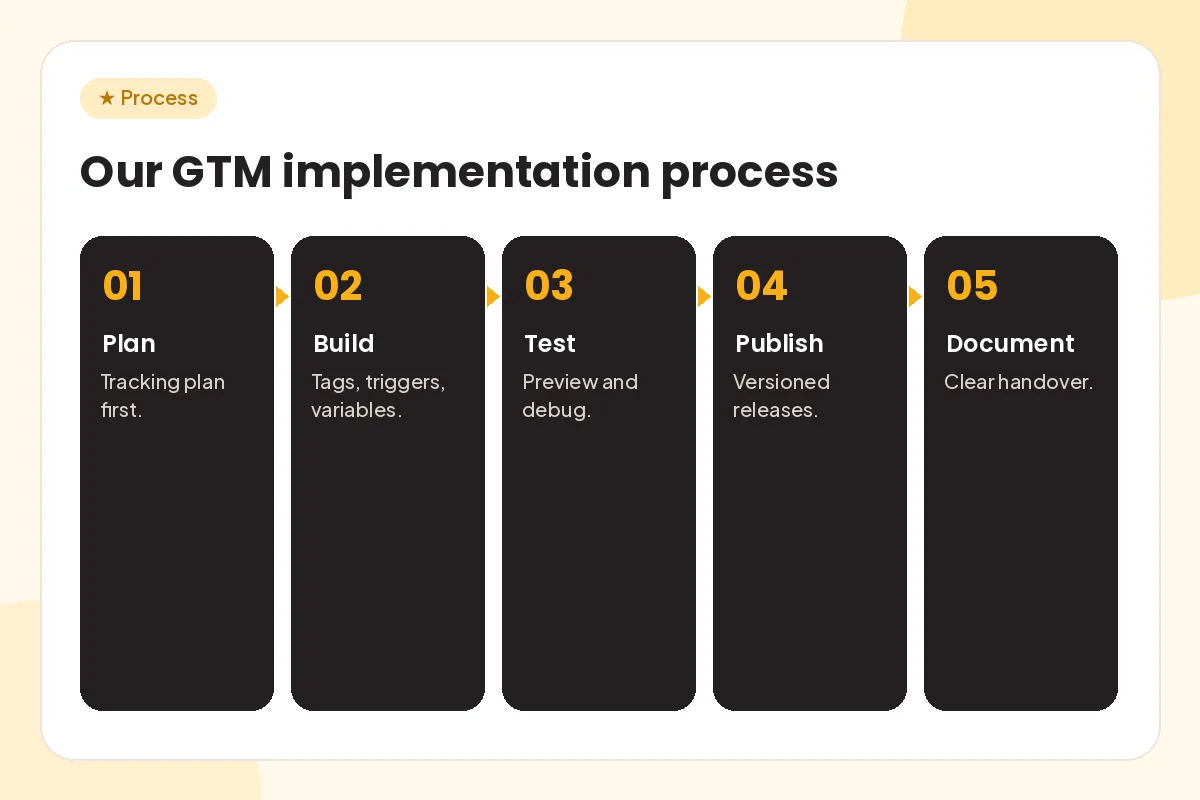
01

Plan

We agree your goals, events, conversions and consent rules in a tracking plan.
02

Build

We create tags, triggers and variables with clear names.
03

Test

We check every tag in preview mode and in each platform.
04

Publish

We publish named versions so changes are easy to track.
05

Document

You get a simple guide to what is tracked and how.
★ Handover

What you get at the end

  • A clean, documented container you own.
  • A tracking plan listing every event and conversion.
  • Tested conversions in GA4 and each ad platform.
  • Consent checks on every tag.
  • Admin access set up for your team only.

If you want ongoing help, we can manage new tags and changes for you each month.

Five step Google Tag Manager implementation process
★ Why DigiExe

Why choose DigiExe as your Google Tag Manager consultant

Short claims you can check.

1,400+ clients in 28 countries

Businesses that rely on accurate marketing data.

Founder-led team

Jitendra Vaswani has run data-led SEO and marketing since 2013.

Plan before tags

No random tags. Everything ties back to a goal.

Full documentation

You own the container and know what is in it.
★ Results

Data-led results from our team

Accurate tracking is how we measure and grow results for clients.

122K
Clicks for Gizmobase in 12 months
111K
Clicks for Affiliatebay in 16 months
4,000
Daily clicks for BloggersIdeas after recovery
1,400+
Clients in 28 countries
Grid of Google Tag Manager services from setup to server-side tagging
★ Industries

Who we set up tracking for

We set up Tag Manager for ecommerce stores that need full purchase tracking, SaaS companies tracking trials and sign-ups, lead generation sites with forms and calls, and publishers measuring engagement. We work on WordPress, Shopify, WooCommerce, Magento and custom builds.

★ Related services

Services that pair with Google Tag Manager

Turn clean data into growth.

Jitendra Vaswani, founder of DigiExe
Written and reviewed by
Jitendra Vaswani, Founder of DigiExe

Jitendra has run data-led SEO and marketing for his own sites since 2013. He reviews the tracking setup standards our team follows.

Jitendra started BloggersIdeas in 2013, runs AffiliateBooster and SchemaNinja, and wrote the international bestseller Inside A Hustler's Brain (20,000+ copies). He has spoken at Affiliate Summit, Affiliate World, DMSS and TES, and works from New Delhi.

Last updated:

★ FAQs

Google Tag Manager consultant: FAQs

A Google Tag Manager consultant plans, builds and maintains the tags that send data to tools like GA4, Google Ads and Meta. That includes setting up events and conversions, connecting consent banners, cleaning up old containers, testing every tag and documenting the setup so your team knows exactly what is tracked and why.

Tag Manager keeps all your tracking tags in one place. Your marketing team can add or change tags without editing site code, every change is versioned, and you can test before publishing. It also makes it easier to apply consent rules to every tag and to remove old tags that slow your site down.

Yes. We audit your current container, list every tag, trigger and variable, and find duplicates, broken tags and tags firing without consent. Then we clean it up, rename things clearly and retest your conversions. Where the container is beyond repair, we may suggest a fresh build that follows a proper tracking plan.

Server-side tagging sends data from your site to a Tag Manager container running on your own cloud server, which then forwards it to each tool. It reduces browser scripts, gives you more control over what data vendors receive and is less affected by ad blockers. It does add a small monthly hosting cost.

Yes. We connect your cookie banner to Google Tag Manager, set up consent mode v2 for Google tags and apply consent checks to every other tag. Then we test the setup for visitors who accept, reject or ignore the banner, so your tracking follows privacy rules in each region you serve.

We commonly set up GA4, Google Ads, Microsoft Ads, Meta, LinkedIn, TikTok, Pinterest and other pixels, along with call tracking, chat tools and CRM forms. Tag Manager works on almost any site, including WordPress, Shopify, WooCommerce, Magento and custom builds, so the platform is rarely a limit.

A standard setup for a lead generation site with forms, calls and a few ad platforms usually takes one to two weeks, including testing. Ecommerce tracking, server-side tagging or a large container clean-up can take longer. We agree the scope and timeline in the tracking plan before any work starts.

Yes. The container is created in your own Google account, or transferred to it, and you stay the owner. We get user access only for the work, and you can remove it at any time. You also get documentation of every tag so another team could take over if needed.

Tag Manager itself is light, but the tags inside it can slow a site if there are too many or they load poorly. Part of our work is removing tags you no longer need, loading the rest at the right time and moving heavy tags to server-side tagging where it makes sense.

Yes. Many clients keep us on to add tags for new campaigns, track new pages or features and check that conversions still fire after site changes. Ongoing support keeps your container tidy and your data reliable, and it means changes are tested properly instead of added in a hurry.

Get tracking you can trust

Tell us what you track today and where the numbers do not add up. We will suggest the fixes that matter most.

★ Trusted by brands

Brands We Have Worked With

A few of the businesses that have trusted DigiExe and our founder with their marketing.

★ Testimonials

What our clients say about DigiExe