
AI-powered SEO, GEO & growth marketing since 2014

★ Website maintenance

Website Maintenance Services for Secure, Fast, Error-Free Sites

DigiExe website maintenance services keep your site updated, backed up, secure and fast, so you can focus on running your business. We test every update before it goes live, fix problems quickly and send you a plain report of what we did each month.

DigiExe at a glance
1,400+
Clients served
28
Countries
20,000+
Copies sold of Inside A Hustler's Brain, by our founder
Led by founder Jitendra Vaswani, New Delhi
★ The problem

Small website issues turn into lost leads

Websites break slowly, then all at once. A plugin falls a few versions behind, a contact form stops sending emails, images grow heavier, and one day the site is slow, hacked or down.

Most business owners only notice when a customer complains. By then, leads have been lost for days or weeks, and Google may have flagged the site as unsafe.

What neglect costs you

  • Lost enquiries when forms or checkouts fail quietly.
  • Lower rankings when pages slow down or show errors.
  • Clean-up bills after a hack, plus damage to customer trust.
  • Days of downtime if there is no recent backup to restore.
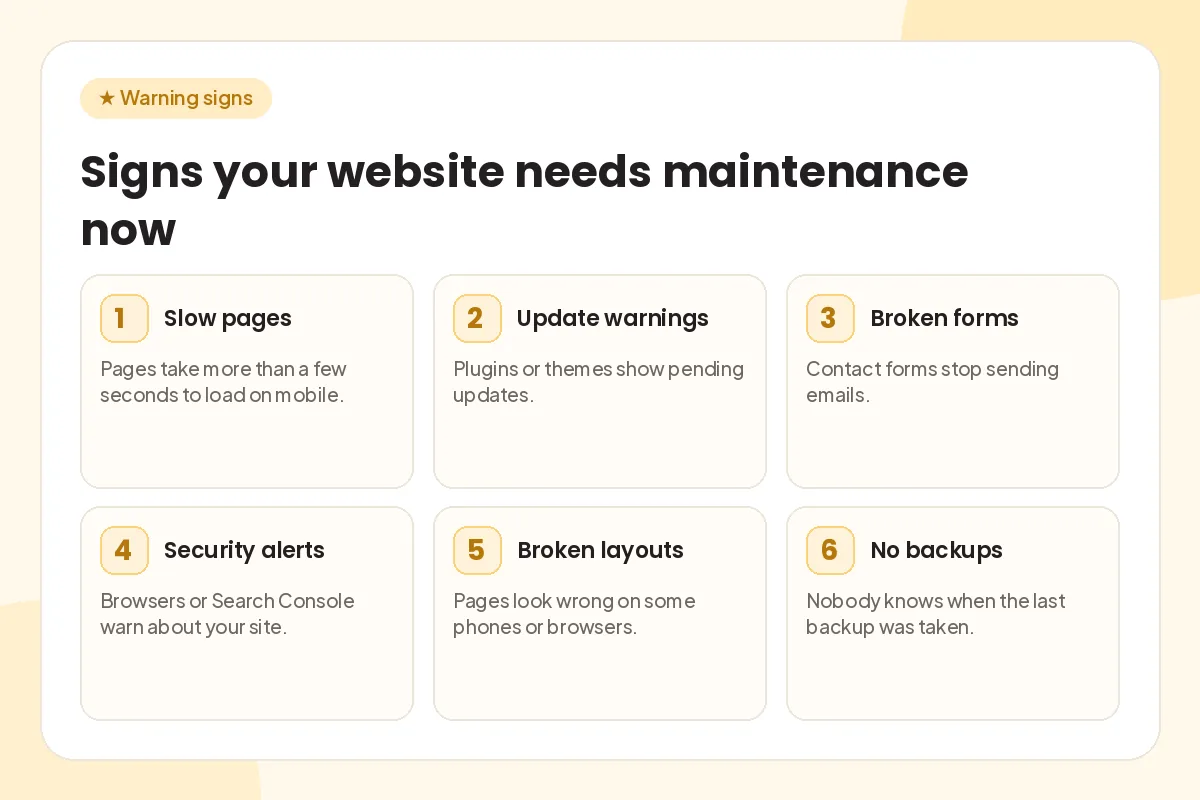
Six warning signs that a website needs maintenance
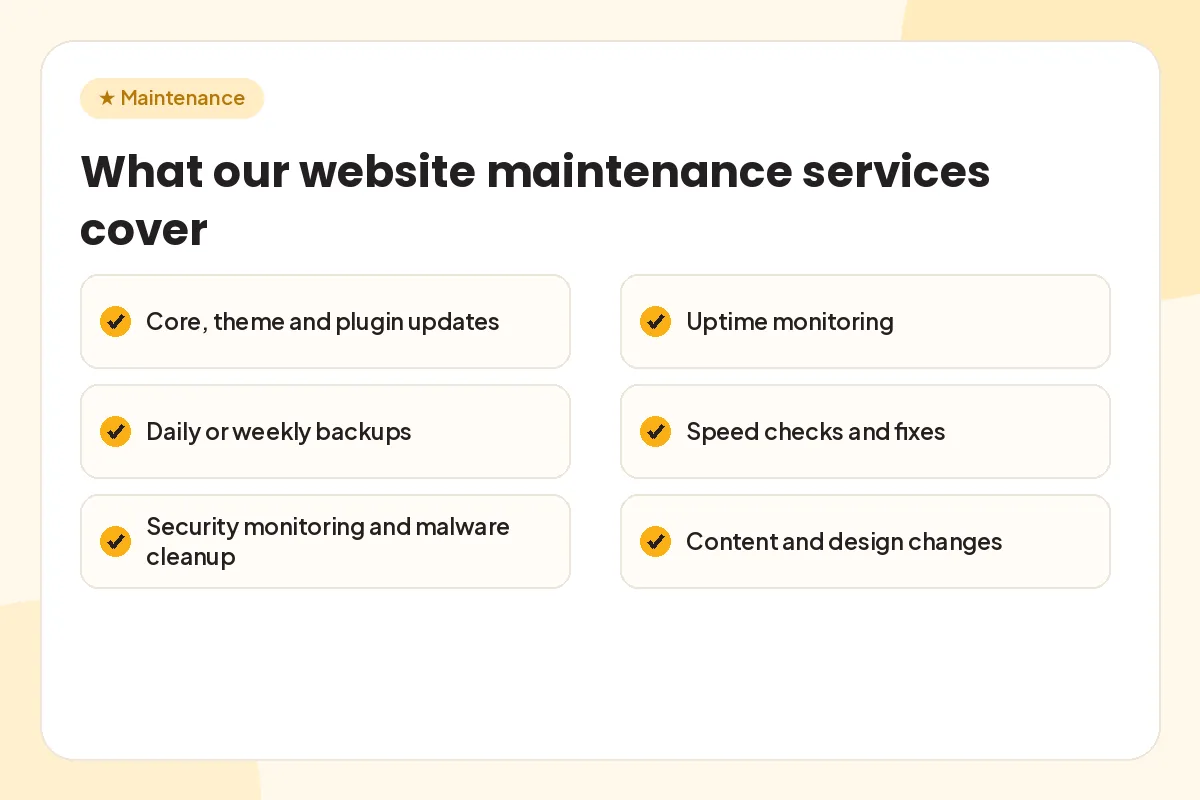
Checklist of what DigiExe website maintenance services cover
★ Our solution

Website maintenance services that prevent problems

Our website maintenance services work on a schedule, not on emergencies. We keep software current, take backups, watch security and uptime, and fix small issues before they grow.

Every update is tested on a staging copy first. If an update breaks something, we fix it or roll it back before it reaches your live site.

You also get a team for small changes: new text, images, pages, banners or form tweaks. Send a request, and we handle it.

★ What we do

What our website maintenance covers

Choose ongoing monthly care or one-off fixes. Both use the same checklist.

Core, theme and plugin updates

Software updated on a schedule and tested on staging before it goes live.

Backups and restores

Automatic backups stored off-site, with tested restores when you need them.

Security monitoring

Firewall, login protection, malware scans and clean-up if something gets through.

Uptime monitoring

Checks every few minutes, with an alert to our team when the site goes down.

Speed fixes

Caching, image compression and code fixes to keep Core Web Vitals healthy.

Content and design changes

Text, images, new pages, banners and form changes handled on request.
★ Security

How we keep your website secure

Most hacked sites are not targeted. Bots scan millions of sites for old plugins and weak passwords, then break into whatever they find. Good maintenance closes those doors.

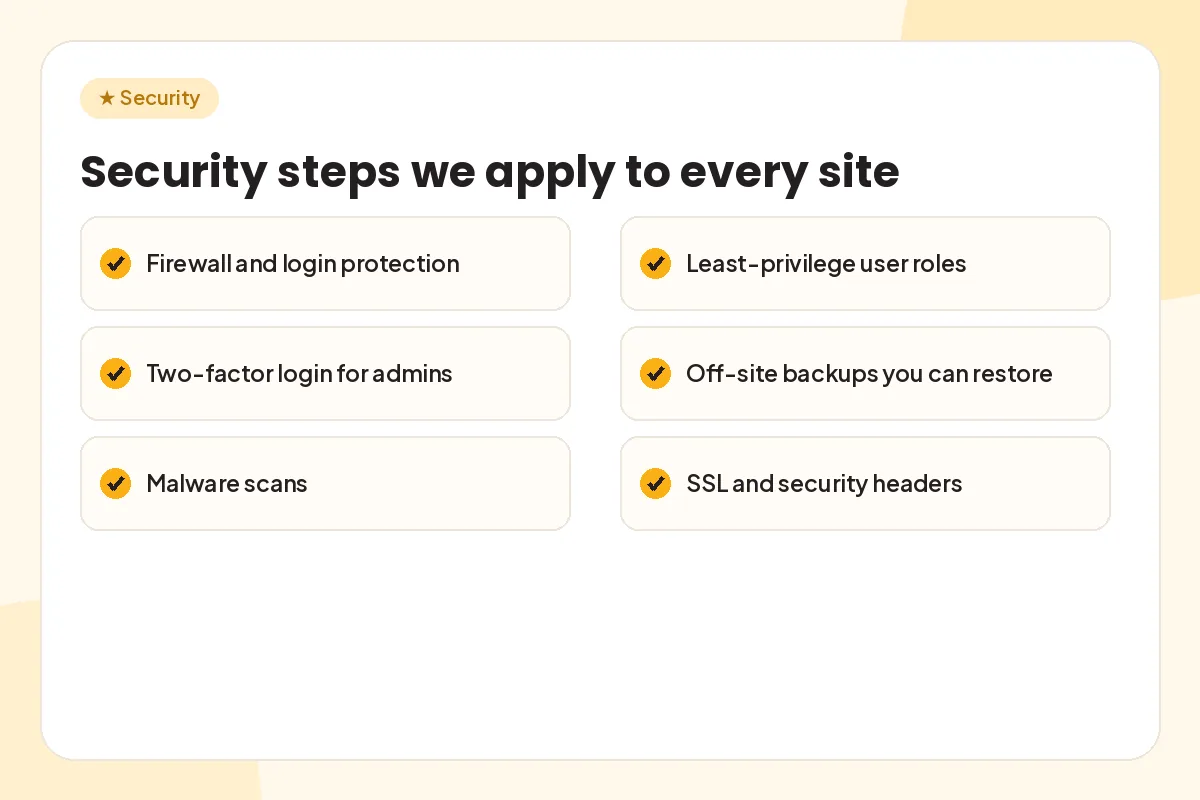
We set up a firewall and login limits, turn on two-factor login for admin users, remove unused plugins and accounts, and keep everything updated. Regular malware scans catch problems early.

If your site is hacked

We take the site offline if needed, restore a clean backup or remove the malware by hand, close the hole that let the attacker in and request a review from Google if the site was flagged. Then we harden the site so the same attack does not work twice.

Website security hardening steps including firewall, two-factor login and backups
★ Speed

Speed and performance checks every month

Slow pages lose visitors and rankings. Google measures loading speed, layout shift and responsiveness as Core Web Vitals, and slow sites tend to rank below fast ones.

Each month we test your key pages on mobile, review the largest images and scripts, and fix what slows them down. Typical fixes include compressing and resizing images, lazy-loading media below the fold, cleaning up unused plugins and tuning caching.

When a problem needs deeper work, such as a heavy theme or page builder, we explain the options and the effort before we start. Our web development team can rebuild slow templates if needed.

★ How we work

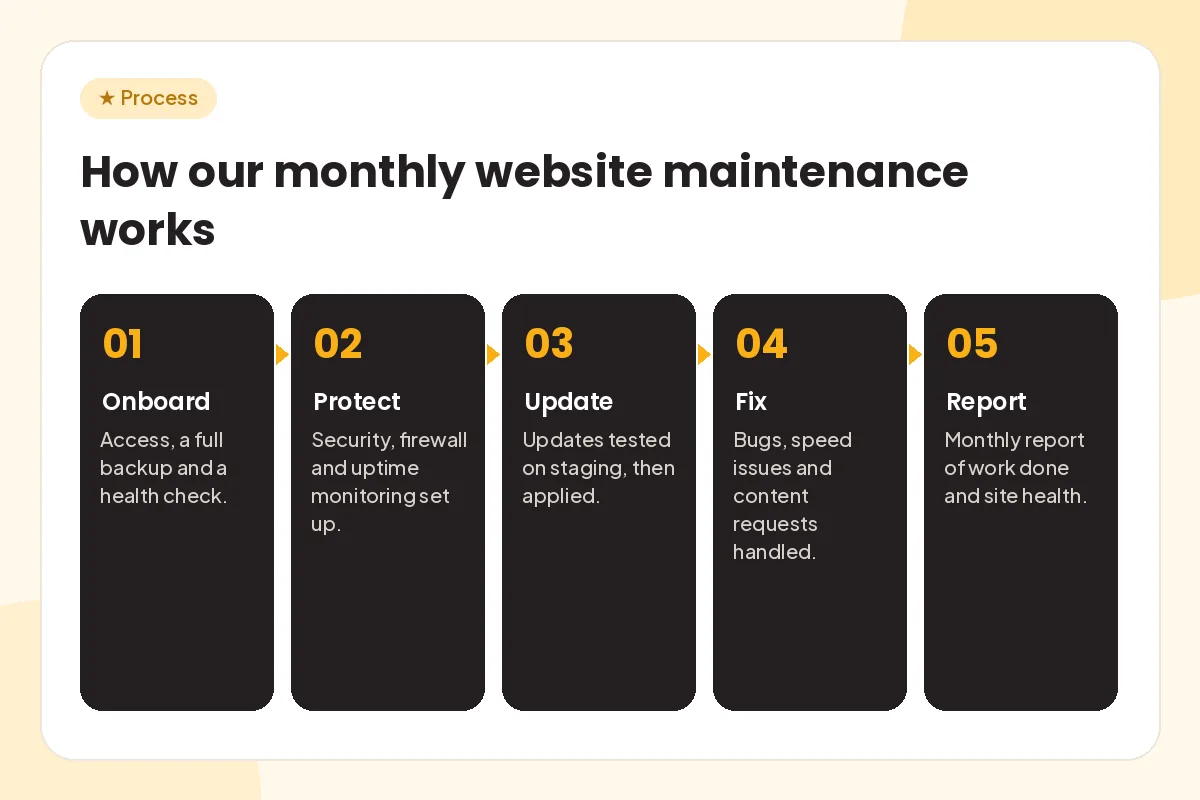
How our website maintenance works

01

Onboard

We take a full backup, review your site health and list anything that needs urgent attention.
02

Protect

Security, firewall, backups and uptime monitoring are set up and tested.
03

Update

Updates are tested on a staging copy, then applied to the live site.
04

Fix and change

Bugs, speed issues and your content requests are handled as they come in.
05

Report

A monthly report lists updates, backups, security events, speed and the work done.
★ Schedule

A website maintenance checklist by frequency

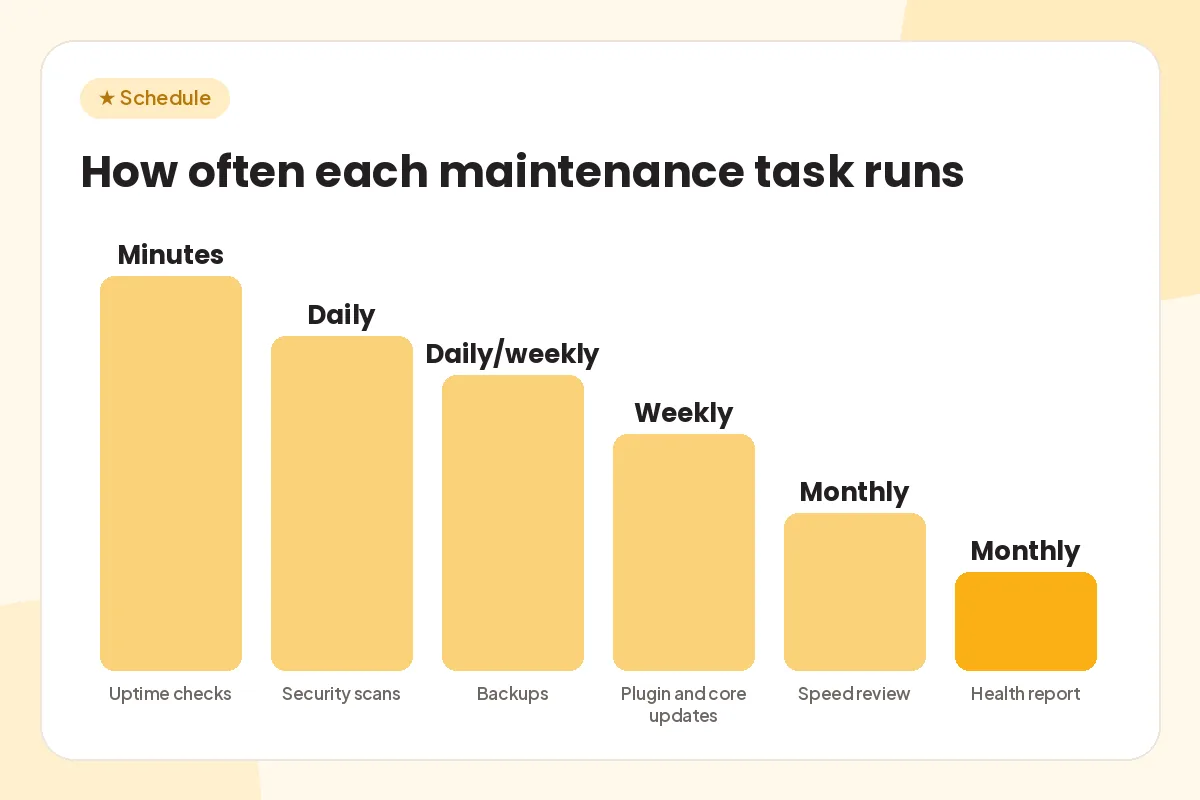
Good maintenance is a routine. Some checks run all the time, others once a week or once a month. This is the schedule we follow on most business sites.

How oftenTask
Every few minutesUptime monitoring with alerts
DailySecurity scans and, for busy sites, backups
WeeklyTested plugin, theme and core updates, plus backups for smaller sites
MonthlySpeed review, broken link check, form tests and the health report
QuarterlyRestore test, user account review and plugin clean-up
Bar chart showing how often each website maintenance task runs, from uptime checks to monthly reports
Five step monthly website maintenance process
★ Getting started

Your first month of website maintenance

The first month does the most work. We take a full backup before we touch anything, then run a health check on software versions, security, speed, forms and broken links.

You get a short list of what we found, split into urgent fixes and things that can wait. Urgent items, such as an outdated plugin with a known security hole, are fixed first.

From the second month on, the routine takes over: scheduled updates, backups, monitoring and your change requests, with a report at the end of each month. Most clients find their site needs far less attention once the first clean-up is done.

What we need from you

  • Admin access to your website, or a user account we can use.
  • Hosting access if you want us to handle server-side backups.
  • A list of the forms, pages and features that matter most to your business.
Comparison of doing website maintenance yourself against a maintenance team
★ Comparison

Do it yourself or hire a maintenance team?

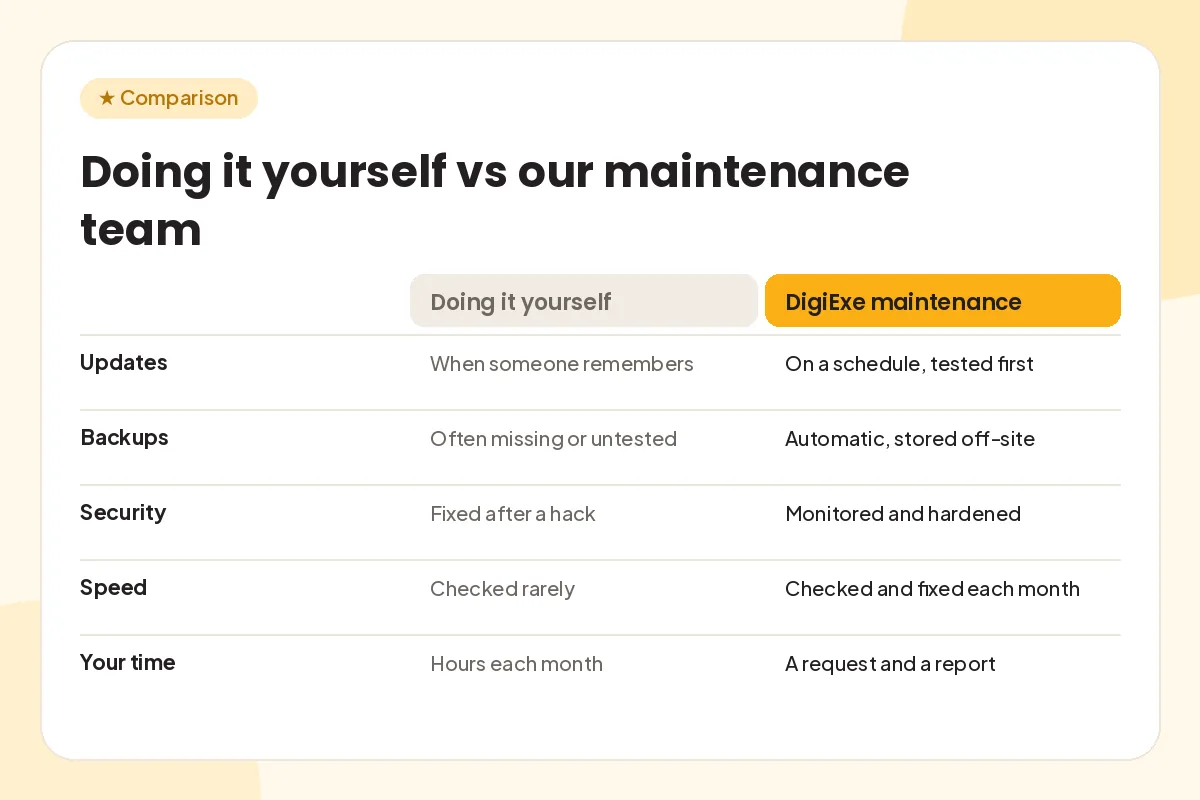
You can maintain a small site yourself if you have the time and know what to check. The risk is that maintenance is easy to skip, and the cost of a missed update shows up months later.

A maintenance team does the same checks every month, keeps backups you can actually restore and has the skills to fix what breaks. For a business site that brings in leads or sales, that is usually cheaper than one emergency clean-up.

★ Why DigiExe

Why choose DigiExe for website maintenance

Short claims you can check.

1,400+ clients in 28 countries

We have worked with businesses of every size across 28 countries.

Founder-led

Jitendra Vaswani runs BloggersIdeas, AffiliateBooster and SchemaNinja, all on sites our team maintains.

Tested updates

Updates go to a staging copy first, so a broken plugin never reaches your customers.

Plain reports

Every month you see what was updated, backed up, fixed and changed.
★ Results

Site health that supports growth

Our team keeps its own sites fast and stable, because traffic depends on it. Fixing Core Web Vitals was the first step in each of our published SEO case studies.

122K
Clicks for Gizmobase in 12 months
111K
Clicks for Affiliatebay in 16 months
4,000
Daily clicks for BloggersIdeas after recovery
Monthly
Health report on every maintenance plan
★ Platforms

Which platforms we maintain

Most of our maintenance work is on WordPress and WooCommerce, including sites built with Elementor, GeneratePress and other common themes and builders. We also support Shopify stores and custom PHP sites.

PlatformWhat maintenance looks like
WordPressCore, theme and plugin updates, security, backups and speed
WooCommerceAll of the above plus checkout, payment and order email checks
ShopifyApp reviews, theme updates, speed and content changes
Custom sitesServer, framework and dependency updates, backups and fixes

Redesigning instead? See our website redesign services.

★ Choosing a provider

What to look for in a website maintenance company

Many maintenance plans look the same on paper. The differences show up when something breaks. Before you sign up with any provider, ask these questions.

  1. Are updates tested first? Updates applied straight to the live site are the most common cause of broken pages.
  2. Where are backups stored? Backups on the same server are lost if the server fails or gets hacked.
  3. Have restores been tested? A backup you have never restored is a guess, not a safety net.
  4. What happens after a hack? Clean-up should be part of the plan, not a surprise bill.
  5. What do the reports show? You should see real work done, not just a list of plugin names.
★ Related services

Services that pair well with maintenance

A well-maintained site is easier to rank, grow and redesign.

Jitendra Vaswani, founder of DigiExe
Written and reviewed by
Jitendra Vaswani, Founder of DigiExe

Jitendra has run his own WordPress sites, including BloggersIdeas, AffiliateBooster and SchemaNinja, for more than a decade. He reviews the maintenance checklist our team follows on client sites.

Jitendra started BloggersIdeas in 2013, runs AffiliateBooster and SchemaNinja, and wrote the international bestseller Inside A Hustler's Brain (20,000+ copies). He has spoken at Affiliate Summit, Affiliate World, DMSS and TES, and works from New Delhi.

Last updated:

★ FAQs

Website maintenance services: FAQs

Yes. If you only need a single job done, such as fixing a broken form, removing malware, speeding up a slow page or updating an old plugin safely, we can quote it as a one-off fix. Many clients start that way, then move to monthly care once they see how much time regular maintenance saves them.

Website maintenance services keep a site updated, secure and working. They include core, theme and plugin updates, backups, security monitoring, malware clean-up, uptime checks, speed fixes and small content changes. Our plans also include a monthly report so you can see exactly what was done on your site and why it was needed.

A website maintenance plan is an ongoing monthly service where a team looks after your site on a schedule. Instead of calling someone when the site breaks, you get regular updates, backups, security checks and a set amount of support for changes, which prevents most problems before your visitors ever notice them.

We maintain WordPress and WooCommerce sites most often, including sites built with Elementor and other page builders. We also support Shopify stores and custom PHP sites. If your site runs on something else, tell us what it is and we will confirm whether we can look after it before you commit to anything.

We contain the problem first, then restore a clean backup or remove the malware by hand. Next we find and close the hole that let the attacker in, change passwords and request a Google review if the site was flagged as unsafe. Finally we harden the site so the same attack cannot work again.

Yes. We apply updates to a staging copy of your site first and check key pages, forms and checkout. If an update causes a problem, we fix it or hold it back until the developer releases a fix. Only tested updates reach your live site, so your customers do not see broken pages.

Backup frequency depends on how often your site changes. Busy stores and sites with daily updates need daily backups, while brochure sites can use weekly ones. Backups are stored off-site, away from your server, and we test restores so you know they work when you need them most.

Yes. Maintenance includes small changes such as updating text, swapping images, adding a new page, changing a banner or editing a form. Send us a request with what you need, and our team handles it. Larger projects, like a redesign or new features, are quoted separately so the scope is clear.

Yes. Every month you get a short report listing the updates applied, backups taken, security events blocked, uptime, page speed results and any fixes or changes we made. It is written in plain language, so you can see the value of the work without needing to understand the technical details.

It helps. Google favours fast, secure sites that work well on mobile and do not show errors. Maintenance keeps Core Web Vitals healthy, fixes broken links and prevents hacks that can get a site removed from search results. For rankings growth itself, pair maintenance with an SEO plan.

Send us your website address and a short note about what you need, such as monthly care, a one-off fix or help after a hack. We review the site, check the platform, plugins and hosting, and send a clear quote with the scope written down before any work starts.

Keep your website safe, fast and working

Tell us about your site. We will run a quick health check and send a clear maintenance quote.

★ Trusted by brands

Brands We Have Worked With

A few of the businesses that have trusted DigiExe and our founder with their marketing.

★ Testimonials

What our clients say about DigiExe