
AI-powered SEO, GEO & growth marketing since 2014

★ Google Analytics audit

Google Analytics Audit So You Can Trust Your Data

A DigiExe Google Analytics audit checks your GA4 and Google Tag Manager setup, events, conversions and data quality, then shows you exactly what to fix. Every marketing decision you make, from ad budgets to content, depends on these numbers being right.

DigiExe at a glance
1,400+
Clients served
28
Countries
20,000+
Copies sold of Inside A Hustler's Brain, by our founder
Led by founder Jitendra Vaswani, New Delhi
★ The problem

Why so many analytics reports cannot be trusted

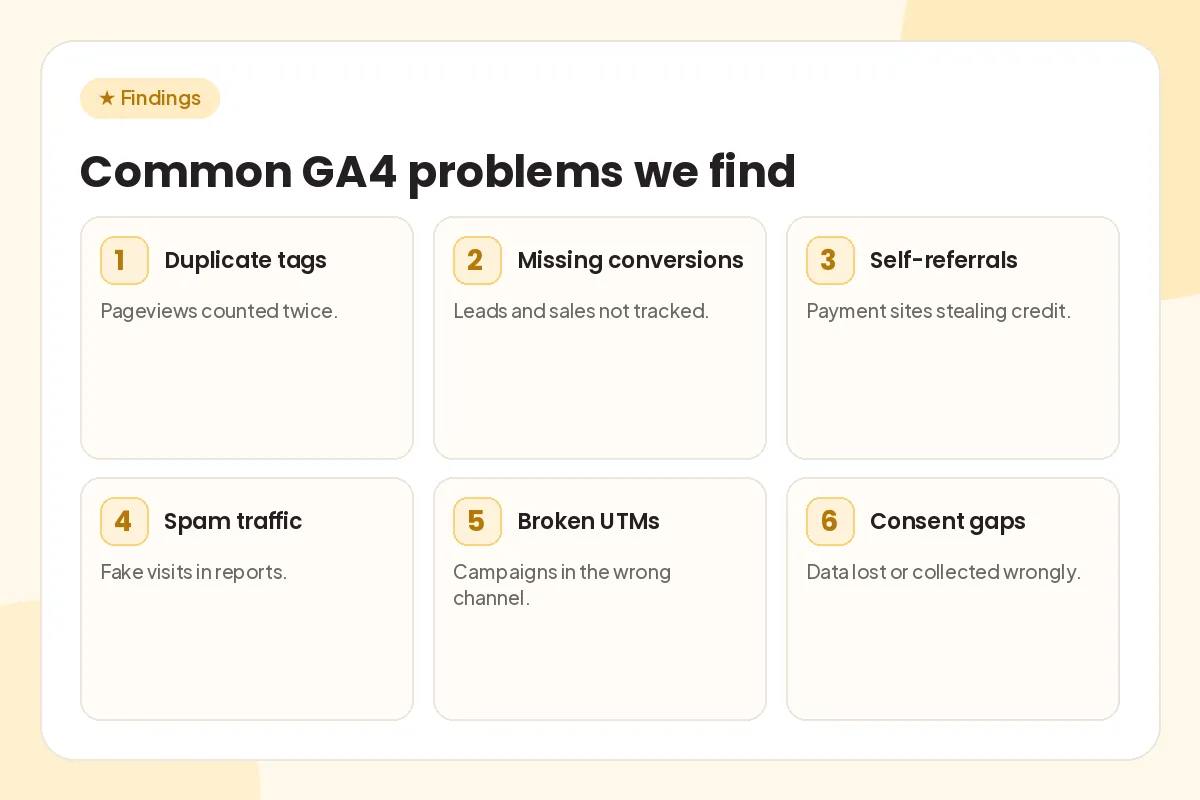
Most GA4 properties have problems their owners do not know about. Tags fire twice and double your pageviews. Form submissions and purchases are not tracked as key events. Payment gateways show up as referral sources and steal credit from your ads. Spam and internal traffic inflate the numbers.

When the data is wrong, decisions are wrong too. Budgets go to channels that only look good, and good channels get cut.

Grid of common GA4 tracking problems such as duplicate tags and missing conversions
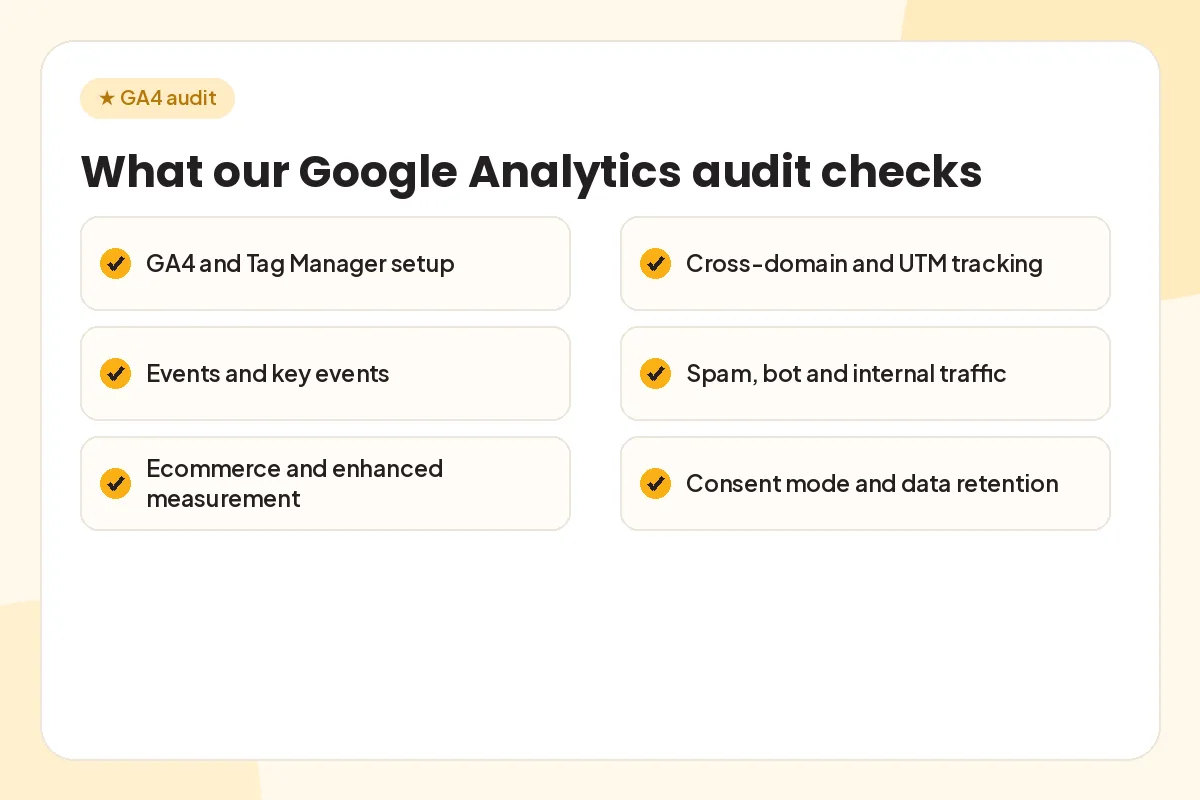
Checklist of what the DigiExe Google Analytics audit checks, from GA4 setup to consent mode
★ Our solution

A Google Analytics audit that fixes the foundations

Our Google Analytics audit reviews your full setup, from the tags in Google Tag Manager to the events, key events, ecommerce data and reports in GA4. We test real user journeys on your site to check that what happens is what gets recorded.

You get a prioritised list of issues with the steps to fix each one. Our team can make the fixes for you, or guide your developers through them.

★ What we check

What our Google Analytics audit covers

A full review of GA4 tracking and reporting.

Tag and GTM setup

Duplicate tags, firing rules, triggers and the data layer.

Events and conversions

Key events for leads, sign-ups and sales, counted once and correctly.

Ecommerce tracking

Purchase, add-to-cart and checkout events with the right values.

Cross-domain and UTMs

Sessions kept across domains and campaigns sorted into the right channels.

Data quality

Spam, bot and internal traffic, and unwanted referrals removed.

Consent and privacy

Consent mode, data retention and settings that match privacy rules.
★ Why it matters

What bad data costs you

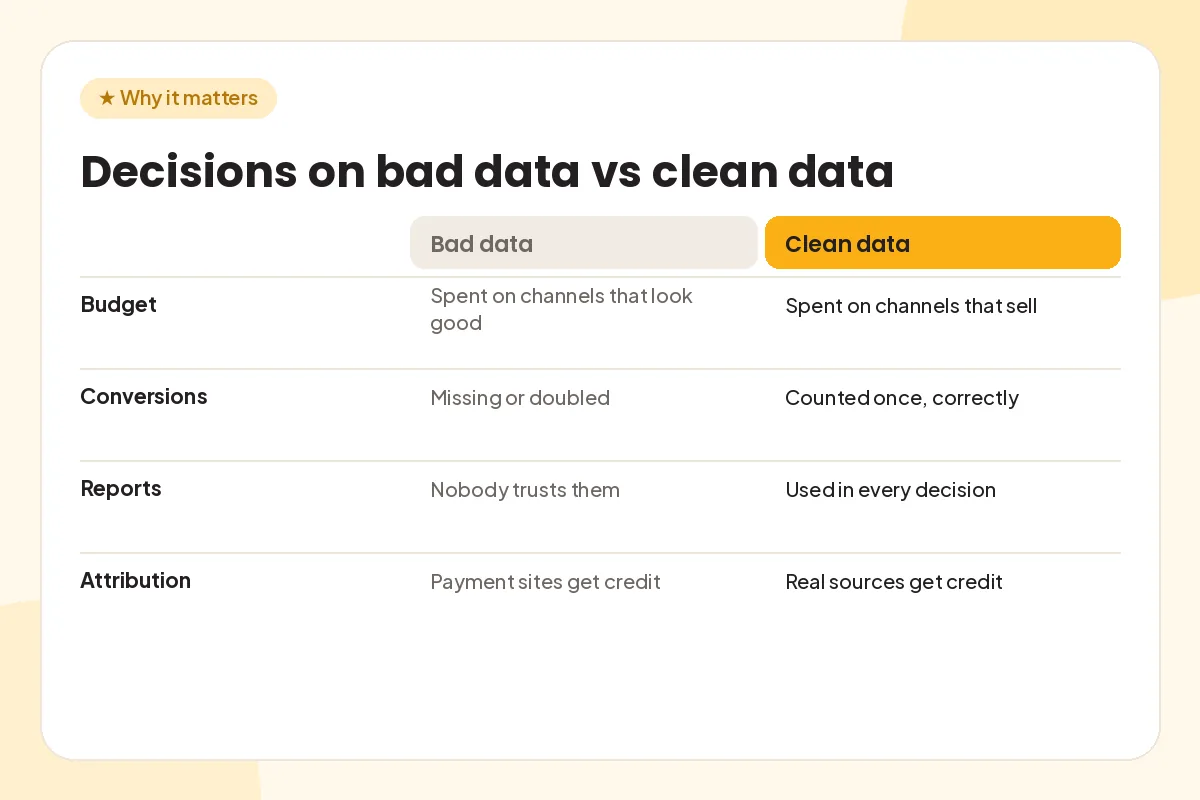
Analytics data drives real money decisions. If paid search conversions are missing, you may cut a campaign that is actually profitable. If a payment site takes credit for sales, you cannot see which channel brought the buyer. If spam inflates traffic, your conversion rate looks worse than it is.

A clean setup turns your reports into something your whole team can trust, which makes every other part of marketing easier to measure and improve.

Comparison of marketing decisions made on bad analytics data and on clean data
★ Findings

The most common GA4 issues we fix

IssueEffect
GA4 tag installed twiceDoubled pageviews and wrong engagement rates
No key events set upLeads and sales invisible in reports
Payment gateway referralsSales credited to PayPal or Stripe, not the real source
Missing cross-domain setupSessions split across your sites
Inconsistent UTM tagsCampaign traffic in the wrong channel
Consent mode misconfiguredLost data, or data collected without consent
★ How we work

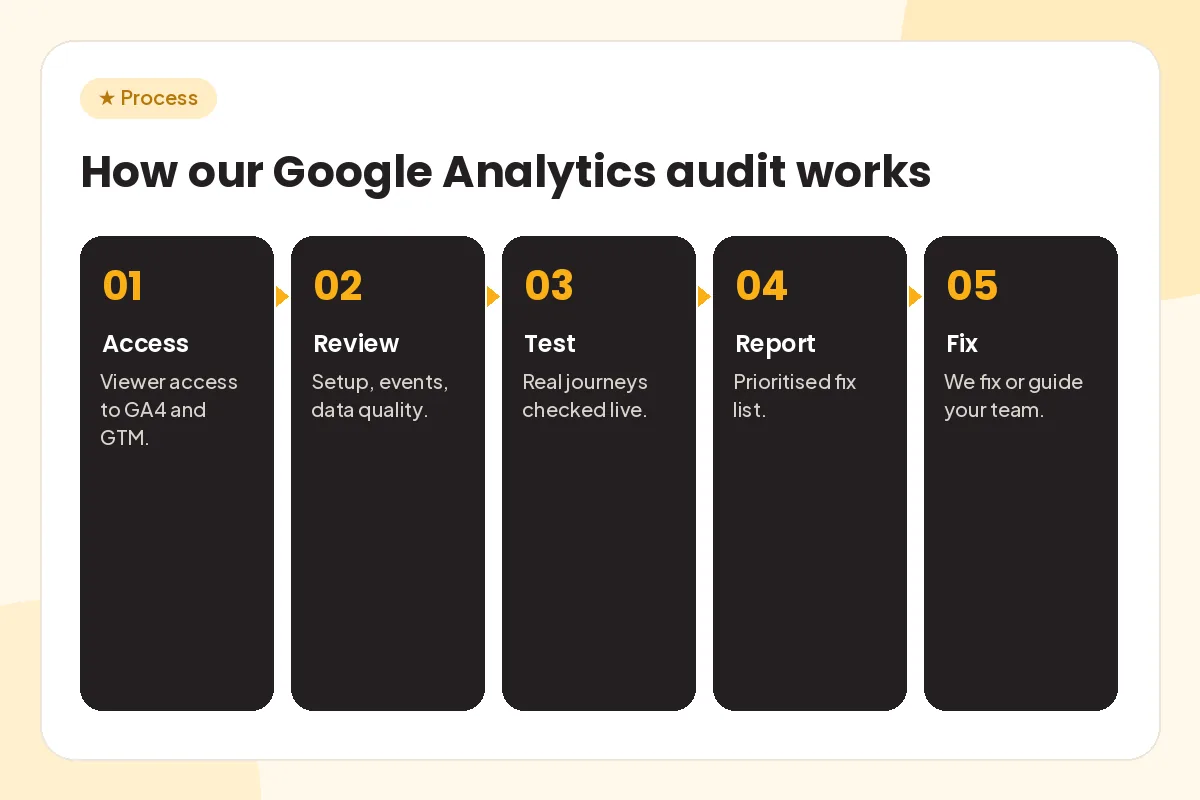
How our Google Analytics audit works

01

Access

You give us viewer access to GA4 and Google Tag Manager. No passwords are needed.
02

Review

We review the property, data streams, events, key events and reports.
03

Test

We walk through real journeys on your site, such as a form fill or a purchase, and check what is recorded.
04

Report

You get a prioritised fix list with steps and expected impact.
05

Fix

We fix the issues for you, or guide your developers.
★ Plans

Google Analytics audit plans

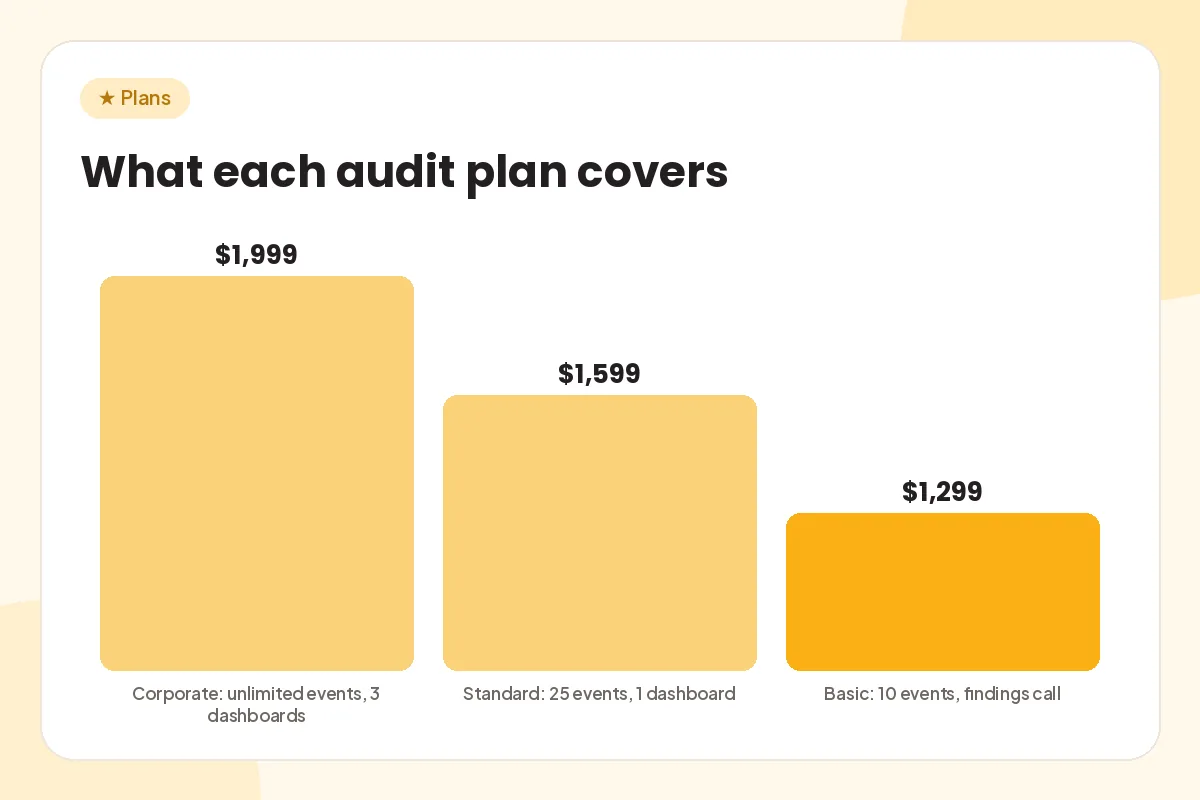
Our audit plans are one-time projects priced in US dollars. Each includes a prioritised recommendations document and a findings call.

Basic

$1,299one time
  • GA4 and Google Tag Manager setup audit
  • Event and conversion tracking review (up to 10 events)
  • Data accuracy and spam/bot traffic check
  • Goal and key event configuration review
  • Prioritised recommendations document
  • One 30-minute findings call
Get started
Recommended

Standard

$1,599one time
  • Everything in Basic
  • Event and conversion review (up to 25 events)
  • Cross-domain and UTM campaign tracking audit
  • Ecommerce and enhanced measurement validation
  • Custom Looker Studio dashboard (1 dashboard)
  • Funnel and drop-off analysis
  • Two 45-minute strategy calls
Get started

Corporate

$1,999one time
  • Full GA4 and Tag Manager audit (unlimited events)
  • Data accuracy, spam/bot and consent mode check
  • Cross-domain, UTM and ecommerce validation
  • Custom Looker Studio dashboards (up to 3)
  • Funnel, cohort and attribution analysis
  • Server-side tagging and data layer review
  • Detailed implementation roadmap and SOPs
  • Dedicated analytics consultant and monthly review calls
Get started

Prices are in USD. Need fixes carried out as well? Ask for a quote.

★ Choosing a plan

Which audit plan is right for you?

Basic suits smaller sites with a simple lead form or a few key events, where you mainly need to know the setup is correct.

Standard suits online stores and businesses running paid campaigns, because it covers ecommerce, UTMs, cross-domain tracking and a dashboard.

Corporate suits larger companies with many events, several sites, server-side tagging or a team that needs ongoing analytics support.

Chart comparing the scope of the Basic, Standard and Corporate Google Analytics audit plans
Five step Google Analytics audit process from access to fixes
★ Dashboards

Reports your team will actually use

GA4’s standard reports can be hard to read. In the Standard and Corporate plans, we build Looker Studio dashboards that show the numbers your team cares about: leads or sales by channel, cost per conversion where ad data is connected, top landing pages and funnel drop-off.

Dashboards update on their own, so you can check performance at any time without building reports by hand.

★ Privacy

Consent mode and privacy

Privacy rules in many regions require consent before tracking. Google’s consent mode lets GA4 adjust how it collects data based on each visitor’s choice. When it is set up wrongly, you either lose data you could have kept or collect data you should not.

We check your consent banner, consent mode settings, data retention period and IP and user data settings, and point out anything that needs legal review. We are not lawyers, so we recommend that your legal adviser confirms your final policy.

★ Ecommerce

Ecommerce tracking checks

For online stores, we test the full buying path: product views, add to cart, checkout steps and purchase. We check that each event sends the right product data, revenue, tax and shipping, and that purchases are not counted twice when a buyer reloads the thank-you page.

We also compare GA4 revenue with your store’s own sales data, so you know how close the numbers are and why they differ.

★ Leftovers

Problems left over from the move to GA4

Many sites moved from Universal Analytics to GA4 in a hurry. Common leftovers include old tags still firing, events copied across with names that make no sense in GA4, conversions that were never rebuilt and a data retention period left at the short default.

The audit cleans these up. We rename and organise events, mark the right ones as key events, remove old tags and set retention and reporting options so your history stays useful for year-on-year comparisons.

★ Do it yourself

Quick checks you can run today

  1. Open GA4 Realtime, visit your site on your phone and check that your visit appears once.
  2. Submit a test enquiry and check that a key event is recorded.
  3. Look at Traffic acquisition. Do payment sites or your own domain appear as referrals?
  4. Check Admin, Data retention. Is it set to the longest period available?

If any of these fail, your data needs attention.

★ Why DigiExe

Why choose DigiExe for your Google Analytics audit

Short claims you can check.

1,400+ clients in 28 countries

Businesses of every size across 28 countries.

Founder-led

Jitendra Vaswani has used analytics to grow his own sites for years.

Marketers, not just tech

We know how the data is used for SEO, ads and content decisions.

Viewer access only

Audits run without passwords or admin rights.
★ Results

Growth measured with clean data

Accurate tracking is how we measure every result in our published case studies.

122K
Clicks for Gizmobase in 12 months
111K
Clicks for Affiliatebay in 16 months
4,000
Daily clicks for BloggersIdeas after recovery
1,400+
Clients in 28 countries
★ Who it is for

Who needs a Google Analytics audit

Audits help ecommerce stores, SaaS companies, lead generation businesses, agencies, publishers and any team running paid campaigns. They are especially useful after a site redesign, a move to a new platform, before a big ad spend or when the numbers in GA4 do not match your sales or CRM.

★ Related services

Services that pair with an analytics audit

Use clean data to grow.

Jitendra Vaswani, founder of DigiExe
Written and reviewed by
Jitendra Vaswani, Founder of DigiExe

Jitendra has used Google Analytics to run and grow his own sites, including BloggersIdeas, AffiliateBooster and SchemaNinja, for years. He reviews the audit checklist our analytics team follows.

Jitendra started BloggersIdeas in 2013, runs AffiliateBooster and SchemaNinja, and wrote the international bestseller Inside A Hustler's Brain (20,000+ copies). He has spoken at Affiliate Summit, Affiliate World, DMSS and TES, and works from New Delhi.

Last updated:

★ FAQs

Google Analytics audit: FAQs

A Google Analytics audit is a review of your GA4 and Google Tag Manager setup to check that your data is accurate and complete. It covers tags, events, key events, ecommerce tracking, cross-domain and campaign tracking, spam and internal traffic, and consent settings, then lists what to fix so your reports can be trusted.

Most GA4 setups have hidden problems, such as duplicate tags, missing conversions, payment sites taking credit for sales or spam inflating traffic. These errors lead to wrong decisions about budgets and channels. An audit finds and fixes them, so your team can rely on the numbers when planning marketing and measuring results.

Viewer access to your GA4 property and Google Tag Manager container is enough for the audit. You can add our email in the admin settings in a few minutes, and no passwords are needed. If you want us to make the fixes afterwards, we will ask for editor or publish access at that stage.

Our audit plans are one-time projects. Basic is $1,299 and covers up to 10 events with a findings call. Standard is $1,599 and adds ecommerce, UTMs, cross-domain tracking and a dashboard. Corporate is $1,999 and covers unlimited events, server-side tagging, three dashboards and ongoing review calls.

Yes, if you want us to. Every audit includes a prioritised list of fixes with clear steps, so your developers can follow it. If you prefer, our team can make the changes in Google Tag Manager and GA4 for you, test them and confirm the data is flowing correctly before we hand back.

Yes, in the Standard and Corporate plans. We test product views, add to cart, checkout steps and purchases, check revenue, tax and shipping values and make sure purchases are not counted twice. We also compare GA4 revenue with your store data so you understand any difference between them.

Yes. The Standard plan includes one custom Looker Studio dashboard and the Corporate plan includes up to three. We build them around the numbers your team uses, such as leads or sales by channel, landing page performance and funnel drop-off, and they update automatically from your GA4 data.

Yes. We review your consent banner, Google consent mode settings, data retention and user data settings. We point out anything that may cause lost data or tracking without consent. Privacy rules vary by region, so we recommend that your legal adviser confirms your final policy and banner wording.

Some difference is normal, because ad blockers, consent choices and browser limits stop some visits being tracked. Large gaps usually point to setup problems, such as missing purchase events, duplicate tracking or refunds not handled. The audit shows how big the gap is, what causes it and what can be fixed.

Audit after any big change, such as a redesign, a new platform, new forms or a new payment provider, and at least once a year otherwise. Tracking breaks quietly when sites change, so a regular check keeps your data reliable and avoids months of decisions made on wrong numbers.

Make decisions on data you can trust

Choose an audit plan or talk to us about your setup. We will confirm the scope before we start.

★ Trusted by brands

Brands We Have Worked With

A few of the businesses that have trusted DigiExe and our founder with their marketing.

★ Testimonials

What our clients say about DigiExe