

If you’ve ever searched for cloud hosting that’s fast, secure, and actually easy to manage, you’ve probably come across Cloudways. It’s one of those platforms that makes cloud hosting simple, even if you’re not a tech wizard.
But here’s the question most people ask before diving in: Does Cloudways offer a free trial? Yes, it does. And not only that, it’s one of the most flexible and risk-free trials out there. You don’t need a credit card. You can test real servers. And you get to experience premium cloud hosting before spending a single dollar.
Let’s break down exactly how the Cloudways Free Trial works in 2026 – what you get, how to sign up, and whether it’s really worth your time.
What Is Cloudways?
Before we jump into the free trial details, let’s quickly talk about what Cloudways actually is.
Cloudways is a managed cloud hosting platform. That means instead of dealing with the complicated stuff like server setup, scaling, and maintenance, Cloudways handles it for you. You just pick a cloud provider (like DigitalOcean or AWS), launch your site, and go.
You get the performance of top-tier cloud providers without the headache of managing them yourself.
In short: Cloudways = Power of the cloud, simplicity of shared hosting.
Does Cloudways Really Offer a Free Trial?
Absolutely! Cloudways offers a free 3-day trial (as of 2026) for new users.
What makes it great?
👉 No credit card required.
👉 Access to full features, not a watered-down demo.
👉 Freedom to test multiple cloud providers.
This means you can spin up a real server, install WordPress (or any app you want), and see how Cloudways performs in real life before paying anything.
How to get Cloudways Free Trial?
Cloudways lets you try out their platform for free for 3 days so you can see if it meets your needs.
Since this free trial doesn’t need a credit card number, they use a strong 2-step verification process to stop spam and other bad things from happening.
Here is how to get Cloudways free trial:
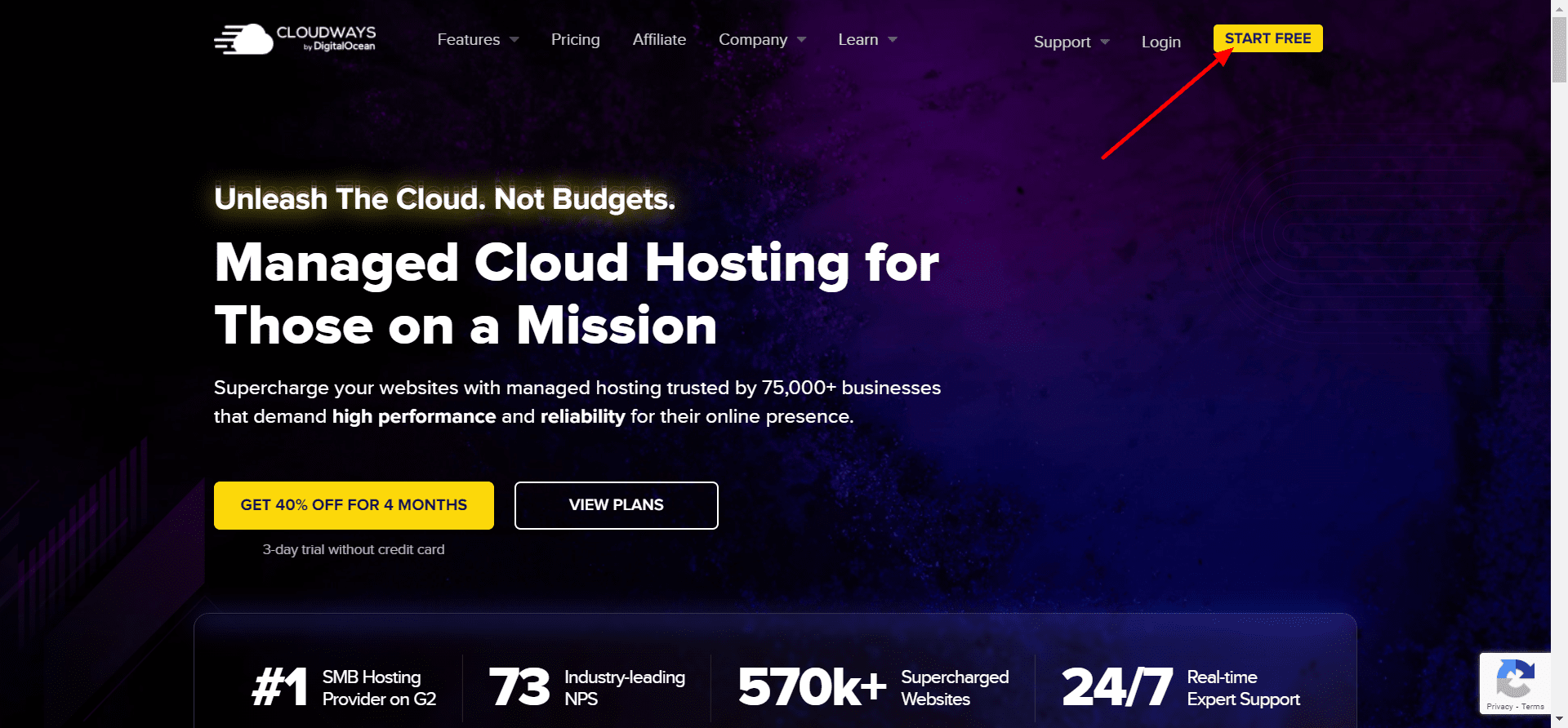
- Head to the Cloudways site and click on ‘Start Free’ button.
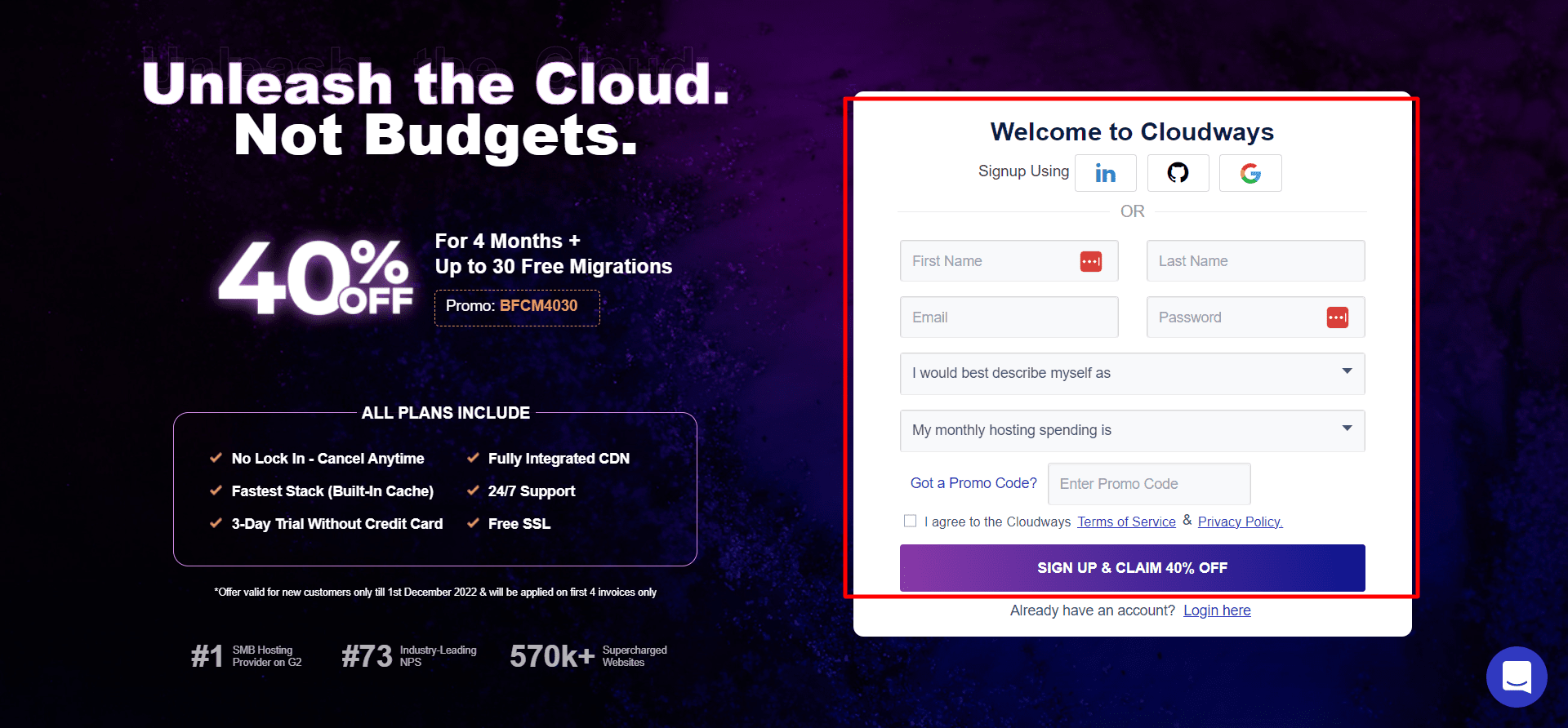
- You will be redirected to the form where you can fill out all the details.
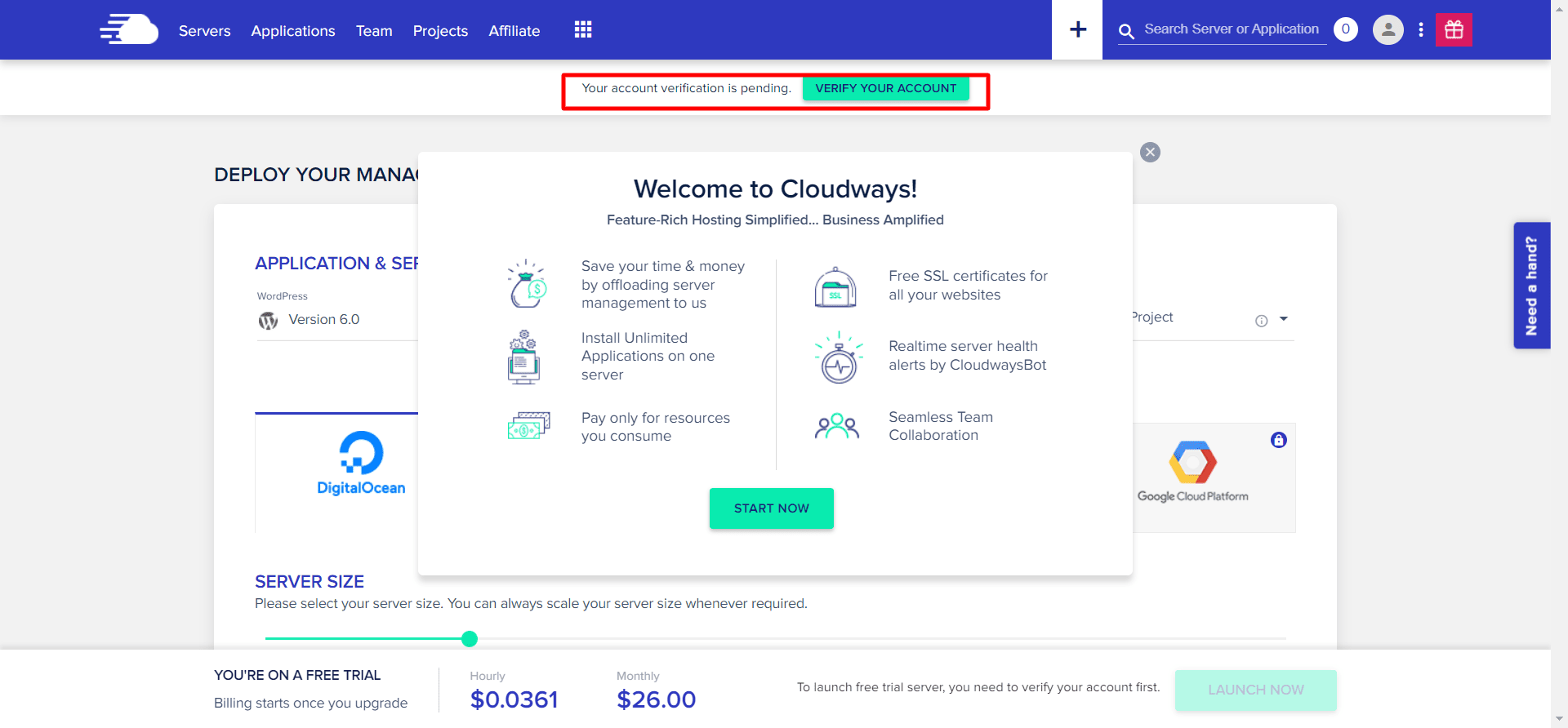
- After you sign up, you’ll be taken to the Cloudways dashboard. At the top of this page, you’ll see the message “Your account verification is pending” and a button next to it. Click the “Verify Your Account” button to start using the free trial of Cloudways.
- In the account verification page, enter the email address and phone number to receive the code.
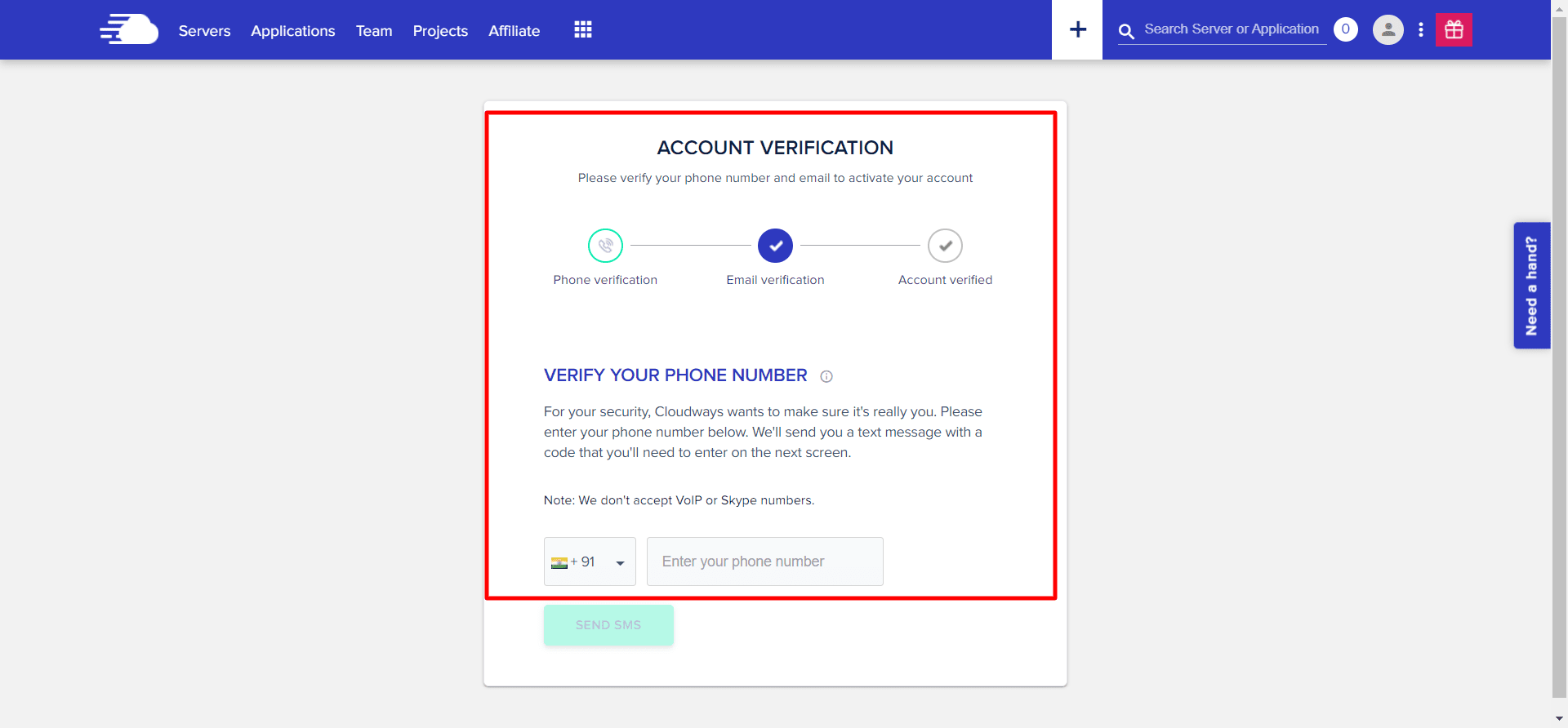
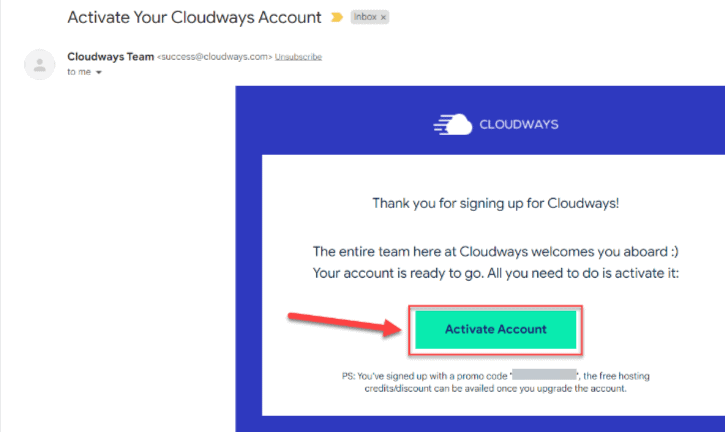
- Once you have received the code, you can activate the account by clicking on the ‘Activate Account’ button.
Is Cloudways Free or Paid?
Cloudways, which consistently ranks as one of the fastest web hosting providers, has four service tiers with prices ranging from $12 per month to $96 per month. An additional fee is required for this type of managed hosting.
In general, the more expensive the plan, the more extensive the services.
Cloudways also provides flexible pay-as-you-go pricing, allowing customers to select the plan that best suits their needs.
How to Upgrade Cloudways Free Trial?
Here is how to upgrade your free trial to the paid pricing plan:
Navigate to account
Log in to your Cloudways account and click on the Account icon.
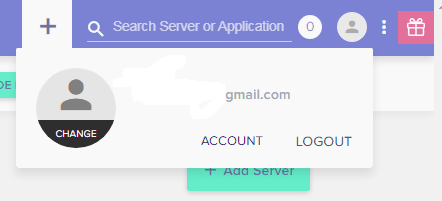
Credit Card Authorization
In the next step, authorize the credit card by clicking on Credit Cards.
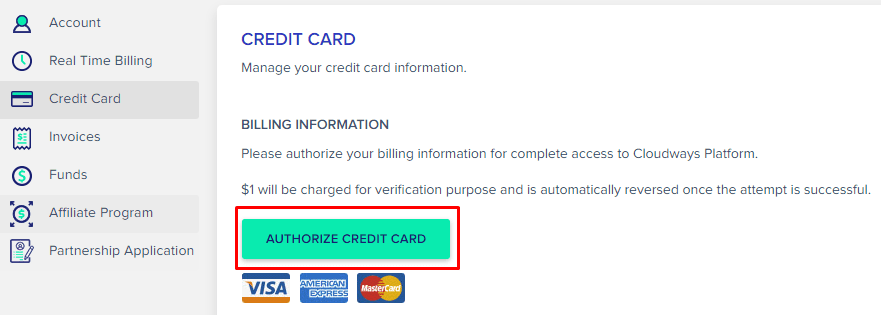
Enter payment details
Enter relevant credit card information including Name, Date of Birth, and other details as asked.
Once done, your account will be upgraded automatically to the next plan.
Cloudways vs Other Managed Hosts
| Feature | Cloudways | Kinsta | WP Engine | SiteGround |
|---|---|---|---|---|
| Free Trial | ✅ 3 days | ❌ | ❌ | ❌ |
| Cloud Providers | 5+ | 1 (GCP) | 1 (GCP) | Shared |
| Credit Card Needed | ❌ | ✅ | ✅ | ✅ |
| Starting Price | $11/month | $35/month | $25/month | $14.99/month |
| Scalability | High | Limited | Moderate | Limited |
| Ideal For | Devs, SMBs | Enterprises | Agencies | Small sites |
Cloudways stands out for flexibility — especially since it lets you pick your own cloud infrastructure and manage everything in one place.
Benefits of Cloudways Free Trial
1. Get a feel for the platform.
The best way to see if you like using Cloudways is to try it out for yourself. The free trial gives you full access to the platform so you can explore all of its features and get a feel for how it works. You can also see if the user interface is intuitive and easy to use.
If you’re not sure whether Cloudways is right for you, the free trial is a great way to find out.
2. No risk involved.
When you sign up for Cloudways free trial, there’s no risk involved. You don’t need to enter your credit card information or make any commitment to continue using the platform after the trial period ends. This means you can try Cloudways without any strings attached and decide if it’s right for you without having to worry about being charged later on down the road.
3. Test drive all the features.
Cloudways offers a variety of features that can benefit your business, including managed hosting, 24/7 support, and a pay-as-you-go pricing model. With the free trial, you can test drive all of these features and see how they work in real-world scenarios.
This way, you can make an informed decision about whether or not Cloudways is right for your business before investing any money into it.
Is Cloudways Worth It?
Cloudways is definitely accessible to non-developers, but we wouldn’t recommend it to complete newbies just starting out with their first websites. You might wish to stick with a more traditional host until you’ve mastered the fundamentals of hosting a website.
One of the greatest and most reasonably priced options for cloud hosting is Cloudways. If you’re looking for affordable cloud hosting, this is a great option.
How do I cancel Cloudways free trial?
To cancel your Cloudways account, go to your account settings and click the ‘Cancel Account’ button.
FAQs on Cloudways Free Trial
1. Do I need a credit card for the Cloudways Free Trial?
No. Cloudways lets you sign up for a free trial without a credit card.
2. How long is the Cloudways Free Trial?
It lasts 3 days, giving you full access to managed cloud hosting features.
3. Can I upgrade before the trial ends?
Yes — you can upgrade anytime, and your data and configurations will stay intact.
4. Which cloud providers can I try?
You can test DigitalOcean, Linode, Vultr, AWS, and Google Cloud during your trial.
5. Does Cloudways provide free migration during the trial?
You can request a free migration even during the trial — it’s included for one website.
Quick Links
- Top Jungle Scout Alternatives
- Top Amazon Seller Tools
- Amazon Link Checker Tools
- SEMRush Coupon Codes
- SEMrush Free Trial 30 Days
- Hostinger Review
- Miss Hosting Coupon
- PQ.Hosting Review
Final Verdict: Is the Cloudways Free Trial Worth It?
Without a doubt, yes. The Cloudways Free Trial in 2026 gives you the perfect opportunity to test real cloud hosting with zero risk. Whether you’re launching a WordPress site, an eCommerce store, or a client project, you can get hands-on experience before paying a cent.
If you like what you see, upgrading is instant, and all your trial data carries over. In a world where “free trials” often mean limited demos, Cloudways delivers the real deal.
