Udemy is a versatile and budget-friendly platform perfect for self-paced learners eager to explore a wide range of topics. If you’re looking for flexible learning without a hefty price tag, Udemy is definitely worth considering.
Pros
Affordable courses
Huge variety of topics and courses available
Learn at your own pace with lifetime access
Easy-to-use platform with mobile app support
Cons
Some courses may be outdated or lack updates
No official accreditation or recognized certification
You’ve had that tab open for weeks. A course you told yourself you’d start “when things slow down.” But things never really slow down, do they? The truth is, most people don’t need a more perfect time — they need a more accessible platform. That’s where Udemy has always delivered.
With a massive library of courses on everything from coding to creative writing, and a flexible learn-at-your-own-pace format, it meets you exactly where you are. In 2026, this Udemy review looks at whether the platform still holds up — and why millions of learners keep coming back.
What is Udemy?
Udemy was founded in 2010 by Eren Bali, Gagan Biyani, and Oktay Caglar. The idea was born out of Eren Bali’s personal experience growing up in a remote town in Turkey, where access to quality education was limited.
He dreamed of creating a platform that could provide affordable and accessible learning opportunities to people everywhere, no matter their location.
Udemy is an online marketplace for courses on just about everything from programming and marketing to yoga and photography. Anyone can create and sell a course, which means there’s a HUGE variety of topics and teaching styles.
Anyone can take or create courses on thousands of subjects on the well-known online learning platform Udemy, including programming, marketing, business, personal development, music, and hobbies.
The founders launched Udemy as an online marketplace for learning, allowing experts to create and sell courses on virtually any subject.
This open model empowered instructors from all over the world to share their knowledge, and students to choose from an ever-growing library of courses.
It offers flexible, reasonably priced, and self-paced learning, much like a vast online marketplace for education. Udemy makes learning simple at any time and from any location, whether your goal is to master a new skill, advance your profession, or take up a new pastime.
With courses taught by professionals and experts throughout the world and lifetime access after purchasing a course, Udemy is a fantastic resource for learning at your own pace.
I just enrolled in an Udemy course to improve my skills, and I had an excellent experience overall. I was able to learn at my own pace thanks to the platform’s flexibility, which worked well with my hectic schedule.
The reasonable prices were among the nicest features, particularly when combined with their regular promotions, which allowed high-quality courses to be purchased without going over budget.
I may also review the lessons at any time because I have lifetime access to the course materials.
Here’s what stood out to me:
Flexible learning — no deadlines, learn whenever and wherever I want.
Affordable pricing — great value during sales and discounts.
Lifetime access — revisit content anytime for refreshers.
Variety of courses — tons of options across different skills and industries.
Interactive content — quizzes, videos, and downloadable resources that keep learning engaging.
Not everything was flawless, of course. Since anyone can make courses, I found that the quality varied a little. Furthermore, the certificates are more for personal accomplishment than professional credentials because they are not formally authorized.
Udemy has been a helpful resource for me to conveniently and reasonably increase my knowledge, and I intend to continue using it for learning in the future!
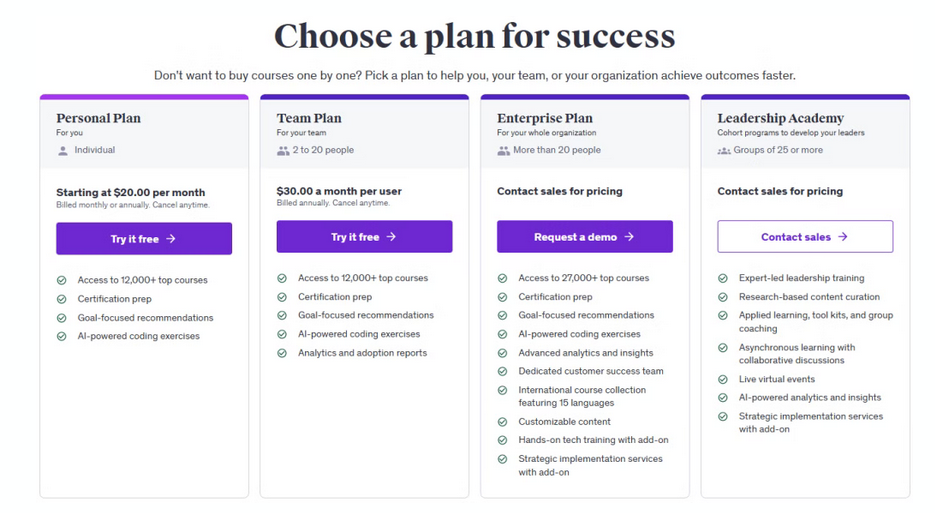
Udemy Review: Pricing Overview
Udemy Pricing Plans
Details
Approximate Cost (USD)
Individual Course Purchase
One-time payment per course with lifetime access
$9.99 – $199.99 (often discounted)
Personal Plan (Subscription)
Unlimited access to 13,000+ courses; monthly or annual billing
For 2–20 users; access to 13,000+ courses with analytics
~$30 per user/month (annual billing)
Udemy Business – Enterprise Plan
For large organizations; custom pricing with extra features
Custom pricing
Using Udemy Across Devices
I use Udemy on my laptop, and phone, and it’s mostly seamless. The mobile app is perfect for squeezing in a lesson during my commute, though the interface feels clunkier than the desktop version.
I love that my progress syncs across devices, so I can pick up where I left off. One cool feature is casting courses to my TV for a big-screen learning session great for design courses where visuals matter.
But I’ve hit snags, like videos buffering on spotty Wi-Fi or the app logging me out randomly. I haven’t tried integrating Udemy with other tools, like skill-tracking apps, but I’d love if it connected to platforms like LinkedIn for seamless credential sharing.
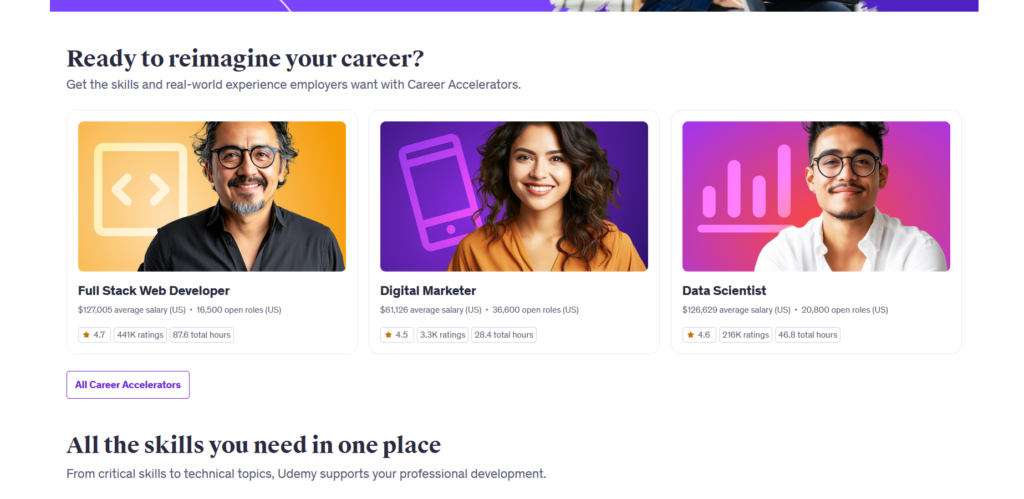
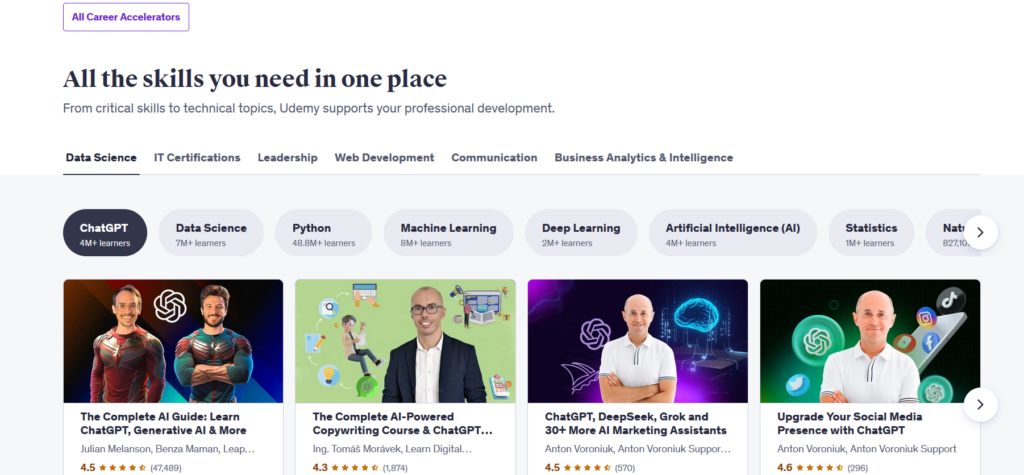
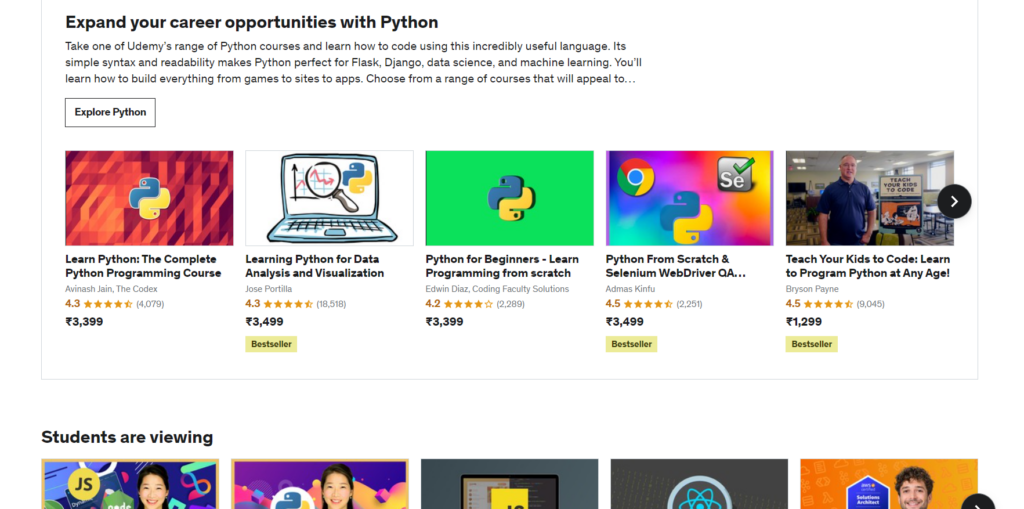
Udemy hosts over 70,000 courses spanning countless subjects—from technical skills like coding and data science to creative arts like photography and music. This diversity means you can explore multiple interests all in one place, making Udemy a one-stop learning hub.
Affordable Learning: Quality Education Without Breaking the Bank
One of Udemy’s biggest draws is its pricing model. Individual courses are often deeply discounted during frequent sales, sometimes as low as $9.99-$15. This makes professional-level education accessible to a wide audience, regardless of budget.
Self-Paced Learning: Your Schedule, Your Rules
Udemy’s courses come with lifetime access, allowing you to study at your convenience without any deadlines. This is perfect for busy professionals, students, or anyone who prefers to learn slowly and revisit material as needed.
Mobile Friendly: Learn On-the-Go with Ease
Udemy’s mobile app lets you download courses and learn offline. Whether you’re commuting, traveling, or simply away from your computer, you can keep learning anytime, anywhere, making it highly convenient for modern lifestyles.
Expert Instructors: Learn From Industry Pros
Courses are created by instructors worldwide, ranging from university professors to industry veterans and experienced freelancers. This variety ensures you get insights from those who truly understand the subject matter and current market trends.
Progress Tracking: Stay Motivated and Organized
Udemy tracks your course completion and progress, allowing you to pick up where you left off easily. It also provides an overview of completed lessons and upcoming content, helping you stay organized and motivated throughout your learning journey.
Certificates of Completion: Showcase Your Skills
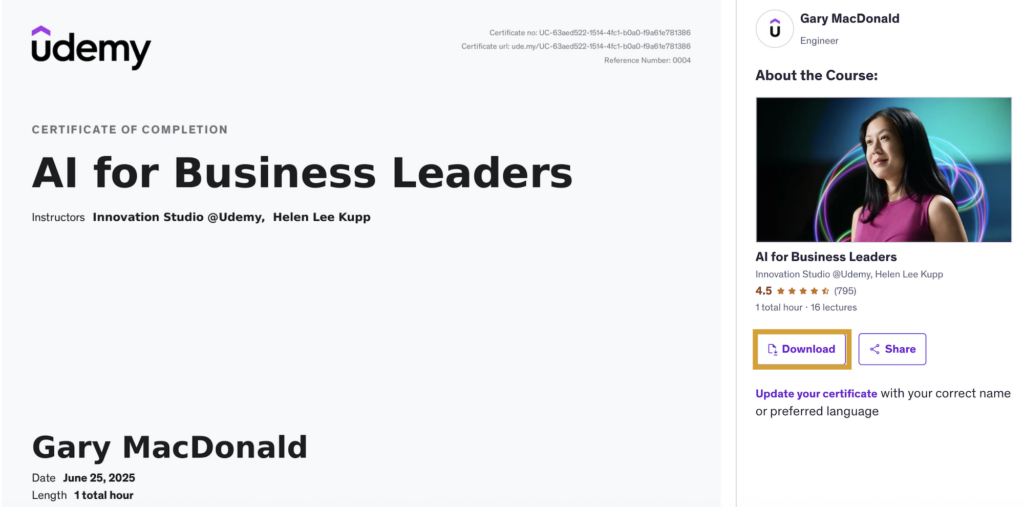
After finishing a course, you earn a certificate that you can add to your LinkedIn profile, resume, or portfolio. While these certificates aren’t formally accredited, they demonstrate commitment and newly acquired skills to potential employers or clients.
Community Support: Q&A and Peer Interaction
Udemy offers a built-in Q&A feature where you can ask questions directly to the instructor or engage with fellow students. This helps clarify doubts and creates a sense of community, even in an online learning environment.
No platform is perfect, and Udemy has its flaws. My biggest frustration is the inconsistent course quality. Some courses are well-structured, up-to-date, and engaging.
Others feel like they were thrown together in a weekend. I started a web development course that was so outdated it referenced tools no one uses anymore, which was a waste of time. Technical glitches, like videos not loading or quizzes not saving my answers, have also popped up.
And while the refund policy is generous, it’s a hassle to realize mid-course that it’s not what you expected. These hiccups don’t ruin the experience, but they’ve made me more cautious about what I buy.
Udemy Review: Free Courses vs. Free Trial
Udemy provides learners with two great ways to start learning without upfront costs: free courses and a free trial option. Each comes with its benefits depending on your learning goals. Let’s break down the key differences to help you decide which suits you best.
Aspect
Free Courses
Free Trial
Access Duration
Lifetime access
7 or 14 days
Number of Courses
5,000+ basic courses
12,000+ premium courses
Certificates
Not available
Included
Instructor Interaction
Limited
Full access to Q&A
Learning Tools
Basic
Advanced features (note-taking, discussions)
Practice Exercises
Minimal
8,000+ hands-on exercises
Mobile Access
Limited
Full access via mobile app
Skill Levels Covered
Primarily beginner
Beginner to advanced
Content Depth
Surface-level
In-depth, comprehensive
Customer Support
No direct support
24/7 dedicated support
Which Should You Choose?
If you wish to get creative with a few basic skills or are just getting started in a new field, the free classes on Udemy are a great place to start. They provide you with lifetime access to a large number of topics that are suitable for beginners.
However, the free trial option is perfect if you’re serious about improving your abilities and want access to premium courses with detailed content, practice activities, certificates, and complete teacher involvement.
It provides a more comprehensive educational experience and is an excellent way to try out Udemy’s premium products before committing.
Udemy Refund Policy:
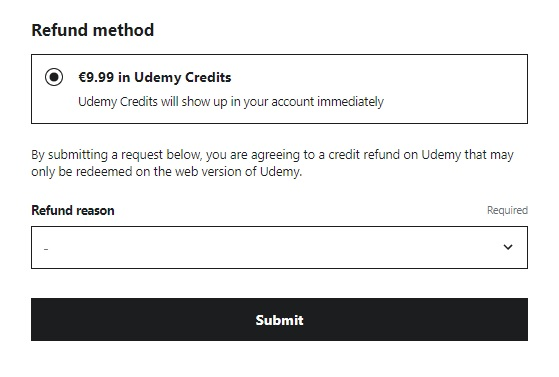
Udemy offers a 30-day refund policy for most courses, allowing students to request a refund within this period if they are unsatisfied with their purchase.
To initiate a refund, visit your purchase history, select the course, and submit a refund request. The refund will typically be processed to the original payment method, but in some cases, it may be credited as Udemy credits.
However, refund requests can be denied if a significant portion of the course has been consumed or downloaded, or if there have been multiple refund requests for the same course. Udemy does not provide refunds for subscription plans, such as those purchased through iOS or Android apps, as these must be handled by Apple or Google Play directly.
Refunds are generally processed quickly, but the time it takes to reflect in your bank or credit card account can vary, sometimes taking up to 10 business days depending on the bank’s processing time.
While Udemy offers flexibility with its refund policy, excessive refund requests may be flagged, and the policy may not apply to cases of account violations.
My Tips for New Udemy Users
If you’re thinking about jumping into Udemy, here’s what I’ve learned to make it worth your while:
Hunt for sales: Wait for discounts they happen almost weekly. I’ve never paid full price for a course.
Preview everything: Watch the free lessons and check reviews to avoid duds.
Set a schedule: It’s easy to start a course and forget it. I block out 30 minutes a day to stay consistent.
Check the last update: Stick to courses updated within the last year to avoid outdated content.
Engage with Q&A: Don’t be shy ask instructors questions. It’s like getting free coaching.
Teaching on Udemy: Share Your Knowledge and Earn Money
Udemy is a global online learning platform that allows instructors to create and sell courses to millions of students worldwide.
Whether you’re an expert in programming, photography, business, or any other field, teaching on Udemy offers an opportunity to share your knowledge, reach a diverse audience, and generate income.
Why Teach on Udemy?
Global Reach: Connect with millions of students from over 190 countries.
Flexible Teaching: Create courses on your own schedule and teach in your preferred style, whether through video, slides, or quizzes.
Earn Money: Generate passive income by sharing your expertise. Udemy offers revenue-sharing models for instructors.
No Upfront Costs: Creating a course is free, and Udemy provides tools to help you build and market your content.
Supportive Community: Access resources, instructor support, and a community of educators to help you succeed.
Steps to Become an Udemy Instructor
Sign Up:
Create a free Udemy account or log in to an existing one. Visit the Udemy teaching page (https://www.udemy.com/teaching/) and click “Become an Instructor” to start.
Plan Your Course:
Choose a Topic: Select a subject you’re passionate and knowledgeable about. Popular categories include technology, business, personal development, and creative arts.
Research Demand: Use Udemy’s Marketplace Insights tool to analyze student demand, competition, and potential earnings for your topic.
Outline Your Course: Structure your course with clear learning objectives, sections, and lectures. Aim for a course that is engaging and delivers value.
Create Your Course:
Record Content: Udemy recommends video-based courses (at least 30 minutes of video content) but supports other formats like text, quizzes, and assignments.
Equipment: You’ll need a computer, a good microphone, and a camera (optional for screen recordings). Udemy provides a free test video tool to ensure quality.
Use Udemy’s Resources: Access free guides on filming, editing, and course creation from Udemy’s Teaching Center.
Publish Your Course:
Upload your content to Udemy’s platform, set a price (or offer it for free), and submit for review. Udemy’s team ensures your course meets quality standards.
Courses typically include video lectures, downloadable resources, quizzes, and discussion forums to engage students.
Market and Grow:
Promote Your Course: Use Udemy’s marketing tools, social media, or your own network to attract students.
Engage with Students: Respond to questions, update course content, and incorporate feedback to improve ratings.
Track Performance: Monitor your course’s performance through Udemy’s analytics dashboard to optimize earnings and impact.
Pros & Cons of Udemy Review
Pros
Over 70,000 courses on virtually any topic you can imagine.
Frequent sales make many courses very budget-friendly.
A mobile app with an offline mode lets you learn anywhere, anytime.
Includes quizzes, assignments, and downloadable resources for better retention.
Earn certificates to showcase your skills after finishing courses.
Cons
Universities or professional bodies do not recognize certificates.
Unlike live classes, there’s no real-time interaction or personalized feedback.
FAQs on Udemy Review
How long does the free trial last?
Usually 7 or 14 days, depending on the promotion or plan.
Can I get a certificate after completing a course?
Yes, Udemy provides a certificate of completion for most courses, which you can share on LinkedIn or add to your resume.
Can I access Udemy courses on mobile?
Yes, Udemy has mobile apps for iOS and Android, allowing you to learn on the go, including offline viewing.
What if I’m not satisfied with a course?
Udemy offers a 30-day money-back guarantee for most courses.
How do I choose the right course?
Look for courses with high ratings, many reviews, recent updates, and preview the course content before purchasing.
Udemy in 2026 is still one of the most practical ways to pick up a skill without disrupting your entire schedule or your budget. The sheer variety of courses means you’re never more than a few clicks away from something useful, and the lifetime access model means you never feel rushed.
Yes, quality can vary — but with thorough previews and a generous refund policy, there’s very little risk. Whether you’re learning for career growth, a new hobby, or just personal curiosity, this Udemy review points to one clear conclusion: it’s worth starting. Close that tab. Enroll today.
Affiliate disclosure: In full transparency – some of the links on our website are affiliate links, if you use them to make a purchase we will earn a commission at no additional cost for you - none whatsoever.
Roshan Jha
Hey there! I'm Roshan Jha, a lifelong learner with a mission to empower others through education. As someone who’s dived headfirst into countless online courses, I know the thrill of finding a great platform and the frustration of stumbling across ones that don’t deliver. That’s why I’m here at Digiexe, reviewing course-selling platforms with honesty and heart, cutting through the hype to reveal which ones are truly legit. My goal? To help you find the right tools to fuel your growth, whether you’re chasing a new skill, a career boost, or just the joy of learning something new. Let’s navigate this journey together!