

Moonshot AI has released Kimi K3, one of the most powerful open-weight AI models available today. The 2.8-trillion-parameter model offers strong performance in coding, reasoning, and long-context tasks. Many users now want to know the practical ways to access and use it. Here is a clear guide.
Using Kimi K3 Through the Official API and Website
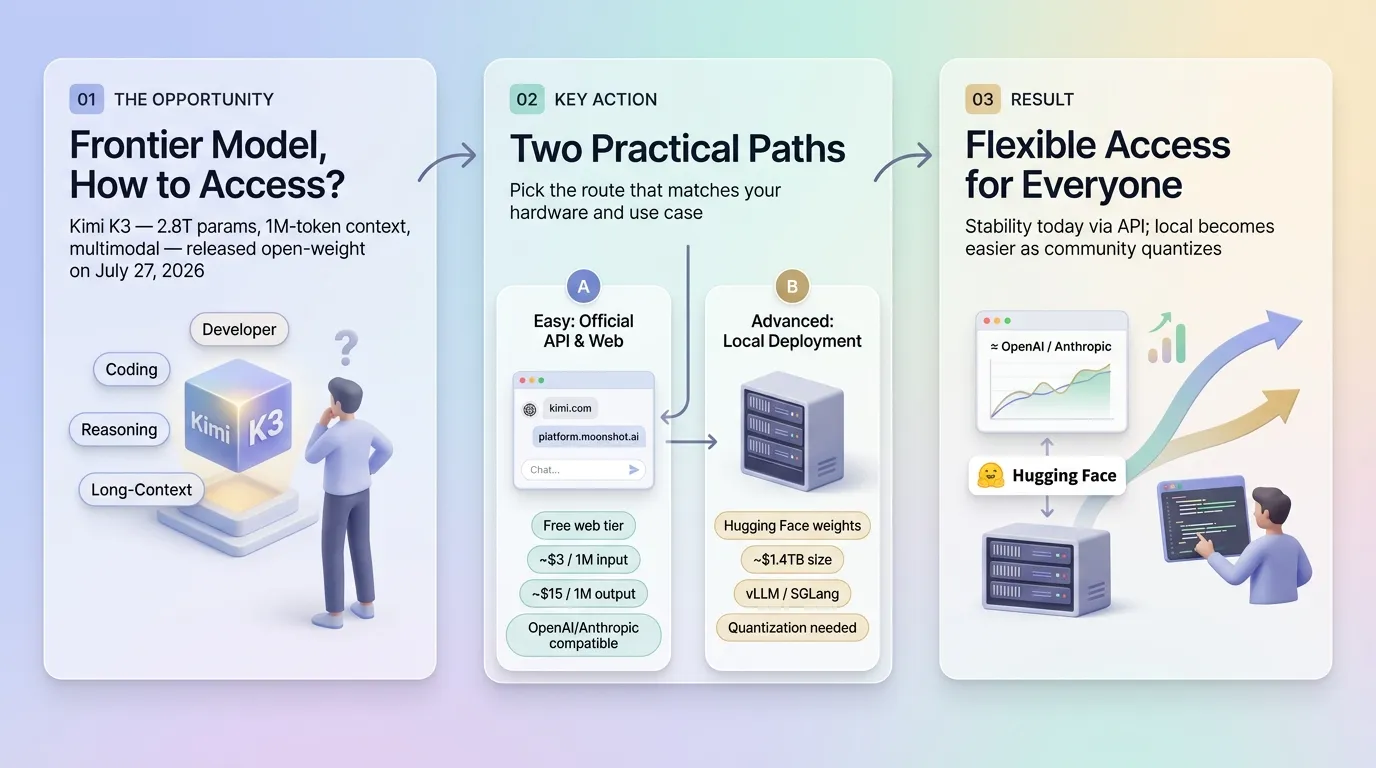
The easiest way to start using Kimi K3 is through Moonshot’s official platforms. Users can visit kimi.com or platform.moonshot.ai and create an account. The web version allows free chat access with certain limits. This option works well for testing the model’s capabilities without any technical setup.
For developers, Moonshot provides an API that is compatible with OpenAI and Anthropic formats. After signing up on the platform, users can generate an API key. The pricing is set at approximately $3 per million input tokens and $15 per million output tokens.
Developers can integrate the API into their applications using standard libraries. This method is currently the most stable and recommended for most people.
The model supports a 1-million-token context window, which means it can handle very long documents, codebases, or conversations in a single session. It also has native multimodal features, allowing it to process both text and images.
Running Kimi K3 Locally with Open Weights
On July 27, 2026, Moonshot released the full model weights for public download. The weights are available on Hugging Face under the official Moonshot AI organization. This allows advanced users to download and run the model on their own hardware.
However, running Kimi K3 locally is not simple. The full model is extremely large (estimated around 1.4 terabytes). It requires high-end multi-GPU servers with significant memory. Most consumer computers and even high-end single GPUs cannot run the full version.
Users typically need frameworks like vLLM or SGLang along with quantization techniques to make it manageable.
For those who want local deployment, the recommended steps are:
Download the weights from the official Hugging Face repository
Set up a multi-GPU environment
Use optimized inference engines
Apply quantization if full precision is not possible
Because of the high hardware requirements, many developers prefer using the API for now while waiting for more efficient quantized versions from the community.
Kimi K3 stands out for long-horizon coding tasks and complex reasoning. Whether through the official API or local deployment, users now have flexible options to access one of the strongest open models currently available.
As the community continues to optimize the weights, local usage is expected to become easier in the coming months.
Quick Links:
