

When choosing between WordPress hosting providers, two names frequently rise to the top: WP Engine vs DreamHost. Both have established reputations, but they serve different audiences with distinct priorities.
This comprehensive WP Engine vs DreamHost comparison explores features, performance, pricing, support, and overall value to help you make the right decision for your website in 2025.
WP Engine vs DreamHost Overview
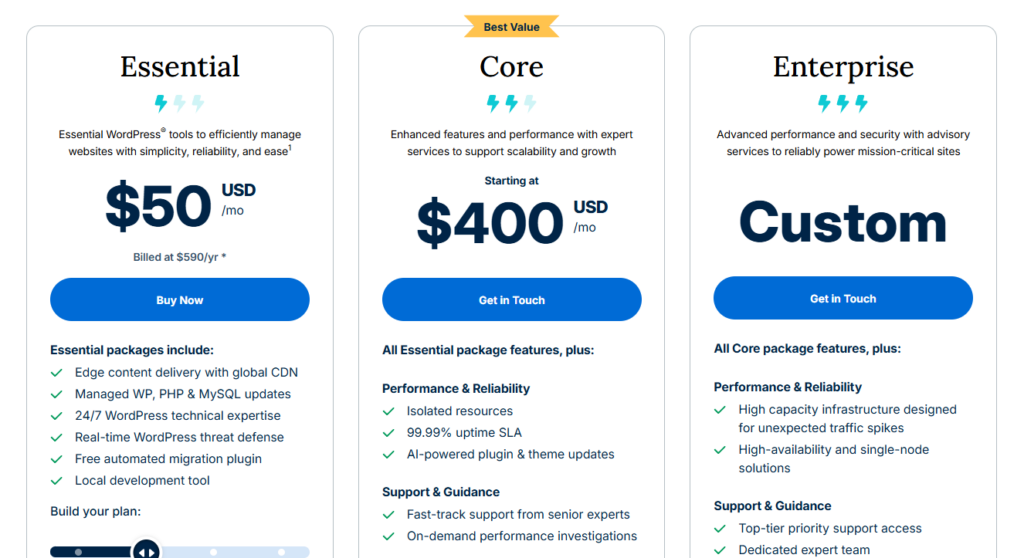
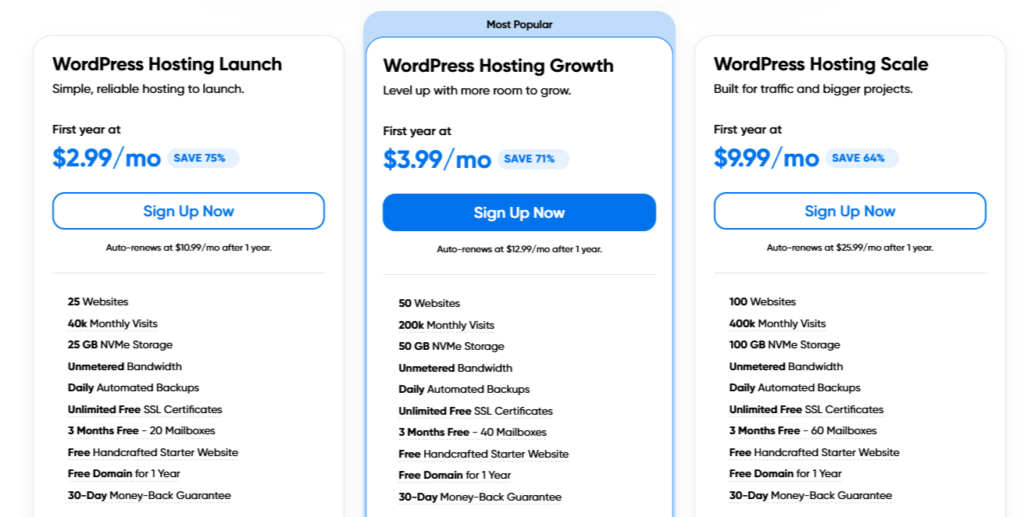
Pricing | $50/mo | $2.90/mo |
Best for | For most website owners looking for high performance and quick adaptation at an affordable price | |
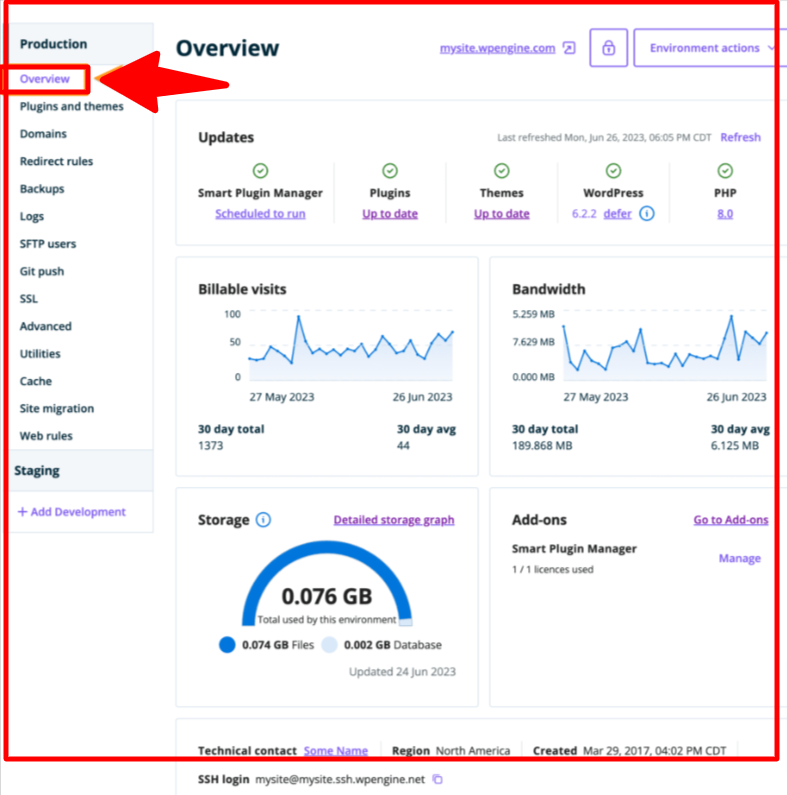
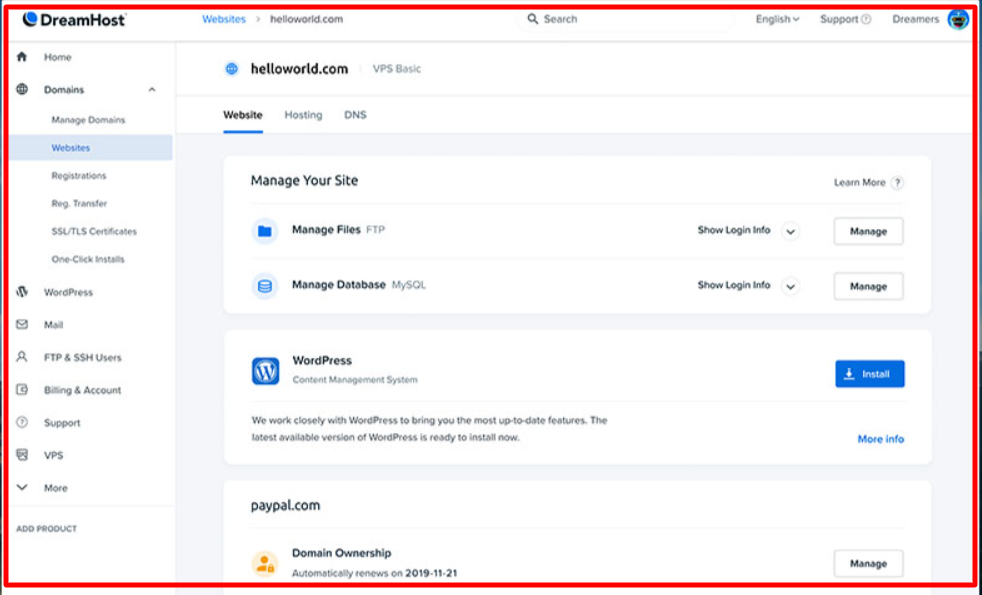
Ease of Use | DreamHost’s customized cPanel is easier than traditional cPanel. All the options are on the left side. | |
Value For Money | WP Engine pricing plans are high priced for the small businesses but they offer incredible value for money. | DreamHost has affordable pricing plans and gives incredible value for money. |
Customer Support | WP Engine offers 24/7 customer support with an incredible knowledge base and resources. | Dreamhost claims to give 24/7 support but the reality falls short. They provide support via email tickets. |


About WP Engine
WP Engine is one of the most well-run WordPress hosting providers. Uber, Asana, National Geographic, PBS, and MyFitnessPal are among their many clients.
You’ll get free premium access to 35+ StudioPress themes in addition to hosting WordPress. They also provide a suite of performance solutions and integration to help your business develop and grow.
About DreamHost
DreamHost, formerly DreamPress, is better known today as a scalable service that allows users to manage their WordPress sites.

To ensure that site owners can benefit from these hosting services, they offer a simple pricing package with fantastic benefits such as caching, memory, and server robustness.
The technology developed behind the scenes is intended to bind various intertwined pieces into a single cohesive unit.
WP Engine vs DreamHost: Features Comparison
| Feature | WP Engine | DreamHost |
|---|---|---|
| Free Domain | ❌ | ✅ (Free for 1 year) |
| SSL Certificate | ✅ | ✅ |
| CDN Integration | Built-in free CDN | Optional CDN |
| Site Staging | 1-click staging and backup | Limited manual options |
| Automatic Updates | Yes – fully automated WordPress updates | Yes – 1-click WordPress installer |
| Storage | 10–50GB (depending on plan) | Unlimited (shared plans) |
| Bandwidth | Based on plan limits | Unlimited |
| Security | Daily backups & malware scans | Standard SSL and privacy protection |
| Multisite Support | ✅ (Pro plans) | ✅ (VPS and higher tiers) |
| StudioPress Themes | ✅ (35+ free professional themes) | ❌ |
| Developer Tools | Git, SSH, API, WP-CLI | Limited |
WP Engine vs DreamHost: Performance and Speed Test
WpEngine
WP Engine, a managed WordPress hosting service, offers enterprise-level WordPress output for your site. Meanwhile, DreamHost guarantees its customers 100 percent uptime.
My team ran page speed and uptime tests on WP Engine vs. DreamHost to see if these hosting providers deliver on their promises.
The following are the tools we used to measure speed:
- Pingdom
- Load Impact
- Bitcatcha
According to our Pingdom speed test, our WP Engine test site loaded in 582 ms, faster than 96 percent of all sites tested.
WP Engine’s EverCache® is like a secret tool that makes your WordPress website faster and better. It does this by storing your website’s stuff in a smart way, which can really make your website work a lot faster and smoother.
Dreamhost
Our DreamHost test site loaded in 445 ms, outperforming 97% of all sites tested. Following the Pingdom check, we used a Load Effect tool to see if the hosting servers could withstand a traffic surge.
We sent some virtual users to our sites and gradually increased the number of visitors to 100 to see how the servers would perform.
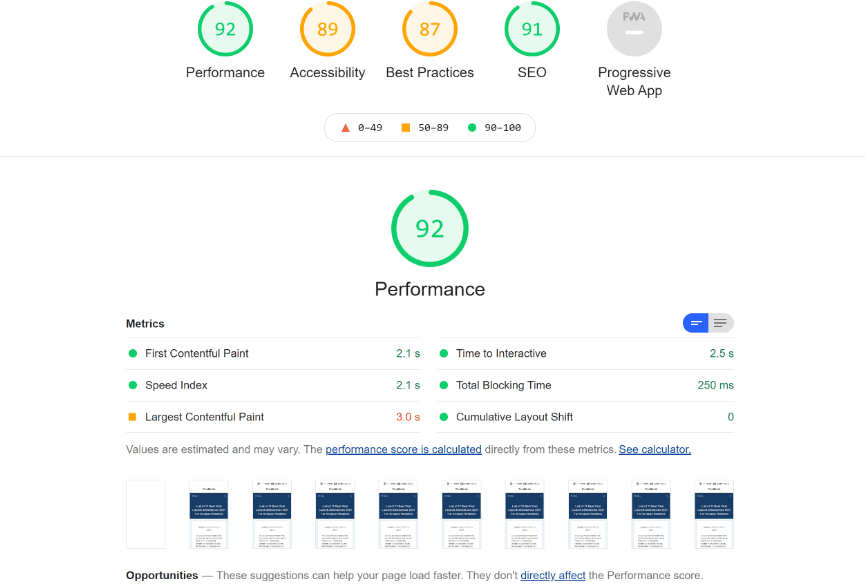
According to the observations, the number of live visitors to our WP Engine site had no adverse consequences. Similarly, our DreamHost site remained stable during the traffic surge check. The response time did not affect the number of live visitors.
Then, we ran a Bitcatcha test to see how our hosting servers performed worldwide in eight different geographical locations. Our WP Engine site received an A in our Bitcatcha test, while our DreamHost site received an A+.
DreamHost uses special fast drives, solid-state drives (SSDs), to store your website’s files. This makes your website work faster. They also have data centers all over the world. So, when someone visits your website, it’s shown from the data center that’s closest to them.
Winner: DreamHost
Pros and Cons: WP Engine vs DreamHost
WP Engine
Pros
- Lightning-fast load speeds (582ms average)
- 35+ free StudioPress themes included
- Built-in CDN and EverCache® technology
- 24/7 expert WordPress support
- 99.9% uptime reliability
- Advanced analytics and developer tools
- Perfect for managed WordPress and enterprise hosting
Cons
- Expensive for beginners
- Email hosting not included
- Monthly visitor limits may incur surcharges
Dreamhost
Pros
- Affordable pricing
- 100% uptime guarantee
- Free domain + SSL in all plans
- Unlimited bandwidth and storage
- Free WordPress pre-installation
- Easy-to-navigate control panel
- Great user community and tutorials
Cons
- Limited live chat hours
- No built-in CDN
- Lacks advanced developer tools
- Fewer global data centers
WP Engine vs DreamHost – Support and Documentation
WP Engine
WP Engine offers comprehensive support options for all their hosting plans. They provide 24/7 live chat support with all plans. As you move up to higher-tier plans, you can also access phone support.
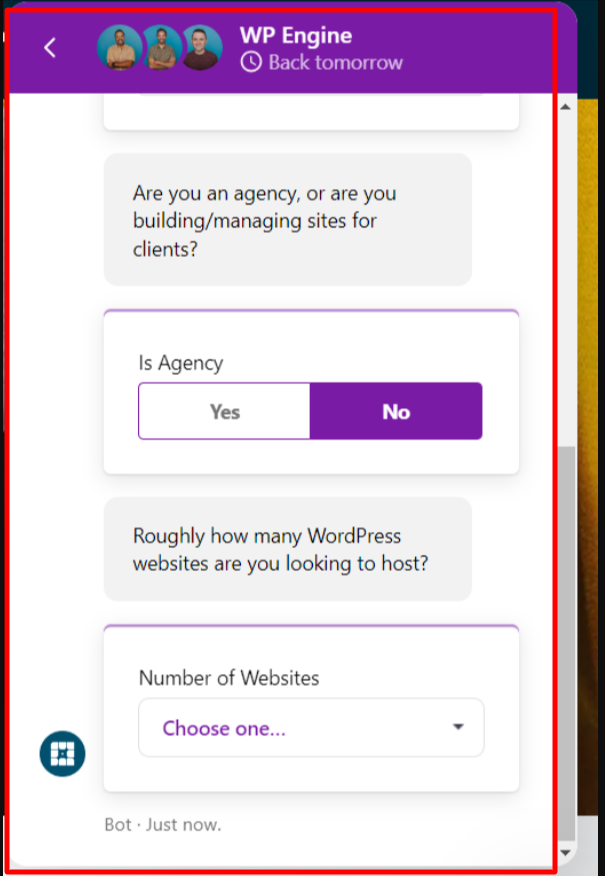
The Custom plan even includes 24/7 ticket support, ensuring you get assistance when you need it.
WP Engine has a robust knowledge base that covers all aspects of building a website with its platform.
Dreamhost
On the other hand, DreamHost claims to offer 24/7 support, but the reality falls short.
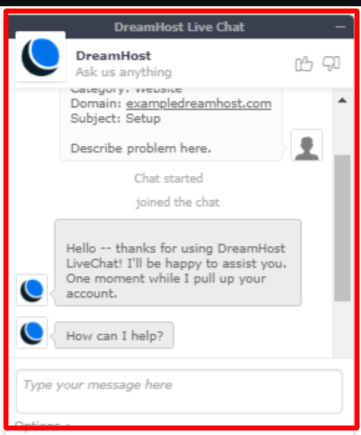
They primarily provide support via email tickets, which can take nearly a day to resolve. Live chat support is available only from 5 am to 10 pm PST, seven days a week.
They do offer call-back requests, but these come with an extra cost per call or require a monthly subscription.
In terms of support, WP Engine appears to offer more reliable and accessible options across their hosting plans compared to DreamHost.
Winner: WP Engine
WP Engine vs DreamHost – Which Should You Choose?
| Category | Winner |
|---|---|
| Speed | DreamHost |
| Uptime | DreamHost |
| Support | WP Engine |
| Features | WP Engine |
| Ease of Use | Tie (WP Engine for pros, DreamHost for beginners) |
| Pricing | DreamHost |
| Best For | WP Engine – Managed business hosting DreamHost – Affordable all-round hosting |
FAQs on WP Engine vs DreamHost
Can I use WordPress with DreamHost?
With DreamHost's DreamPress hosting, you get WordPress already set up for you. There is no need to do any extra work. If you pick Shared hosting, you can also have WordPress installed when you sign up. It's easy to get started either way.
Why is WP Engine so expensive?
WP Engine's performance is tough to match, and that's why people are willing to pay more for it. They promise that their servers will be up and running 99.95% of the time, which means there will be about four and a half hours of downtime in a year.
Does WP Engine use cPanel?
WP Engine specializes in managed WordPress hosting, so they don't offer the usual cPanel or Plesk control panels. Instead, they use their special control panel. It has a neat and easy-to-use design.
Check out:
- WP Engine Coupon Code
- HostGator vs. WP Engine
- Elementor Black Friday Deals
- WPX Hosting Black Friday Deal
Conclusion: WP Engine vs DreamHost
The winner in this WP Engine vs DreamHost comparison depends entirely on your needs, budget, and technical expertise.
Choose WP Engine if:
- You run business-critical or high-traffic WordPress sites
- Performance, security, and expert support are top priorities
- You need advanced staging, development, and agency tools
- Budget allows for premium managed hosting investment
Choose DreamHost if:
- You’re a beginner or small business seeking affordable hosting
- You want unlimited bandwidth and storage
- A 97-day money-back guarantee appeals to you
- You prefer simple, no-frills hosting with solid performance
Both WP Engine and DreamHost are excellent WordPress hosts, but WP Engine stands out for serious businesses prioritizing performance and support, while DreamHost offers unbeatable value for budget-conscious users and beginners.
